Deeplinks and Bug Fixes
Allegra version 8.1.9 includes Deeplinks as well as minor improvements and bug fixes.
Important: Please clear your browser cache after the update to ensure that all changes are loaded correctly.
Release Highlight: Deeplinks
With the new Deeplinks, item creation screens can be opened directly via a URL. The workspace, item type, or an item template can be predefined — ideal for integrations, documentation, or external tools.
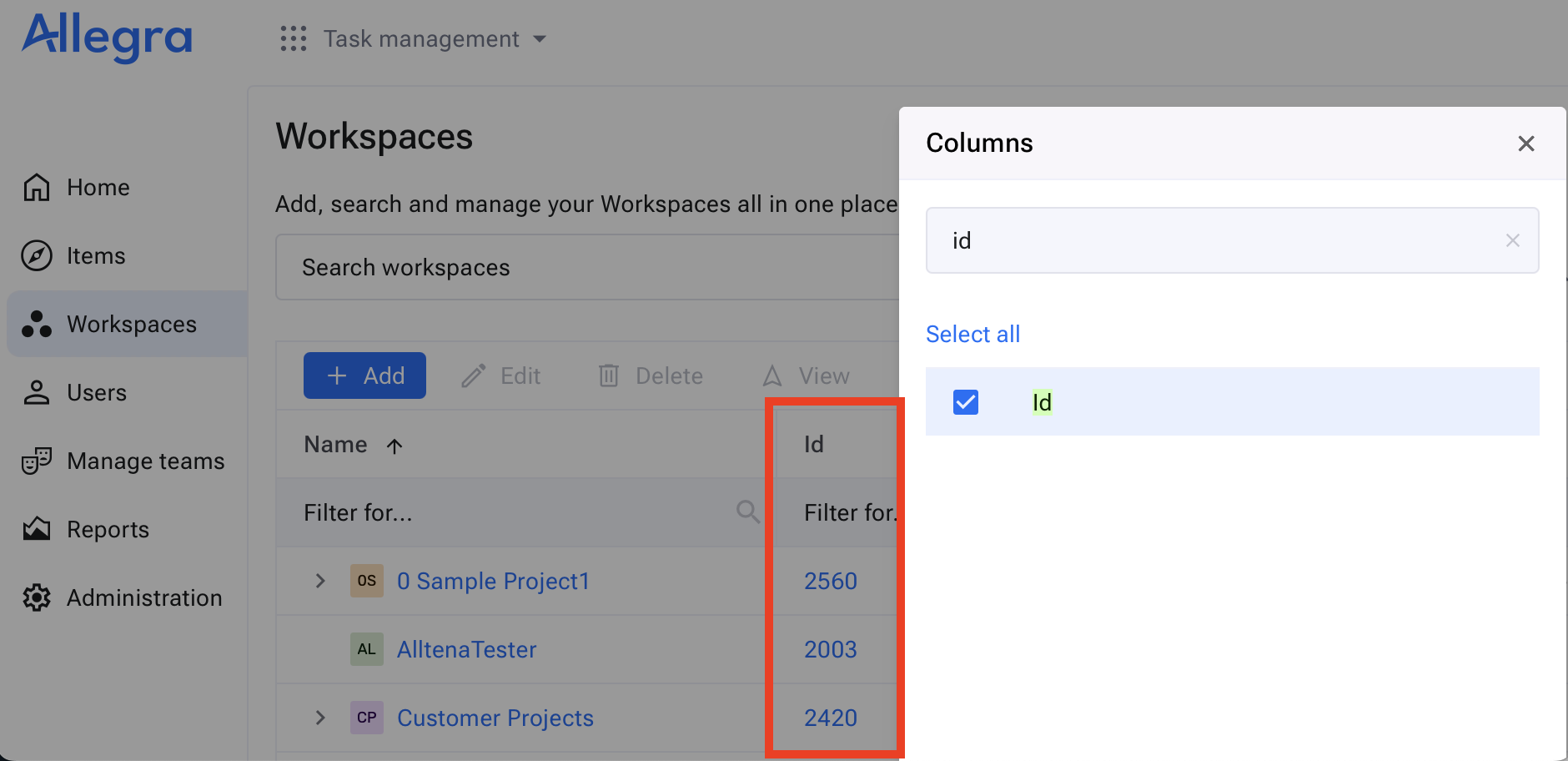
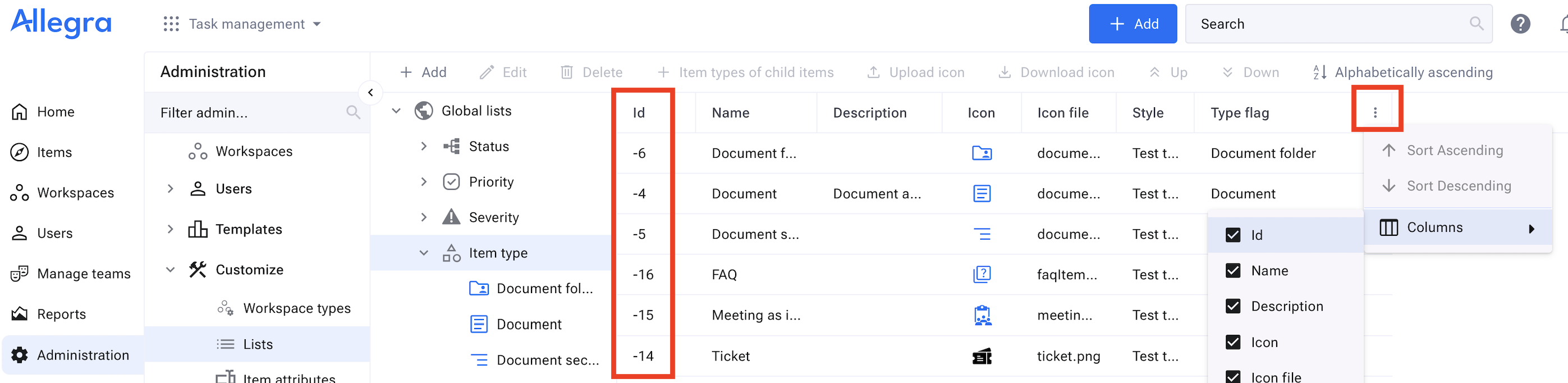
The values (IDs) of the url parameters Workspace (projectID) and Item Type (itemTypeID) are now available as columns in the respective table views. When creating items from templates, the item key must be used in the URL.
Example for receiving workspace id:
Example for receiving item type id:
When creating items from item templates, please note that the user must have read permissions for the template and create permissions in the target workspace.
-
Create an item with workspace and item type
https://your-allegra-domain/createItem.action?projectID=1390&itemTypeID=-14
-
Create an item from an item template (using the item key)
https://your-allegra-domain/createItemFromTemplate.action?projectID=1390&key=1243
Improvements
- [30529] Email retry mechanism for mail delivery
Bug Fixes
- [30184] Fixed issues with Scrum-related charts
- [30406] Editing or deleting an internal comment via the Comments tab sent an incorrect notification
- [30428] Fixed a database schema migration issue (Allegra 8.1.6)
- [30431] Fixed an Oracle database restore issue
- [30475] Address details were not rendered in the guest user picker
- [30484] Local combo search failed with attribute dependencies
- [30562] Allegra created unwanted new users based on exception cases during person metadata editing
- [30565] Incorrect avatar generation in picker fields for users

Christoph Friedrich
CEO Alltena GmbH
Christoph Friedrich is a computer scientist and certified Project Management Professional. He has extensive experience in the introduction and integration of project management tools as well as the analysis and definition of processes in project and service management.