Project managers who prefer not to use paper, ruler, and pen to create a traditional calendar have surely wondered which digital methods work best. We present three options for designing a project manager’s calendar digitally. Which is the most reliable — and therefore the most efficient — method for your team?
Method 1: Excel Spreadsheets — Familiar, but Inefficient
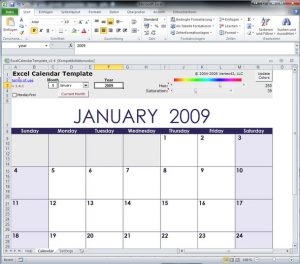
Excel offers calendar templates in spreadsheet form — they are quick to set up and you can get started with project planning right away. Since most team members are familiar with Excel spreadsheets, they can easily open and edit the document. However, the team will soon run into a problem:
After editing the document, it gets sent to the other team members — via email or through a file-sharing platform such as Dropbox. Via email, it can easily get lost among many other messages, and on the platform, the latest version always has to be uploaded manually. In the long run, this workflow can become very tedious and unreliable.
Excel spreadsheets are only partially suitable as a project manager’s calendar because a reliable version control mechanism is missing. This makes Excel spreadsheets an inefficient solution.
Method 2: Google Calendar — Familiar and Relatively Efficient
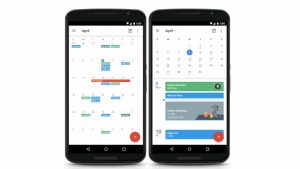
Google Calendar is widely known, both in personal and professional contexts. This calendar works in real time, there is no versioning problem, and it is accessible on all devices — PC, phone, and tablet. Google itself offers a good guide to using this calendar for project planning. In Google, calendars can be created by tasks or by projects.
Google Calendar by tasks:
An individual calendar is created for each team member. Tasks and milestones are entered into the respective calendars. This gives the team lead an overview of tasks and due dates at all times.
Google Calendar by projects:
A separate calendar with deadlines and milestones is created for each project. The team lead and team always have an overview of the various project schedules and can move tasks between projects as needed to maintain a steady workload.
Google Calendar is more efficient than Excel spreadsheets because all project contributors can access the calendar and no versioning is required. Unfortunately, important elements of project planning are missing: task interdependencies and bottlenecks in project execution are not represented. In this respect, Google Calendar is only a relatively efficient solution.
Method 3: Gantt Charts — Less Well-Known, but Highly Efficient
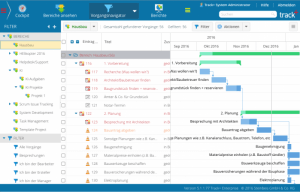
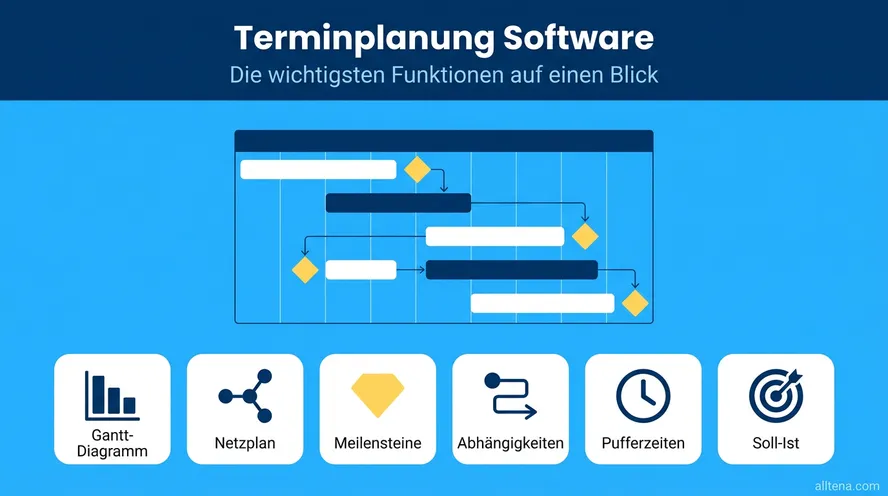
Gantt charts provide a detailed project overview. When used online, they offer automation and allow the team to create and edit tasks and milestones in real time. The bar chart gives an excellent overview of the planning, duration, and overlaps of tasks. Project progress can be tracked using a critical path, and deadline overruns are identified immediately. Multiple projects can also be displayed simultaneously in a Gantt chart.
Gantt charts were developed specifically for project planning. The limitations imposed by Excel spreadsheets and Google Calendar are resolved by Gantt charts. They represent the most efficient solution for creating a project manager’s calendar.
How Do You Plan Your Projects?
Gantt charts offer the best solution for creating your calendar for the coming year 2018. If you’re interested, take a look at Allegra’s Gantt chart and try it out for free. If, however, you don’t want to give up your Google Calendar, simply integrate it into your Allegra system.

Editor and Writer
Gabriella Martin is a Yale University graduate and holds a Master's degree in German Literature from the University of Tübingen. She loves explaining complex things in simple terms.