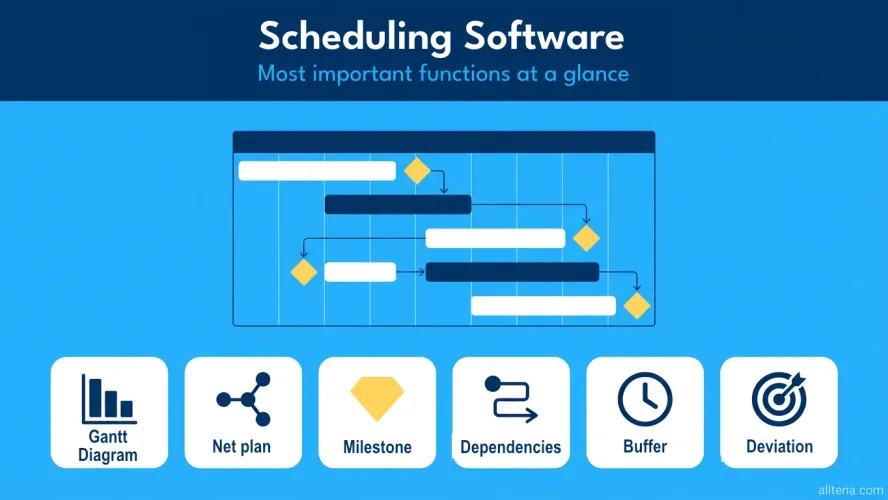
Not every project management tool is also a good scheduling software. Here you'll find a current comparison of the twelve most relevant tools — rated by scheduling features, usability, and data privacy. Each tool comes with an interactive scorecard including strengths, weaknesses, and the ideal use case.
Why the Right Scheduling Software Matters
Schedule delays are one of the most common causes of project failure. Yet many teams still plan their schedules in Excel or with simple task lists. This works for small initiatives but quickly hits its limits: dependencies between tasks remain invisible, buffer times are not calculated, and the critical path cannot be identified.
A specialized scheduling software solves exactly these problems. It calculates dates from task durations and dependencies, identifies bottlenecks, and makes schedule deviations visible early. Anyone who wants to apply scheduling methods professionally — from Gantt charts to network diagrams to milestone trend analysis — needs the right tool to do so.
Before diving deeper into any scheduling software, check the basic requirements first. Some requirements are so fundamental that they immediately disqualify a tool:
- Does the software offer Gantt charts with dependencies?
- Are task relationships (FS, SS, FF, SF) supported?
- Does the tool calculate the critical path (CPM)?
- Is there integrated resource planning?
- Is a plan vs. actual comparison with a baseline possible?
- Are milestones supported as independent planning elements?
- Is the solution GDPR-compliant?
The table below shows you at a glance which tools pass this initial filter. You can use the checkboxes to narrow the list to your requirements.
| Tool | Gantt | Network diagram / CPM | Dependencies | Resources | GDPR | Ideal for |
|---|---|---|---|---|---|---|
| Allegra | ✔ | ✔ | ✔ | ✔ | ✔ | Enterprises, government agencies |
| MS Project | ✔ | ✔ | ✔ | ✔ | Partial | Classic PM |
| OpenProject | ✔ | ✘ | ✔ | Partial | ✔ | Open source, government agencies |
| Projektron BCS | ✔ | ✔ | ✔ | ✔ | ✔ | Mid-sized businesses, complex PMOs |
| Smartsheet | ✔ | ✘ | ✔ | Partial | ✘ | Spreadsheet-oriented teams |
| Wrike | ✔ | ✘ | ✔ | ✔ | Partial | Large teams |
| monday.com | ✔ | ✘ | Partial | ✘ | ✘ | Marketing, HR |
| Asana | Partial | ✘ | ✔ | ✘ | ✘ | Agencies, creatives |
| ClickUp | ✔ | ✘ | ✔ | Partial | ✘ | Startups, all-rounders |
| Jira | Partial | ✘ | ✔ | Partial | Partial | Development teams |
| ProjectLibre | ✔ | ✔ | ✔ | ✔ | ✔ | Budget-conscious teams |
| GanttProject | ✔ | ✔ | ✔ | Partial | ✔ | Individuals, education |
A general comparison of all relevant project management tools can be found in our project management tools comparison. Here we focus on the capabilities of each tool specifically for scheduling in projects.
Evaluation Criteria for Scheduling Software
For a well-founded assessment, we have defined ten criteria specifically aligned with scheduling requirements. Each tool comes with an interactive scorecard. You can adjust the weighting in the first scorecard — changes are automatically applied to all others.
| Category | Description |
|---|---|
| Scheduling features | Gantt chart, network diagram/CPM, critical path, milestones, dependencies, buffer calculation, baseline |
| Usability | Learning curve for scheduling, drag-and-drop in Gantt, visualization quality |
| Resource integration | Linking schedules with resources, utilization display, capacity planning |
| Integrations | Connection to calendars, MS Teams, Slack, email notifications for schedule changes |
| Customizability | Working time models, holiday calendars, custom task types, schedule templates |
| Reporting & controlling | Plan vs. actual comparison, milestone trend analysis, baseline comparison, schedule deviation reports |
| Support & help | Documentation on scheduling, tutorials, training offerings, community |
| Value for money | Cost relative to the depth of scheduling features |
| Security & data privacy | GDPR compliance, hosting location, encryption, access control |
| Scalability | Performance with large schedules, multi-project capability, parallel planning levels |
The Scheduling Tools in Detail
Allegra — Professional-Grade Scheduling
Allegra is one of the few tools that combines all the core scheduling methods in a single platform. The Gantt chart displays tasks, dependencies, and the critical path in an interactive view. The network diagram with CPM calculation automatically identifies bottlenecks and calculates buffer times for each task. Milestones, baseline comparisons, and milestone trend analysis enable professional project controlling.
Particularly strong is the connection between scheduling and resource and cost planning. Once you’ve entered an effort estimation, you immediately see the impact on the schedule. The plan vs. actual comparison also works throughout. Allegra is hosted in a GDPR-compliant manner in Germany and is available as both cloud and self-hosted — a significant advantage for government agencies and regulated industries.
The onboarding time is higher than with simpler tools. But anyone managing structured projects with many dependencies and firm deadlines will find Allegra to be one of the most powerful solutions on the market.
| Category | Weighting (%) | Score (1–10) | Weighted Score |
|---|---|---|---|
| Scheduling features | - | ||
| Usability | - | ||
| Resource integration | - | ||
| Integrations | - | ||
| Customizability | - | ||
| Reporting & Controlling | - | ||
| Support & Help | - | ||
| Value for money | - | ||
| Security & Data privacy | - | ||
| Scalability | - | ||
| Total score | - | ||
Allegra is the first choice for organizations that need professional scheduling with network diagrams, critical path, and milestone trend analysis in a GDPR-compliant tool.
Microsoft Project — The Industry Standard
Microsoft Project has been the reference tool for scheduling in classic project management for over 30 years. No other tool offers comparable depth in CPM calculation, resource leveling, and task relationships. All four dependency types (FS, SS, FF, SF) are supported, including lead and lag times. Automatic schedule calculation is sophisticated and takes into account calendars, working time models, and resource constraints.
Project is available as a desktop application (Project Professional) and as a cloud service (Project for the Web / Project Online). Especially in combination with the Microsoft 365 ecosystem (Teams, SharePoint, Power BI), it creates a powerful project environment. However, the desktop version requires Windows, and the cloud variant does not offer the same feature set as the classic application.
The downside: Microsoft Project is complex, expensive, and requires experience. Occasional users quickly feel overwhelmed. Licensing is also complicated, and GDPR compliance depends on the chosen hosting option.
| Category | Weighting (%) | Score (1–10) | Weighted Score |
|---|---|---|---|
| Scheduling features | - | ||
| Usability | - | ||
| Resource integration | - | ||
| Integrations | - | ||
| Customizability | - | ||
| Reporting & Controlling | - | ||
| Support & Help | - | ||
| Value for money | - | ||
| Security & Data privacy | - | ||
| Scalability | - | ||
| Total score | - | ||
Microsoft Project remains the reference for complex scheduling — provided the budget and willingness to invest in the learning curve are present. For teams looking for a web-based, collaborative solution, there are more modern alternatives.
OpenProject — Open Source with Solid Scheduling
OpenProject, as an open-source solution, offers a good Gantt chart with task dependencies, milestones, and a hierarchical display of work packages. The software can be operated in a GDPR-compliant manner on your own servers or in an EU cloud — a clear advantage over many US cloud services.
For scheduling, finish-to-start dependencies are available, and the Gantt view allows drag-and-drop rescheduling. Milestones and phases can be created as separate elements. The integrated roles and permissions system enables fine-grained access control.
However, OpenProject lacks native network diagram calculation (CPM). The critical path is not automatically identified, and buffer times must be estimated manually. For complex schedules with many dependencies, this is a noticeable limitation. The user interface is functional but not particularly intuitive — new users need time to get up to speed.
| Category | Weighting (%) | Score (1–10) | Weighted Score |
|---|---|---|---|
| Scheduling features | - | ||
| Usability | - | ||
| Resource integration | - | ||
| Integrations | - | ||
| Customizability | - | ||
| Reporting & Controlling | - | ||
| Support & Help | - | ||
| Value for money | - | ||
| Security & Data privacy | - | ||
| Scalability | - | ||
| Total score | - | ||
OpenProject is well suited for organizations looking for a data-secure open-source solution with basic scheduling features. For demanding network diagrams and critical path management, more is needed.
Projektron BCS — Scheduling for Mid-Sized Businesses
Projektron BCS is a comprehensive solution from Germany that covers classic project management with great feature depth. For scheduling, the tool offers Gantt charts with task dependencies, CPM calculation, milestones, and integrated resource planning. The project schedule can be linked directly to effort and costs — ideal for end-to-end project controlling.
Projektron can be operated in a GDPR-compliant manner in Germany and is specifically targeted at mid-sized businesses, government agencies, and companies with complex PMOs. The feature set is impressive: from project planning to time tracking to controlling, virtually everything is integrated.
The downside: the software feels complex and the interface is not particularly modern. New users need an intensive onboarding phase. For smaller teams or agile workflows, Projektron may feel too rigid.
| Category | Weighting (%) | Score (1–10) | Weighted Score |
|---|---|---|---|
| Scheduling features | - | ||
| Usability | - | ||
| Resource integration | - | ||
| Integrations | - | ||
| Customizability | - | ||
| Reporting & Controlling | - | ||
| Support & Help | - | ||
| Value for money | - | ||
| Security & Data privacy | - | ||
| Scalability | - | ||
| Total score | - | ||
Projektron BCS is ideal for methodically managed projects with high demands on scheduling and controlling. For modern, lean teams, the solution may be too heavyweight.
Smartsheet — Scheduling in Spreadsheet Format
Smartsheet combines the familiar spreadsheet format with project management features. Gantt charts are generated automatically from the data entered — including task dependencies. Anyone at home in Excel will find the transition quick. Automations, dashboards, and conditional formatting add useful control options to scheduling.
For scheduling, Smartsheet covers the basics: Gantt view, finish-to-start dependencies, milestones, and automatic date calculation. However, there is no native CPM calculation. The critical path is only offered as an optional highlight, without real buffer calculation. Resource planning also remains superficial — utilization views and capacity planning are only available in the expensive Enterprise plans.
Smartsheet hosts in the US, which poses a challenge for GDPR-critical organizations.
| Category | Weighting (%) | Score (1–10) | Weighted Score |
|---|---|---|---|
| Scheduling features | - | ||
| Usability | - | ||
| Resource integration | - | ||
| Integrations | - | ||
| Customizability | - | ||
| Reporting & Controlling | - | ||
| Support & Help | - | ||
| Value for money | - | ||
| Security & Data privacy | - | ||
| Scalability | - | ||
| Total score | - | ||
Smartsheet is a solid choice for teams that work in a spreadsheet-based manner and need basic scheduling. For methodically demanding schedules with CPM and buffer calculation, the feature depth is not sufficient.
Wrike — Scheduling in an Enterprise Context
Wrike is a comprehensive platform particularly prevalent in larger organizations. The Gantt chart offers task dependencies, drag-and-drop editing, and automatic date calculation. Dependencies can be set between tasks and across projects — helpful for cross-project scheduling. Resource planning shows utilization and allows capacity management.
Wrike excels at collaboration: changes to the schedule are immediately visible to all stakeholders, and notifications alert team members to schedule shifts. Dashboards and real-time reports are available for reporting.
However, Wrike lacks genuine network diagram calculation (CPM). The critical path is visually indicated but not computed. Buffer times must be maintained manually. Moreover, many scheduling features only deliver their full value in the more expensive Business or Enterprise tiers. Hosting defaults to outside the EU.
| Category | Weighting (%) | Score (1–10) | Weighted Score |
|---|---|---|---|
| Scheduling features | - | ||
| Usability | - | ||
| Resource integration | - | ||
| Integrations | - | ||
| Customizability | - | ||
| Reporting & Controlling | - | ||
| Support & Help | - | ||
| Value for money | - | ||
| Security & Data privacy | - | ||
| Scalability | - | ||
| Total score | - | ||
Wrike is suited for large teams that want to combine scheduling with collaboration. For methodically deep schedule management with CPM and buffer analysis, specialized tools offer more.
monday.com — Visual, but Shallow
monday.com offers an attractive timeline view that looks like a Gantt chart at first glance. Tasks can be arranged as bars on a timeline, and simple dependencies are possible. The user interface is intuitive, and you can get started without training.
For scheduling, however, the limitations quickly become apparent: dependency management is rudimentary. Automatic date recalculation on shifts only occurs in a limited way. CPM, buffer calculation, and network diagram functionality are entirely absent. Resource planning with utilization management is not included in the standard plan. Baseline comparisons are not provided either.
monday.com is a visual work management tool, not a scheduling tool in the strict sense. It suffices for simple time overviews and task planning. For structured project scheduling with dependencies and controlling, it does not go deep enough.
| Category | Weighting (%) | Score (1–10) | Weighted Score |
|---|---|---|---|
| Scheduling features | - | ||
| Usability | - | ||
| Resource integration | - | ||
| Integrations | - | ||
| Customizability | - | ||
| Reporting & Controlling | - | ||
| Support & Help | - | ||
| Value for money | - | ||
| Security & Data privacy | - | ||
| Scalability | - | ||
| Total score | - | ||
monday.com suits teams that need a visual time overview. As a full-fledged scheduling software for projects with dependencies and critical path management, it is not appropriate.
Asana — Timeline Instead of Gantt
Asana offers a timeline view that visually resembles a Gantt chart. Tasks are placed as bars on a timeline, and dependencies can be set via drag-and-drop. The interface is intuitive and quickly mastered.
For scheduling, however, Asana only covers simple scenarios. There is no CPM calculation, no buffer determination, and no baseline comparison. Dependency management is limited to finish-to-start relationships — automatic recalculation on shifts is only partially available. Resource planning with capacity management is absent, and the timeline view is only available from the Business plan onward.
Asana is a good task management tool with an attractive time display, but not a scheduling software for demanding project control.
| Category | Weighting (%) | Score (1–10) | Weighted Score |
|---|---|---|---|
| Scheduling features | - | ||
| Usability | - | ||
| Resource integration | - | ||
| Integrations | - | ||
| Customizability | - | ||
| Reporting & Controlling | - | ||
| Support & Help | - | ||
| Value for money | - | ||
| Security & Data privacy | - | ||
| Scalability | - | ||
| Total score | - | ||
Asana is suitable for teams that need a simple time display of their tasks. Anyone looking for professional scheduling with dependencies, buffers, and controlling needs a more specialized tool.
ClickUp — Gantt Included
ClickUp offers an integrated Gantt chart with task dependencies and automatic rescheduling when dependencies change. There is also a timeline view, calendar integration, and milestones. The feature set is impressive for a general work management tool.
For scheduling, ClickUp delivers the basics at a solid level: dependencies, Gantt view, and automatic recalculation all work. However, the more advanced features are absent — CPM calculation, buffer determination, baseline comparison, and network diagram functionality are not available. Performance suffers noticeably in large projects with many tasks. As a US cloud service, ClickUp is not natively GDPR-compliant.
| Category | Weighting (%) | Score (1–10) | Weighted Score |
|---|---|---|---|
| Scheduling features | - | ||
| Usability | - | ||
| Resource integration | - | ||
| Integrations | - | ||
| Customizability | - | ||
| Reporting & Controlling | - | ||
| Support & Help | - | ||
| Value for money | - | ||
| Security & Data privacy | - | ||
| Scalability | - | ||
| Total score | - | ||
ClickUp is a flexible all-rounder with solid Gantt features. For projects that require genuine CPM control and GDPR compliance, there are better alternatives.
Jira — Strong on Sprints, Weak on Schedules
Jira is the standard tool for agile software development and excels at Sprint planning, backlogs, and burndown charts. Via “Advanced Roadmaps” (formerly Portfolio), Jira also offers a timeline view with dependencies at the epic and story level.
For classic scheduling in the sense of Gantt charts, network diagrams, and CPM calculation, however, Jira is not built. A native Gantt chart is absent — the timeline in Advanced Roadmaps is a simplified substitute. Milestones are not a dedicated task type, and buffer calculation or baseline comparisons do not exist. Anyone wanting to use Jira for scheduling must rely on Marketplace plugins.
| Category | Weighting (%) | Score (1–10) | Weighted Score |
|---|---|---|---|
| Scheduling features | - | ||
| Usability | - | ||
| Resource integration | - | ||
| Integrations | - | ||
| Customizability | - | ||
| Reporting & Controlling | - | ||
| Support & Help | - | ||
| Value for money | - | ||
| Security & Data privacy | - | ||
| Scalability | - | ||
| Total score | - | ||
Jira remains the best tool for agile Sprint planning. For classic scheduling with Gantt, network diagrams, and critical path, a different solution is needed — or a very good plugin.
ProjectLibre — Free MS Project Alternative
ProjectLibre positions itself as an open-source alternative to Microsoft Project, targeting individuals and small teams that need professional scheduling features without paying for them. The desktop application offers Gantt charts, CPM calculation, resource leveling, task dependencies, and the ability to import MS Project files (.mpp).
For the feature set, the value for money is unbeatable. The core scheduling functions — critical path, dependencies, calendars, resource assignment — are present and work reliably.
The limitations lie in modernity: the interface looks dated, there is no cloud functionality, and no real-time collaboration. Multiple project stakeholders cannot work on the schedule simultaneously. Dashboards, reporting, and integrations with other tools are also unavailable. ProjectLibre is a desktop planning tool, not a collaborative project system.
| Category | Weighting (%) | Score (1–10) | Weighted Score |
|---|---|---|---|
| Scheduling features | - | ||
| Usability | - | ||
| Resource integration | - | ||
| Integrations | - | ||
| Customizability | - | ||
| Reporting & Controlling | - | ||
| Support & Help | - | ||
| Value for money | - | ||
| Security & Data privacy | - | ||
| Scalability | - | ||
| Total score | - | ||
ProjectLibre is ideal for project managers who need a free tool with real CPM features and can forgo cloud collaboration. For teams, a web-based solution is the better choice.
GanttProject — Gantt Charts at No Cost
GanttProject is a free desktop application that focuses on the essentials: Gantt charts with dependencies, milestones, and simple resource assignment. It also includes a PERT analysis (program evaluation and review technique) and critical path calculation. The software runs on Windows, macOS, and Linux and requires no installation.
For individuals, students, or small projects, GanttProject offers a straightforward entry into structured scheduling. The learning curve is low, and the core features are solidly implemented.
The limitations are clear: there is no cloud functionality, no collaboration, no reporting, and no integrations. The interface is kept simple and no longer feels contemporary. For professional project management in teams, GanttProject is not designed.
| Category | Weighting (%) | Score (1–10) | Weighted Score |
|---|---|---|---|
| Scheduling features | - | ||
| Usability | - | ||
| Resource integration | - | ||
| Integrations | - | ||
| Customizability | - | ||
| Reporting & Controlling | - | ||
| Support & Help | - | ||
| Value for money | - | ||
| Security & Data privacy | - | ||
| Scalability | - | ||
| Total score | - | ||
GanttProject is perfect for a quick, free introduction to scheduling. For teamwork and professional project management, web-based solutions are better suited.
Conclusion: Which Scheduling Software Is Right for You?
The choice of the right scheduling software depends on the use case:
- Professional scheduling with network diagrams, critical path, and milestone trend analysis: Allegra offers the broadest methodological support in a web-based, GDPR-compliant platform.
- Maximum feature depth for classic PM: Microsoft Project remains the industry standard — but at a high price and with a steep learning curve.
- Open source with Gantt and GDPR: OpenProject delivers solid fundamentals for organizations that need data sovereignty.
- Enterprise with integrated controlling: Projektron BCS and Wrike are aimed at larger organizations with high control requirements.
- Simple visual planning: monday.com and Asana suffice for teams that need a time overview of their tasks but no real schedule management.
- Free and local: ProjectLibre and GanttProject offer real CPM features at no cost — but without cloud and collaboration.
A comprehensive comparison of all relevant project management tools can be found in our project management tools comparison.
Further reading: Gantt chart, network diagram, project schedule, scheduling methods, buffer times, schedule delays, creating a project plan, milestone trend analysis, plan vs. actual comparison, work breakdown structure, project sequence plan, effort estimation, capacity planning, project controlling, project management.
Frequently Asked Questions
What is scheduling software?
Scheduling software helps project managers organize tasks in time, manage dependencies, and create a reliable project schedule. It calculates start and end dates, identifies the critical path, and makes schedule deviations visible.
Which software supports Gantt charts and network diagrams?
Allegra, Microsoft Project, Projektron BCS, ProjectLibre, and GanttProject offer both Gantt charts and network diagrams with CPM calculation. Many other tools such as OpenProject, Wrike, or ClickUp offer Gantt charts but no native network diagram calculation.
How much does scheduling software cost?
The price range is wide: GanttProject and ProjectLibre are free. Cloud-based solutions such as Asana, monday.com, or ClickUp start at around €10–15 per user per month. Professional tools such as Allegra, Wrike, or Microsoft Project are in the €20–50 per user per month range. Projektron BCS is priced individually.
What free scheduling software is available?
ProjectLibre and GanttProject are completely free and offer CPM calculation, Gantt charts, and dependencies. OpenProject offers a free Community Edition with basic Gantt features. Among commercial tools, ClickUp and Asana offer limited free plans.
Can you do scheduling in Excel?
Technically yes, but only for very simple projects. Excel offers no automatic date calculation, no dependency management, and no critical path. With more than 20 tasks, manual maintenance becomes error-prone and time-consuming. For professional project scheduling, a specialized tool is the significantly better choice.
What is the difference between scheduling software and project management software?
Project management software covers the entire project lifecycle — from planning through execution to closure. Scheduling software focuses on time-based management: Gantt charts, network diagrams, dependencies, critical path, and schedule controlling. Many project management tools include scheduling features, but not all at a professional level. A general comparison can be found in our project management tools comparison.
Which software calculates the critical path?
Allegra, Microsoft Project, Projektron BCS, ProjectLibre, and GanttProject automatically calculate the critical path (CPM) from task durations and dependencies. Smartsheet and Wrike display the critical path visually without performing a full buffer calculation.
Which scheduling software is GDPR-compliant?
Allegra is hosted in a GDPR-compliant manner in Germany and is also available as a self-hosted solution. OpenProject and Projektron BCS also offer EU hosting. ProjectLibre and GanttProject run locally and do not touch data privacy issues. US cloud services such as Asana, monday.com, and ClickUp are not natively GDPR-compliant without additional measures.
Which tool is suitable for both agile and classic scheduling?
For hybrid approaches that combine agile Sprint planning with classic Gantt charts and milestone plans, Allegra, OpenProject, and Wrike are well suited. Microsoft Project has also offered agile boards alongside classic scheduling since the cloud version.
How detailed should a schedule be in the software?
As detailed as necessary, as high-level as possible. Work packages of one to ten days’ duration are suitable for operational management. For management reporting, a milestone plan suffices. Most tools allow multiple planning levels — from high-level phase planning down to detailed task-level scheduling.

Senior Advisor
Jörg Friedrich is the original author of the project management software Allegra and continues to accompany its development to this day. He has many years of industry experience as a project and department manager. He also serves as a professor in the Faculty of Computer Science and Information Technology at Esslingen University of Applied Sciences.


