What productivity in projects really means
Productivity in projects describes the ratio between the result achieved and the effort invested to get there — that is, time, money, and people. A team is productive not when it is busy, but when it delivers the greatest possible value with the resources available.
This is where the most common misunderstanding arises: utilization gets mistaken for performance. A full calendar and constant busyness feel productive, but say nothing about the actual result. Anyone who understands the difference between effectiveness and efficiency knows that doing the wrong things particularly efficiently is of little use.
For the project lead, this means productivity is not a coincidental by-product of effort and overtime, but the result of deliberate decisions about priorities, focus, and workflow. Those decisions can be improved on purpose — and that is exactly what the following sections are about.
The biggest productivity killers in projects
Before we talk about levers, it pays to take an honest look at the brakes. In most projects, it isn’t a lack of motivation but structural friction that costs the most performance.
Multitasking and constant context switching
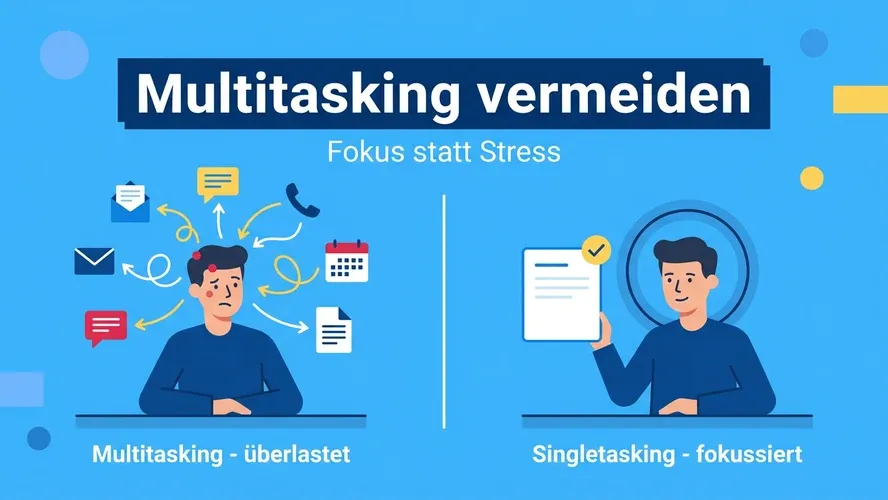
Working on several tasks “at the same time” is an illusion. In reality, the brain only jumps quickly between tasks — and every jump costs time and concentration. These switching costs add up considerably over the course of a day. Those who consistently avoid multitasking and finish tasks one after another demonstrably work faster and with fewer errors.
Meeting overload and interruptions
Meetings, chat messages, and emails cut the workday into small fragments. Demanding work can hardly get done in those fragments. Too many or poorly prepared meetings are the single biggest time sink in many teams.
Unclear priorities and creeping scope
If everything is important, nothing is. Without a clear ranking, team members work on whatever is demanded most loudly — not on what creates the most value. A scope that grows unnoticed makes this problem worse.
Unrealistic or missing planning
Overly optimistic estimates, missing buffers, and bottlenecks on scarce resources lead to congestion, rush, and rework. Productivity collapses as soon as the team moves from one escalation to the next.
Tool sprawl and information hunting
When tasks live in one tool, documents in another, and status in a third spreadsheet, the team spends a large part of its time searching, reconciling, and duplicating work. A lack of transparency is an underrated productivity killer.
The following overview summarizes the most common brakes and their remedies:
| Productivity killer | Effect | Remedy |
|---|---|---|
| Multitasking & context switching | lost time, more errors | singletasking, dedicated focus time |
| Meeting overload & interruptions | a fragmented workday | meeting hygiene, asynchronous communication |
| Unclear priorities, scope creep | working on the wrong things | SMART goals, the Eisenhower Matrix |
| Unrealistic planning | congestion, rush, rework | honest estimates, buffers, milestones |
| Tool sprawl | searching, duplicate work | a single source of truth |
How to boost productivity in your project
The good news: most killers have effective antidotes. The following levers work best when they play together.
Set clear goals and priorities
Productivity begins with the question “What are we working on — and why?”. SMART goals provide unambiguous, measurable targets. For day-to-day prioritization, simple tools have proven their worth: the Eisenhower Matrix separates the important from the urgent, while other prioritization methods help when many tasks compete for scarce capacity. What matters is that everyone on the team knows the top priorities.
Work with focus — singletasking over multitasking
Demanding project work needs uninterrupted, contiguous time. The principle of deep work — concentrated work without distraction — is one of the strongest productivity levers there is. In practice, fixed focus blocks with notifications switched off help a great deal. The Pomodoro technique structures these phases into manageable intervals, and time blocking reserves them firmly in the calendar. That turns focus from a matter of chance into a habit.
Plan realistically and set deadlines wisely
Productive teams plan honestly. That includes realistic estimates, visible dependencies, and buffers for the unexpected. How you set deadlines so that they motivate rather than overwhelm has a major impact on pace. Deadlines work best when they follow from planning — not the other way around.
Make work visible with Kanban and WIP limits
What is invisible is hard to manage. A Kanban board makes the flow of work transparent and exposes bottlenecks. WIP limits, which cap the number of tasks in progress at once, are especially effective — they force the team to finish what it started before beginning something new. The principle also works individually: personal Kanban brings the same clarity to your own workday.
Work in a steady rhythm
A steady cadence beats hectic sprints followed by idle time. Fixed cycles — such as sprints with disciplined time management following Scrum — create predictability, regular delivery points, and fixed moments for improvement. This rhythm keeps productivity stable across the entire project.
Foster team productivity
In projects, productivity is rarely an individual achievement. Protecting the whole team’s focus — for example through uninterrupted work blocks and asynchronous communication — lifts performance considerably. Clear responsibilities and consistent delegation relieve the project lead and put the team’s strengths to use. You will find further concrete approaches in the article on how to increase team productivity.
A practical example: productivity in everyday project work
How the levers work together is best shown by a typical scenario. A five-person team is barely making progress: tasks stall, deadlines slip, and no one knows exactly what the others are working on. The causes are the usual ones — too many parallel tasks, constant interruptions via chat, and a status scattered across several spreadsheets.
The project lead makes three changes. First, a clear ranking of the most important work packages is set every week, so everyone pulls in the same direction. Second, the team introduces a shared board with a WIP limit of two tasks per person — what’s started gets finished first. Third, there is a daily two-hour focus block without meetings or notifications.
After just a few weeks, the cycle time of tasks drops noticeably, because less is open at once. The number of meetings decreases, and completed work packages per week go up. The remarkable part: no one works longer — the team simply works with less friction. That is the very essence of productivity in projects.
How to measure productivity in projects
What cannot be measured is hard to improve. At the same time, not every number is helpful. Pure vanity metrics such as hours logged or the number of tickets closed tempt you to mistake busyness for performance.
Metrics that capture the flow of value and reliability are more useful:
- Throughput: How many tasks or story points are completed per period?
- Cycle time: How long does it take on average from “started” to “done”? Shorter, more stable times are a strong productivity signal.
- Plan vs. actual variance: How accurately do deadlines and effort match the plan?
- Rework rate: How much work has to be repeated because of quality defects? High values eat away at productivity invisibly.
A deeper overview of suitable measures — from earned value to team indicators — is provided in the article on project KPIs. The point is not to collect as many metrics as possible, but to keep a few meaningful ones in view in step with how you steer the project — and to reflect on them regularly in a short retrospective.
The role of the right software
Many productivity killers — tool sprawl, lack of transparency, manual status checks — can be defused directly with suitable project management software. It bundles tasks, deadlines, documents, and communication in one place, reduces context switching, and automates recurring steps. Instead of laboriously compiling status, it emerges as a by-product of daily work.
This is exactly what Allegra is designed for: project, task, and service management draw on the same data and form an end-to-end work management system. Kanban boards, Gantt plans, time tracking, and reports deliver the transparency that makes productive work steerable in the first place — from the single task to the portfolio. A good tool does not replace clear priorities or focus, but it removes the friction that otherwise quietly erodes productivity.
Quick wins: more productivity starting tomorrow
You don’t have to change everything at once. These measures take effect immediately and with little effort:
- Top 3 instead of a to-do flood: Define the three most important tasks every morning — and start with them.
- Block focus time: Reserve an uninterrupted block for demanding work each day, with notifications off.
- Limit WIP: Finish what’s started before beginning something new.
- Meeting hygiene: Every meeting needs a goal, an agenda, and an outcome — otherwise it’s cancelled.
- A single source of truth: Keep tasks and status in one central place, not in scattered spreadsheets.
- Weekly retrospective: Five minutes are enough to define one concrete improvement for the next week.
Conclusion
Productivity in projects is no secret and not a question of overtime. It emerges when the team works on the right things, gets undistracted focus to do so, plans realistically, and aligns its progress with a few meaningful metrics. Those who first remove the biggest productivity killers and turn the right methods into habits gain noticeably in pace and reliability — without any extra work. The right software provides the transparency that carries this change and secures it for the long term.
Frequently asked questions
What does productivity in project management mean?
Productivity in project management is the ratio of the result achieved to the effort invested in time, money, and people. A productive team delivers high value with the resources available — not the team that is busiest.
How do I increase productivity in a project team?
Set clear priorities, protect uninterrupted focus time, plan realistically, and make the flow of work visible with a Kanban board. At the same time, reduce the biggest sources of friction such as multitasking, unnecessary meetings, and tool sprawl.
Which methods increase productivity the most?
Especially effective are deep work and singletasking, time blocking, the Pomodoro technique, prioritization with the Eisenhower Matrix, and Kanban with WIP limits. Their impact grows when they are combined and turned into habits.
Multitasking or singletasking — which is more productive?
Singletasking is clearly more productive. Multitasking creates constant context switches that cost time and raise the error rate. Finishing tasks one after another with focus is faster and higher in quality.
How can productivity in projects be measured?
Instead of hours logged, use metrics that capture the flow of value: throughput, cycle time, plan-vs-actual variance for deadlines and effort, and the rework rate. A few consistently defined metrics are more meaningful than many individual figures.

Senior Advisor
Jörg Friedrich is the original author of the project management software Allegra and continues to accompany its development to this day. He has many years of industry experience as a project and department manager. He also serves as a professor in the Faculty of Computer Science and Information Technology at Esslingen University of Applied Sciences.