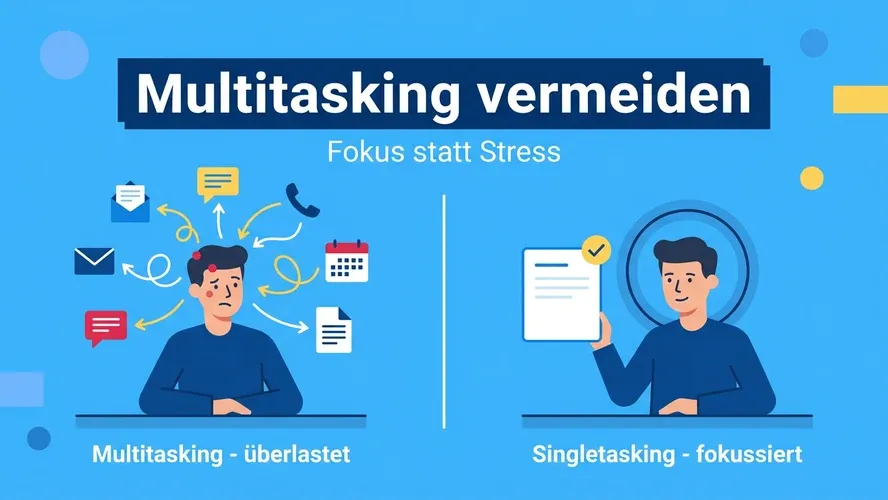
We live in a hectic world. Requests come from all directions, tools notify us constantly, new tasks blow up the day’s plan. The seemingly logical answer: do more at once. But that’s exactly where the trap begins. Those who learn to avoid multitasking don’t work less — they work with a clearer head, fewer mistakes, and better results — and often even save time in the process.
What Is Multitasking, Really?
Multitasking means handling multiple tasks simultaneously within a short period — for example, writing a presentation while answering emails and clarifying a question in chat at the same time. That’s how it feels for many people.
In reality, our brains don’t work that way: they perform no true multitasking, but instead switch very rapidly between tasks. Brain researchers and occupational psychologists therefore speak of task-switching. The switches often happen in fractions of a second and are barely conscious — which explains the self-delusion that we can “get everything done at once.”
Why Our Brains Are Not Truly Capable of Multitasking
Attention is a limited resource. Our working memory is the bottleneck through which every consciously processed piece of information must pass. To focus on one thing, the brain actively filters out other stimuli. That is precisely why it is not possible to truly handle two complex tasks simultaneously.
This applies especially to anything that requires conscious decisions: writing a concept, having a difficult conversation, interpreting a data analysis. Here, every secondary task competes directly with the main activity — and quality suffers measurably.
Multitasking, Single-Tasking, and Context Switching
In practice, a clean distinction between terms is worthwhile:
- Multitasking — the perceived attempt to handle multiple tasks simultaneously. In reality, it is rapid task-switching.
- Context Switching — you work sequentially, but jump frequently and unplanned between topics before any one is finished.
- Single-tasking — you dedicate yourself to one task at a stretch until a meaningful interim state is reached. This is the counter-strategy to both.
Those who avoid multitasking typically also reduce the damaging back-and-forth between many open topics.
Three Consequences of Multitasking
1. More Stress
Constantly switching between tasks overwhelms the brain and triggers the release of stress hormones. You feel more mentally exhausted at the end of the day, without a clear picture of what exactly consumed your energy.
2. Lower Productivity
Every switch costs twice: once for the switch itself, and once for the ramp-up time until you’re back in the flow. Studies from occupational and brain research quantify the effect as substantial — the exact figure varies, but the direction is consistent: multitasking makes you overall slower, not faster.
3. More Errors and Lower Quality
With every switch, part of your attention lingers briefly on the previous task. This attention residue increases the error rate — especially for activities that already demand concentration. That is inconvenient in everyday life and often expensive in professional contexts.
When Multitasking Occasionally Works
Not every combination is harmful. The key factor is how much attention an activity demands:
- Routines combined with routines can often be paired: walking and listening to an audiobook, washing dishes while following a podcast.
- Routine combined with a complex task rarely works: drafting an email while on a demanding phone call — the email will be weak, the conversation imprecise.
- Complex combined with complex practically never works. This is where most errors arise.
A simple self-check helps: Does either activity require conscious decisions? If yes, deliberately choose one — and put the other back on the list.
Avoiding Multitasking: 9 Practical Strategies
Each of the following points works on its own, but together they have the greatest impact.
1. Set a Daily Focus
Write down one topic that takes priority each day — even when other things are pending. Those who have named the most important thing are less likely to slip into reactive multitasking mode, driven by the feeling that “everything is equally urgent.”
2. Clarify Priorities
Get an overview. Methods such as a Top-3 list, the Eisenhower Matrix, or a brief Getting Things Done routine prevent you from following the loudest rather than the most important task.
3. Process Emails and Chat in Batches
Reserve fixed time slots for your inbox, chat, and tickets. Outside these windows, the mailbox stays closed. This feels unfamiliar at first, but it is the most effective lever against constant micro-switches.
4. Turn Off Notifications
Pop-ups and sounds are explicitly designed to capture attention. Turn them off consistently during focused work — on your computer and on your smartphone.
5. “Do Not Disturb” Times in the Calendar
Block uninterrupted work periods just like important appointments. Methods such as Time Blocking or the Pomodoro Technique help structure these times realistically. A clear status note in chat (“Focused until 11 a.m.”) sets expectations without seeming unfriendly.
6. A Personal “Parking Lot” for Spontaneous Thoughts
Keep a notepad or a quick app at hand. Every spontaneous thought gets briefly noted — and immediately released. You don’t need to hold it in your head, so you can stay in the current task. After the focus block, clear out the parking lot.
7. A “Parking Lot” in Meetings
In workshops and meetings, multitasking often arises because off-topic points cause disruption. Collect them in a visible parking lot and agree on when they will be addressed — keeping the group focused.
8. Smartphone Out of Sight
Studies show that the mere presence of a smartphone reduces cognitive performance. During focused work, put it out of reach or switch it to airplane mode.
9. Communicate Clear Expectations in the Team
Agree on realistic response times and responsibilities. Those who know that a reply within — say — four hours is fine won’t check their inbox every 5 minutes. Such ground rules relieve entire teams.
Multitasking as a Team Problem
Multitasking is often not primarily an individual failure, but the result of structures: too many parallel projects, constantly shifting priorities, lack of visibility into work, tools that don’t integrate. The effect compounds — and it affects managers and project leads in particular, as the article on multitasking in project management shows.
Effective levers at the team level include:
- Limiting the number of simultaneously active tasks (WIP limits) — overload becomes visible instead of hiding in constant switching.
- A shared data foundation for projects, tasks, and services. That is exactly what the Allegra product family (Project, Task, Service) is designed for: the same items, different views, fewer jumps between specialized tools. More on this in the overview Work Management vs. Project Management.
- Honest prioritization by leadership: “If A takes precedence now, B moves back” — rather than declaring three “top priorities” in parallel.
Conclusion
Multitasking is usually self-deception. What feels like more output is in reality rapid switching with high hidden costs — in time, quality, and energy. Those who avoid multitasking and consistently practice single-tasking work more calmly, more cleanly, and often even faster. Start small: one focus per day, fixed times for emails, notifications off. These three routines are often enough to feel a clear difference in your daily work.
Frequently Asked Questions
What does multitasking actually mean?
Multitasking describes the attempt to handle multiple tasks simultaneously. In reality, our brains cannot do this: they switch very rapidly between tasks — so-called task-switching. Subjectively this feels like parallelism; objectively it is serial work with switching costs.
Why should you avoid multitasking?
Multitasking increases stress, extends processing time, and leads to more errors. Every switch between tasks requires ramp-up time during which concentration is not yet fully restored. Single-tasking delivers better results faster in most cases.
When is multitasking occasionally useful?
When at least one of the activities runs automatically and requires no conscious decisions — such as walking and listening to an audiobook. As soon as an activity demands real attention, you should do only that one.
How can I concretely avoid multitasking in my work day?
Three simple levers are the most powerful: define a daily focus, process emails and chat in fixed time slots, and turn off notifications. Gradually add focus blocks in your calendar and a personal “parking lot” for spontaneous thoughts.
What can a manager do to help the team multitask less?
Set clear priorities, limit parallel work (WIP limits), agree on realistic response times, and provide a shared view of projects, tasks, and services — for example through an integrated work management system rather than many separate specialized tools.

Senior Advisor
Jörg Friedrich is the original author of the project management software Allegra and continues to accompany its development to this day. He has many years of industry experience as a project and department manager. He also serves as a professor in the Faculty of Computer Science and Information Technology at Esslingen University of Applied Sciences.


