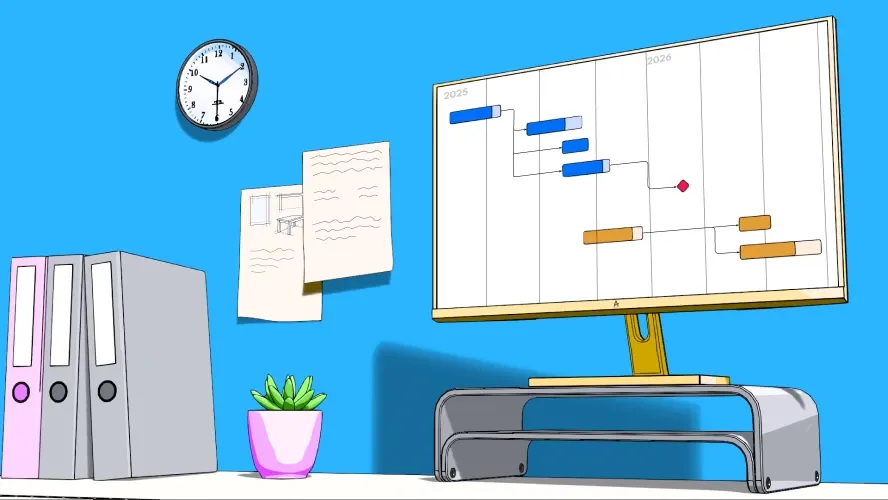
Project management can be overwhelming. Many tasks, tight schedules, countless stakeholders — without a clear structure, chaos looms. That’s where the project sequence plan comes in. It helps you keep track of everything, set priorities correctly, and respond flexibly to changes.
In this guide, you’ll learn what a project sequence plan is, what elements it contains, and how to create one step by step. Whether you’re leading a project for the first time or you’re an experienced professional — with the right methods, tools, and best practices, you’ll produce a precise and actionable sequence plan.
What is a project sequence plan and why is it so important?
A project sequence plan describes the logical order of tasks and milestones within a project. It shows which steps are required, when they take place, and how they are connected to one another.
Why do you need a project sequence plan?
Without a clear sequence structure, a project can quickly stall. Too many teams work on too many things simultaneously, dependencies get overlooked, and in the end delays or budget overruns become likely.
With a well-thought-out sequence plan, that doesn’t happen. It helps you to:
- Maintain an overview: You always know where the project stands.
- Work efficiently: Every stakeholder knows their tasks and deadlines.
- Deploy resources purposefully: Time, budget, and personnel are used optimally.
- Stay flexible: Changes can be integrated in a meaningful way.
Distinguishing the sequence plan from other planning methods
Many people confuse the project sequence plan with other planning tools. There are, however, clear differences:
| Planning tool | Focus |
|---|---|
| Work breakdown structure (WBS) | Breaks the project down into small work packages, but shows no chronological sequence. |
| Milestone plan | Shows only key events, but no detailed sequences. |
| Gantt chart | Presents the project sequence visually, but is only one form of sequence planning. |
A project sequence plan combines several of these approaches and ensures a detailed, practical implementation.
Example:
Imagine you’re building a house. Before the roof can go on, the foundation must be in place. Before interior work can begin, you need electricity and plumbing. Without a sequence plan, there would be chaos. In projects it’s no different — some steps must come before others.
What elements belong in a project sequence plan?
An effective project sequence plan consists of several core elements. These ensure that all stakeholders know what needs to be done, when, and what dependencies exist.
1. Project phases: the guiding thread of the sequence
Projects can be divided into four central project phases:
Initiation
- Defining goals, stakeholders, and requirements
- Initial feasibility analysis and risk assessment
- Rough outline of resources
Example: You’re developing a new app. During the initiation phase you determine what problem it solves, who the target audience is, and what budget is available.
Planning
- Establishing a detailed sequence structure and milestones
- Role assignments and resource allocation
- Selecting appropriate tools (e.g., Gantt chart, Kanban board)
Best practice: Work with a backward schedule. Start with the desired end date and work your way back. This lets you identify bottlenecks early.
Execution
- Working through tasks, checking progress regularly
- Communication and coordination between teams
- Initial tests and feedback loops
This is where you find out whether your sequence plan works. Hold regular review meetings and adjust the plan as needed.
Closure
- Final review and handover of results
- Evaluation: What worked well? Where is there room for improvement?
- Documentation for future projects
2. Tasks, milestones, and dependencies
Every project sequence plan is based on a structured task list — the work breakdown structure (WBS). But not all tasks are equally important or stand alone.
- Tasks: Concrete steps that need to be completed.
- Milestones: Important interim results that must be reached.
- Dependencies: Some tasks can only begin once others are complete.
Tip: Use a critical path analysis to identify which tasks have the greatest impact on project progress.
3. Scheduling and resource planning
A realistic project schedule is crucial. Overly ambitious timelines often lead to overload and poor quality. You determine the effort for individual activities during effort estimation. You then assign available resources to tasks during capacity planning.
- Estimate time requirements realistically — use methods such as Three-Point Estimating (optimistic, pessimistic, and realistic assessment).
- Avoid overbooking — no one can give 100% in two projects simultaneously.
- Build in buffer time — unforeseen problems arise in every project.
Successful example:
Toyota uses the so-called Just-in-Time method in its production processes. They optimize not only the sequence but also resources and costs. In projects that means: only as much effort as necessary, but enough leeway for the unexpected.
How do I create an effective project sequence plan?
A project sequence plan is not a rigid document — it is your navigation system for the project. Careful planning helps you use resources efficiently, minimize risks, and complete the project successfully.
Here is a step-by-step guide you can put into practice immediately:
1. Clarify the project goal and framework conditions
Before you begin sequence planning, you need to define the project goal precisely. The SMART goals method is well suited for this. Questions you should answer:
- What exactly should be achieved at the end?
- Who are the stakeholders, and what are their expectations?
- What resources (budget, personnel, time) are available?
Example:
A company plans a new website. The goal: an SEO-optimized, user-friendly site within four months. Stakeholders: marketing team, IT department, external agency. Challenge: Limited budget and tight developer capacity.
2. Define the main phases and milestones
Now break the project down into meaningful phases with clear milestones.
Tip: Work with the Work Breakdown Structure (WBS) to divide large tasks into smaller, manageable work packages.
Example for website development:
- Phase 1: Concept (define target audience, create wireframes)
- Phase 2: Design (mockups, UX optimization)
- Phase 3: Development (programming, backend, CMS integration)
- Phase 4: Testing and go-live (bug fixing, performance optimization)
Each of these phases should conclude with a milestone, e.g. “Website design approved” or “Beta version online”.
3. Define tasks, dependencies, and scheduling
Now it gets specific: each phase consists of individual tasks that must be completed in the right order.
Use these methods:
- Gantt chart: Perfect for visually displaying tasks, dependencies, and deadlines.
- Network diagram: Highlights critical paths and bottlenecks.
- Kanban boards (e.g., in Trello, Allegra, Jira): Great for agile teams that want to work flexibly.
Key questions:
- Which tasks must be completed first before others can start?
- Are there critical paths (tasks that directly influence project completion)?
- Where do buffer times need to be factored in?
Best practice:
Use the 80/20 rule, or Pareto principle: 20% of tasks determine 80% of project success. Focus on the most important tasks and don’t waste time on secondary matters.
4. Assign responsibilities
Every task needs a clear owner — otherwise misunderstandings arise. The project organization, documented in the project manual, defines roles and responsibilities. Use the RACI matrix:
- R = Responsible (Who carries out the task?)
- A = Accountable (Who bears ultimate responsibility?)
- C = Consulted (Who should have input?)
- I = Informed (Who needs to be kept in the loop?)
Example:
When launching new software, the development team is “Responsible,” the project manager is “Accountable,” the marketing department is “Consulted,” and the CEO is “Informed.”
5. Documentation and regular monitoring
A project sequence plan is a living document. Schedule regular reviews and updates to detect changes and risks early.
Tools for monitoring:
- Burndown charts (ideal for agile projects)
- Milestone trend analysis (for classic projects)
- Status reports and dashboards (for management and clients)
- Retrospectives (for learning applicable to future projects)
Expert tip:
Use Lessons Learned meetings at the end of every project. Document what worked — and what didn’t, to improve future planning.
Which tools and software are suitable for creating a project sequence plan?
There are many project management tools for project planning — but not every one is suited to every purpose. Below you’ll find an overview of the best programs for different project sizes and requirements.
1. Classic vs. agile planning — which software fits?
Classic planning (e.g., waterfall model)
- Gantt charts, schedules, structured planning
- Suitable for projects with clearly defined workflows (e.g., construction projects, software releases)
Agile planning (Scrum, Kanban)
- Flexible methods with iterative improvements
- Perfect for startups, IT development, creative projects
2. The best tools for project sequence planning
| Tool | Use case | Advantages |
|---|---|---|
| Allegra | Small to large agile or classic projects | Perfect for hybrid project management, on-premises |
| MS Project | Large, complex projects | Powerful Gantt charts, resource planning |
| Trello | Small to medium projects | Intuitive Kanban boards, ideal for agile teams |
| Asana | Medium-sized teams | Clear task assignment, timeline view |
| Jira | Software development, Scrum teams | Perfect for agile sprints and bug tracking |
| Monday.com | Creative projects, marketing | Versatile, customizable, simple automations |
| Smartsheet | Hybrid approach | Combination of spreadsheets and project management |
| ClickUp | All-in-one solution | Task management, mind maps, Gantt charts |
Tip:
Many of these tools offer free trial versions. Try out what works best for your team.
3. Excel vs. specialized software — which is better?
Many teams still rely on Excel for project sequence planning. But is that really the best choice?
Excel advantages:
- Simple and widely available
- No additional software required
- Ideal for small, one-off projects
Excel disadvantages:
- No automation
- No real-time collaboration
- Prone to errors in complex projects
Better: Use a combination of Excel for simple lists and a tool like Allegra or Asana for real-time planning.
How can I adapt the project sequence plan flexibly?
No project runs exactly according to plan. Changes, new requirements, or unforeseen challenges are part of everyday project life. The art is to stay flexible without losing the overview.
1. Why is flexibility crucial?
A plan that is too rigid can do more harm than good. If changes are not accounted for, the result is stress, delays, or even project cancellations. Especially in dynamic industries such as software development or marketing, requirements often change at short notice.
Best practice:
Plan in 10–20% buffer time. This lets you react to the unexpected without overturning the entire project.
2. Agile vs. classic adaptation — which approach suits you?
| Approach | Characteristics | Suited to… |
|---|---|---|
| Agile (Scrum, Kanban) | Short sprints, rapid adjustment, flexible priorities | Dynamic projects (e.g., IT, startups) |
| Classic (waterfall, Gantt) | Fixed plan, milestones, fewer changes | Structured projects (e.g., construction, mechanical engineering) |
| Hybrid (mix of both) | Fixed baseline, but room for adjustments | Projects with known goals but variable paths |
Tip:
Combine both methods! For example, you can use a classic Gantt plan for the major milestones and an agile Kanban board for short-term adjustments.
3. How do I integrate changes without creating chaos?
- Regular status meetings: Check weekly whether the plan still holds.
- Reprioritize: Does everything really need to be done immediately?
- Introduce change management: Define processes for new requirements.
Example:
A software startup is developing a new app. Shortly before launch, customers request additional features. Instead of overturning the entire sequence plan, the team prioritizes: “Which changes deliver the greatest value and are realistically implementable?” This keeps the project on track.
Which best practices improve the execution of a project sequence plan?
Planning is half the battle — execution decides success or failure. Here are the best strategies for making your project sequence plan work in practice.
1. Clear communication as the key to success
A perfect sequence plan is worthless if nobody understands it. Make sure every team member knows who does what and when.
- Use clear, simple language — no complicated jargon.
- Visualize the plan with diagrams, checklists, or dashboards.
- Hold regular project updates for all stakeholders.
Example:
Google uses OKRs (Objectives and Key Results) for major projects. Every team member knows exactly what goal is being pursued and how success is measured.
2. Monitoring and controlling: keeping track of progress
A good sequence plan adapts — but how do you spot problems early?
Use these methods:
- Burndown charts (show whether you’re on schedule)
- KPIs for progress tracking (e.g., number of tasks completed per week)
- Risk analyses (identify bottlenecks early)
Best practice:
Use early-warning systems! For example, a traffic-light logic in Allegra, Asana, or Jira automatically flags tasks that are falling behind schedule.
3. Keeping team motivation high
No project runs without a hitch. Dips in motivation are normal — what matters is how you handle them.
- Celebrate successes: Make even small milestones visible.
- Avoid micromanagement: Give teams the freedom to find their own solutions.
- Build in regular feedback loops: What’s going well? What can be improved?
Example:
Spotify uses “squads” — small, self-organized teams with a high degree of ownership. This keeps employees motivated and gives them more room for initiative.
What common mistakes occur when creating a project sequence plan?
Even experienced project managers make mistakes in sequence planning. Many projects fail not because of a lack of expertise, but because of poor planning and communication. Here are the most common pitfalls — and how to avoid them.
1. Underestimated scheduling and resource planning
Mistake: Tasks take longer than expected, or important resources are missing.
Solution: Use realistic time estimates (e.g., Three-Point Estimating: optimistic, pessimistic, and realistic assessment).
Example:
A marketing team plans a major campaign. Content production is estimated at three weeks — without accounting for delays. In reality it takes six weeks because graphics need reworking. With buffer time, the schedule would not have been put at risk.
2. Lack of alignment with stakeholders
Mistake: The sequence plan is created without involving all stakeholders. Later there is resistance or unexpected change requests.
Solution: Involve all relevant stakeholders early (e.g., through kick-off meetings and regular status updates).
3. Overcomplicated or too rigid plans
Mistake: The sequence plan is so detailed that even small changes throw everything off.
Solution: Plan flexibly and pragmatically — with clear priorities, but without excessive levels of detail.
Best practice:
Work with a core structure for the entire project and add detailed plans for individual phases. This keeps the overview intact without changes toppling the entire system.
Why a well-thought-out project sequence plan is the key to success
A good project sequence plan is more than a list of tasks and deadlines — it is the foundation for efficient, transparent, and successful project execution.
Summary of the most important insights:
- Clear structure: A well-thought-out plan gives your team direction.
- Flexibility: Changes are inevitable — a good sequence plan can accommodate them.
- Transparency: All stakeholders know at any time what’s coming next.
- Effective execution: With the right tools and methods, your project stays on track.
Action recommendations for different project sizes:
- Small projects: Use simple tools like Trello or Asana for quick visual planning.
- Medium-sized projects: Combine Gantt charts with agile methods for flexibility.
- Large projects: Use Allegra, MS Project, or Smartsheet with automated reports and real-time updates.
Frequently asked questions
What is a project sequence plan?
A project sequence plan is a structured representation of all tasks, milestones, and dependencies within a project. It shows which steps are required, when they are carried out, and how they are connected. This helps teams work efficiently and monitor project progress.
How do I create a project sequence plan?
A project sequence plan is created in five steps: 1) Define the project goal and framework conditions. 2) Break the project down into phases and milestones. 3) Create a task list with dependencies. 4) Establish realistic schedules and assign responsibilities. 5) Use a suitable tool (e.g., Gantt chart, Kanban board) for visualization.
Which tools are suitable for creating a project sequence plan?
There are various tools for creating a project sequence plan, depending on project size and requirements. The most popular include: Microsoft Project (for large, complex projects), Trello (simple, agile planning), Asana (medium-sized teams with task management), Jira (Scrum and agile teams), and Smartsheet (hybrid solution for classic and agile projects).
How does a project sequence plan differ from a work breakdown structure?
A project sequence plan represents the chronological progression of a project, whereas a work breakdown structure (WBS) breaks the project into work packages but does not define chronological sequences. The WBS serves as an overview of the total scope, while the project sequence plan establishes the order of tasks.
What common mistakes occur when creating a project sequence plan?
Typical mistakes in project sequence planning are: 1) Overly optimistic scheduling without buffer times. 2) Failure to account for dependencies between tasks. 3) Unclear responsibilities within the team. 4) Planning that is too complex or too rigid, making changes difficult. 5) Lack of regular review and adjustment of the plan.

CEO Alltena GmbH
Christoph Friedrich is a computer scientist and certified Project Management Professional. He has extensive experience in the introduction and integration of project management tools as well as the analysis and definition of processes in project and service management.


