Project management tools come in many shapes and sizes. But which one is truly right for you? Here, as a project manager or team lead, you'll get a quick, up-to-date overview. For each tool you'll find a concise assessment — with strengths, weaknesses, and the ideal use case.
The Fastest Path to the Right Project Management Tool
Before you dive deeper into any project management tool, first answer one fundamental question: Is there anything that rules it out straight away? Some hurdles are so fundamental that they disqualify a tool from the start. Watch out for these points:
- Is the tool offered as SaaS in the cloud?
- Can the project management software be self-hosted (on premise)?
- Is the service fully GDPR-compliant?
- Is agile project management genuinely supported?
- Is classical project management (e.g. the waterfall model, PRINCE2) genuinely supported?
- Can the terminology be mapped to frameworks such as the V-Model or PMBOK?
- Can a user work on multiple projects simultaneously while still managing their day-to-day work (matrix organization)?
- Does the tool support all the project management methods you can’t do without — such as Gantt charts, network diagrams, or Earned Value Analysis?
These characteristics are generally treated as knock-out criteria — and they can significantly narrow the field of suitable products. The table below gives you an at-a-glance view of which tools pass this first filter and meet your basic requirements. Only tools focused on managing individual projects and supporting project planning were considered — not tools for project portfolio management.
| Tool | Cloud | Self-hosted | Agile | Classical | GDPR-compliant | Ideal for |
|---|---|---|---|---|---|---|
| Allegra | ✔ | ✔ | ✔ | ✔ | ✔ | Enterprises, public authorities |
| Asana | ✔ | ✘ | ✔ | ✘ | Partial | Agencies, creatives |
| ClickUp | ✔ | ✘ | ✔ | ✘ | ✘ | Startups, all-rounders |
| Freedcamp | ✔ | ✘ | ✔ | ✘ | ✘ | Small teams |
| Jira | ✔ | ✔ | ✔ | ✘ | Partial | IT teams, developers |
| MeisterTask | ✔ | ✘ | ✔ | ✘ | ✔ | Creatives, small teams, beginners |
| monday.com | ✔ | ✘ | Partial | ✘ | ✘ | HR, sales |
| Notion | ✔ | ✘ | ✔ | ✘ | ✘ | Product & creative teams |
| OpenProject | ✔ | ✔ | ✔ | ✔ | ✔ | Open-source enthusiasts |
| Projektron | ✔ | ✔ | ✔ | ✔ | ✔ | Mid-size companies, authorities, complex PMOs |
| Quire | ✔ | ✘ | ✔ | ✘ | ✘ | To-do-oriented, focused teams |
| Redmine | ✘ | ✔ | ✔ | ✔ | ✔ | Developers |
| Smartsheet | ✔ | ✘ | ✘ | ✔ | ✘ | Spreadsheet lovers |
| Trello | ✔ | ✘ | ✔ | ✘ | ✘ | Beginners |
| Wrike | ✔ | ✘ | ✔ | Partial | Partial | Enterprises |
| Zoho Projects | ✔ | ✘ | ✔ | ✔ | ✘ | SMEs |
Project management also involves defining the project goal — in German-speaking countries typically documented as a requirements specification and functional specification. Specialized ALM tools, wikis, or standard word processors are used for this purpose and are not covered in detail here.
Project Management Tools Evaluation Criteria
To help you reach a well-founded decision, we define criteria for evaluation. We then create a weighted scorecard for each project management tool, structured around these criteria categories. You can download the scorecard as an Excel file and apply your own weightings and ratings.
Here is the table of criteria categories:
| Category | Description |
|---|---|
| Feature Set | Task management, Gantt charts, Kanban, time tracking, resource planning, etc. |
| Ease of Use | Intuitive operation, learning curve, UI/UX |
| Collaboration Features | Communication, comments, @mentions, shared dashboards |
| Integrations | Connectivity with tools like Slack, Microsoft Teams, Git, GitLab, Google Drive, etc. |
| Customizability | Custom workflows, fields, dashboards, user roles |
| Reporting & Analytics | Reporting functions, dashboards, KPIs, export options |
| Support & Help | Availability, quality of support, help articles, community |
| Value for Money | Cost structure, fairness relative to feature set |
| Security & Data Protection | GDPR compliance, hosting, encryption, access control, SSO, 2FA |
| Scalability & Performance | Performance with large teams/projects, load times, reliability |
List of Project Management Tools
Here follows the list of evaluated project management tools.
Allegra - Modern and Structured
Allegra clearly ranks among the best project management tools of 2026. It combines classical, agile, and hybrid methods in a single platform. It is one of the few genuine alternatives to Jira and Asana — and it holds its own in any comparison. The tool is especially strong for structured projects: it offers detailed workflows, Gantt charts, milestone trend analysis, role and permission management, work breakdown structures, sophisticated time tracking, and professional project controlling. Allegra also impresses on data privacy — the software is hosted in Germany in full GDPR compliance, making it particularly attractive for the defense industry, public institutions, and regulated sectors.
The integrated wiki opens up interesting possibilities, enabling excellent management of project documentation. There are solid templates for documents such as the project manual, functional specification, and requirements specification.
That said, Allegra is not immediately self-explanatory. The breadth of features can be challenging for new users and requires some onboarding time. However, for teams that need clear processes and high standards of structure, security, and traceability, Allegra is an exceptionally capable tool.
| Category | Weight (%) | Score (1–10) | Weighted Score |
|---|---|---|---|
| Feature Set | - | ||
| Ease of Use | - | ||
| Collaboration | - | ||
| Integrations | - | ||
| Customizability | - | ||
| Reporting & Analytics | - | ||
| Support & Help | - | ||
| Value for Money | - | ||
| Security & Data Protection | - | ||
| Scalability | - | ||
| Total Score | - | ||
Allegra is ideal for organizations that value professional, data-secure, and methodologically rigorous project management. It is less suited to teams looking primarily for a simple, visual task tool.
Asana – Beautiful Interface
Asana is a popular project management software that stands out for its clean, modern interface. It is aimed primarily at agile, creative, or cross-functional teams that prioritize easy collaboration, task management, and visual presentation. The user interface is intuitive, and integrations with tools like Slack, Google Workspace, or Zoom work seamlessly.
However, Asana quickly reaches its limits once more complex project management requirements come into play. Classical methods such as Gantt charts, resource planning, or a comprehensive role and permissions concept are either missing entirely or locked behind expensive Business or Enterprise plans. Reporting also feels superficial, with little depth for professional project controlling needs. The subtask structure is technically available but poorly visualized, making hierarchical work cumbersome. Data privacy is another concern: as a US cloud service, Asana is not natively GDPR-compliant — which is particularly problematic for public institutions and data-sensitive industries.
| Category | Weight (%) | Score (1–10) | Weighted Score |
|---|---|---|---|
| Feature Set | - | ||
| Ease of Use | - | ||
| Collaboration | - | ||
| Integrations | - | ||
| Customizability | - | ||
| Reporting & Analytics | - | ||
| Support & Help | - | ||
| Value for Money | - | ||
| Security & Data Protection | - | ||
| Scalability | - | ||
| Total Score | - | ||
Asana is an excellent fit for simple, agile team workflows in startups and marketing departments. For structured project management in regulated or more complex organizations, however, Asana lacks the necessary depth and quickly becomes too costly.
ClickUp – Packed with Features
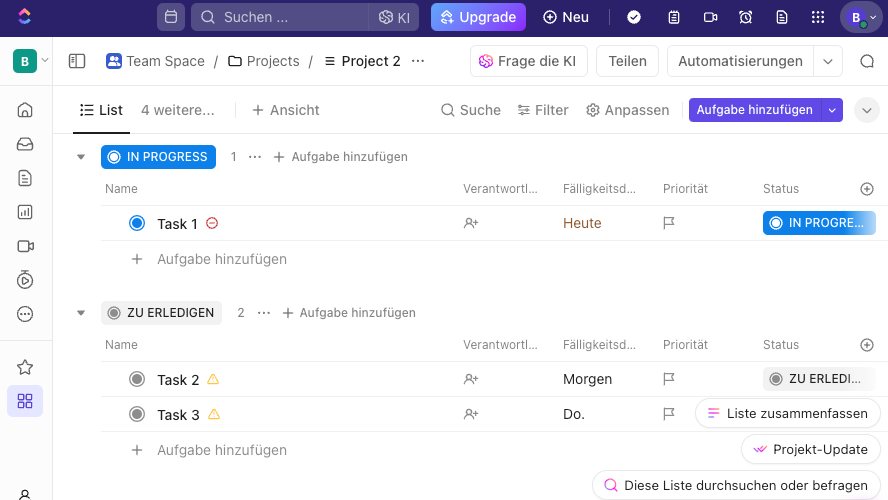
ClickUp markets itself as an “everything in one tool” solution — tasks, documents, scheduling, goals, and more. The software does indeed offer a large feature set and extensive customization options. For teams that work flexibly and want to map many processes digitally, this can be a real advantage.
But the breadth comes at a price: the user interface quickly feels overloaded. New users are often overwhelmed by the sheer volume of features, settings, and views. Performance also suffers with large projects. Anyone looking for clear structures and classical project methods will need to do a lot of manual configuration. ClickUp is also a US tool — meaning no native GDPR compliance.
| Category | Weight (%) | Score (1–10) | Weighted Score |
|---|---|---|---|
| Feature Set | - | ||
| Ease of Use | - | ||
| Collaboration | - | ||
| Integrations | - | ||
| Customizability | - | ||
| Reporting & Analytics | - | ||
| Support & Help | - | ||
| Value for Money | - | ||
| Security & Data Protection | - | ||
| Scalability | - | ||
| Total Score | - | ||
ClickUp is well suited to teams that work flexibly and want to consolidate many functions in a single tool. Those seeking clear structures and straightforward operation may find alternatives a better fit.
Freedcamp – Very Lean
Freedcamp is a lightweight project management tool covering the essential basics: task management, a calendar, discussions, and simple time tracking. The interface is clean, and the tool is easy for beginners to pick up. For smaller teams or freelancers, Freedcamp offers an affordable entry point — sometimes even free.
However, the simplicity also shows in the system’s limitations. Features such as Gantt charts, advanced role management, or reporting are either restricted or only available in paid packages. There are also data privacy constraints: Freedcamp is a US service with no standard GDPR compliance. Options for individual customization or integration with external tools are similarly limited.
| Category | Weight (%) | Score (1–10) | Weighted Score |
|---|---|---|---|
| Feature Set | - | ||
| Ease of Use | - | ||
| Collaboration | - | ||
| Integrations | - | ||
| Customizability | - | ||
| Reporting & Analytics | - | ||
| Support & Help | - | ||
| Value for Money | - | ||
| Security & Data Protection | - | ||
| Scalability | - | ||
| Total Score | - | ||
In short: Freedcamp is well suited for simple projects with small teams looking for a lightweight, affordable tool. Anyone who needs professional, data-secure project management with clear processes and more structure will quickly hit its limits — and should explore alternatives.
Jira – Developers Love It
Jira is one of the best-known project management solutions, especially in the IT world. It offers strong features for agile methods such as Scrum and Kanban, including backlog management, sprints, and automations. Development and DevOps teams in particular benefit from integrations with tools like Bitbucket or Confluence.
Outside software development, however, Jira shows weaknesses. The interface is considered complex — especially for users without a technical background. Classical project management with Gantt charts, resource planning, or structured role assignment is only possible via plugins or add-on tools. Jira is also a cloud service with servers outside Europe, which can be problematic for privacy-sensitive organizations.
| Category | Weight (%) | Score (1–10) | Weighted Score |
|---|---|---|---|
| Feature Set | - | ||
| Ease of Use | - | ||
| Collaboration | - | ||
| Integrations | - | ||
| Customizability | - | ||
| Reporting & Analytics | - | ||
| Support & Help | - | ||
| Value for Money | - | ||
| Security & Data Protection | - | ||
| Scalability | - | ||
| Total Score | - | ||
Summary: Jira is a powerful solution for agile development teams. For classical projects, non-technical users, or GDPR-critical environments it is often too complex or not flexible enough. Those who want more structure, clarity, and data privacy should consider alternatives.
MeisterTask - Good Task Management
MeisterTask comes with a clean, modern design and intuitive navigation. Similar to Trello, the software is particularly well suited to small teams that want to organize their tasks visually via Kanban boards. Another plus is the easy collaboration through comments, attachments, and checklists.
Despite its appealing interface, MeisterTask runs into limitations with more demanding projects. Features such as resource management, Gantt charts, or detailed reporting are missing or only reachable via workarounds. Creating a project plan with a hierarchical structure spanning sub-projects is not possible. Role and permission management is comparatively basic as well. For complex projects involving multiple departments or requirements for structured processes, this is usually not enough.
| Category | Weight (%) | Score (1–10) | Weighted Score |
|---|---|---|---|
| Feature Set | - | ||
| Ease of Use | - | ||
| Collaboration | - | ||
| Integrations | - | ||
| Customizability | - | ||
| Reporting & Analytics | - | ||
| Support & Help | - | ||
| Value for Money | - | ||
| Security & Data Protection | - | ||
| Scalability | - | ||
| Total Score | - | ||
In summary: MeisterTask is a good match for teams that value ease of use and visual working. For classical project management with greater depth and control, a more powerful solution such as Allegra is better suited — especially in professional or data-sensitive environments.
Monday.com – Visually Appealing
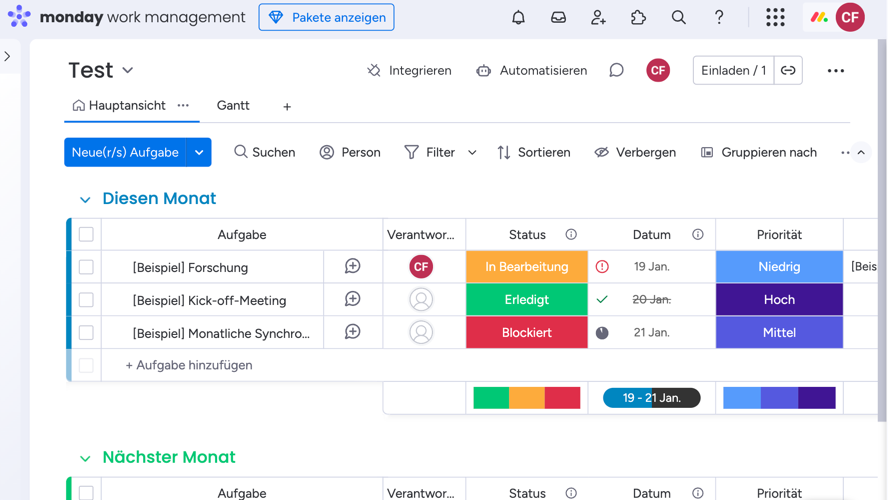
monday.com is a newer cloud-based software that has evolved considerably in recent years. It primarily helps teams organize tasks and keep track of progress. The user interface is clearly structured and has a very attractive visual design. The automation features are also well executed.
Monday.com scores with an appealing user interface and flexible workflows. Tasks can be displayed in tables, boards, or timelines, and numerous templates ease the onboarding process. Marketing, HR, and creative teams in particular appreciate the simple operation and colorful visualization of tasks and statuses.
Yet on closer inspection: for classical project management with milestones, Gantt charts, or resource planning, monday.com is only partially suitable — many features must first be configured individually or supplemented via paid apps. The role and permission system is also relatively basic. In addition, hosting takes place outside the EU, which matters for GDPR-critical organizations.
The software has been developed and marketed since 2017 by a venture-capital-backed company. Intensive marketing has raised the tool’s profile, despite considerable initial gaps compared to competing solutions.
| Category | Weight (%) | Score (1–10) | Weighted Score |
|---|---|---|---|
| Feature Set | - | ||
| Ease of Use | - | ||
| Collaboration | - | ||
| Integrations | - | ||
| Customizability | - | ||
| Reporting & Analytics | - | ||
| Support & Help | - | ||
| Value for Money | - | ||
| Security & Data Protection | - | ||
| Scalability | - | ||
| Total Score | - | ||
Monday.com is a good fit for teams that want to work in an agile, visual way. For structured projects with clear responsibilities and data privacy requirements, however, greater depth is needed — and specialized tools often offer a more robust solution.
Notion - Not a Real PM Tool
Notion is a versatile tool for organizing knowledge, notes, and projects. It offers an elegant design and many options for structuring content. Users can combine pages, databases, task lists, and calendars however they like — making it great for teams that work creatively and want to shape their own workflow.
Yet this openness is also a weakness: Notion is not a classical project management tool. Core features such as Gantt charts, resource management, proper role and permission controls, or a clear task dashboard are absent. Project controlling, automations, and structured workflows are only possible in a limited way. Notion is also a US cloud service, which can be critical from a data privacy perspective.
| Category | Weight (%) | Score (1–10) | Weighted Score |
|---|---|---|---|
| Feature Set | - | ||
| Ease of Use | - | ||
| Collaboration | - | ||
| Integrations | - | ||
| Customizability | - | ||
| Reporting & Analytics | - | ||
| Support & Help | - | ||
| Value for Money | - | ||
| Security & Data Protection | - | ||
| Scalability | - | ||
| Total Score | - | ||
Notion works very well as a flexible knowledge and organization tool. For professional project management with clear structures, responsibilities, and data privacy requirements, however, it is not ideal.
OpenProject- Strong on Structure
OpenProject is a powerful project management software that also comes in a functionally reduced open-source edition. OpenProject is based on the open-source software Redmine, from which it was forked in 2012. Compared to the free Redmine, OpenProject offers a more modern interface and important additional functionality for both agile and classical project management.
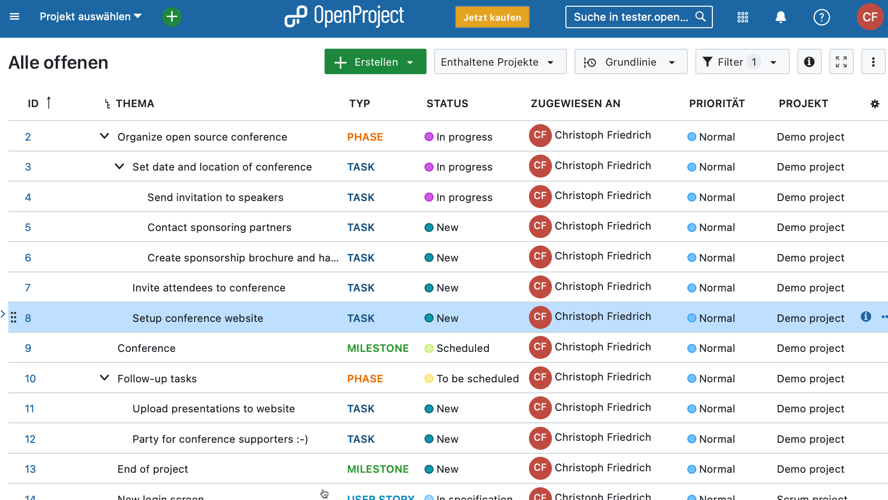
OpenProject supports classical and hybrid project management with features such as Gantt charts, project plans, time tracking, and a detailed role and permissions system. OpenProject can be hosted in a GDPR-compliant manner on your own servers or in Germany.
In everyday use, however, the interface feels technical and is not particularly intuitive. New users often need training or ramp-up time. In terms of collaboration, automation, and modern UX, OpenProject also lags behind many cloud competitors.
| Category | Weight (%) | Score (1–10) | Weighted Score |
|---|---|---|---|
| Feature Set | - | ||
| Ease of Use | - | ||
| Collaboration | - | ||
| Integrations | - | ||
| Customizability | - | ||
| Reporting & Analytics | - | ||
| Support & Help | - | ||
| Value for Money | - | ||
| Security & Data Protection | - | ||
| Scalability | - | ||
| Total Score | - | ||
Overall: OpenProject is well suited to structured, privacy-critical projects with a clear methodology. For modern teams that prioritize ease of use, flexibility, and user-friendliness, the solution can feel cumbersome.
Projektron - Powerfully Complex
Projektron BCS is a comprehensive project management software tailored specifically to the needs of medium and large organizations. It covers almost all classical functions: work breakdown structures, Gantt charts, effort tracking, resource planning, project controlling, and even CRM modules. The key advantage lies in its depth and integration — everything is interconnected and centrally controllable. Projektron can also be operated in a GDPR-compliant manner in Germany.
The flip side of this feature richness: the software can feel overloaded at times and is not very intuitive. New users often require an intensive onboarding phase. The interface is technical, and the design is not particularly modern. For smaller, agile teams or creative processes, Projektron can also feel overly rigid. Flexibility and ease of use clearly take a back seat to functional depth.
| Category | Weight (%) | Score (1–10) | Weighted Score |
|---|---|---|---|
| Feature Set | - | ||
| Ease of Use | - | ||
| Collaboration | - | ||
| Integrations | - | ||
| Customizability | - | ||
| Reporting & Analytics | - | ||
| Support & Help | - | ||
| Value for Money | - | ||
| Security & Data Protection | - | ||
| Scalability | - | ||
| Total Score | - | ||
Projektron BCS is ideal for organizations with complex, methodically managed projects and high requirements for planning and project controlling. For modern, dynamic teams, a more modern and leaner solution would likely be a better fit.
Quire - Lean and Simple
Quire is a lightweight project management tool with a clean interface and straightforward operation. It is well suited to teams that want to capture, structure, and process tasks quickly. Particularly helpful is the tree structure for tasks, which allows workflows to be displayed clearly. The mobile app is also well done, making Quire convenient to use on the go.
As requirements grow, however, Quire hits its limits. Creating a full project plan is only partially possible, as features such as Gantt charts, resource management, scheduling, or a differentiated role and permissions concept are missing or only rudimentarily available. The tool is also not designed for complex project structures or organization-wide management. On the data privacy front, note that Quire originates from Taiwan and does not offer EU hosting.
| Category | Weight (%) | Score (1–10) | Weighted Score |
|---|---|---|---|
| Feature Set | - | ||
| Ease of Use | - | ||
| Collaboration | - | ||
| Integrations | - | ||
| Customizability | - | ||
| Reporting & Analytics | - | ||
| Support & Help | - | ||
| Value for Money | - | ||
| Security & Data Protection | - | ||
| Scalability | - | ||
| Total Score | - | ||
Quire is a good choice for simple projects and teams that value clarity and speed. For professional project management with greater depth and data privacy requirements, other solutions are better suited.
Redmine - For Open-Source Enthusiasts
Redmine is an open-source software for project management and bug tracking that is especially popular in the IT world. It offers many classical features such as task management, Gantt charts, time tracking, and a flexible role and permissions system. Thanks to plugins, Redmine can be extended significantly, and self-hosted operation gives you full control over data and privacy — a plus for GDPR-critical organizations.
However, Redmine feels technical and not very user-friendly. The interface is outdated and not particularly intuitive, which makes onboarding difficult. Modern features such as drag-and-drop, visual dashboards, or automations are often missing — or must be laboriously added via third-party providers. Redmine is therefore poorly suited to agile teams or organizations with high UX standards.
| Category | Weight (%) | Score (1–10) | Weighted Score |
|---|---|---|---|
| Feature Set | - | ||
| Ease of Use | - | ||
| Collaboration | - | ||
| Integrations | - | ||
| Customizability | - | ||
| Reporting & Analytics | - | ||
| Support & Help | - | ||
| Value for Money | - | ||
| Security & Data Protection | - | ||
| Scalability | - | ||
| Total Score | - | ||
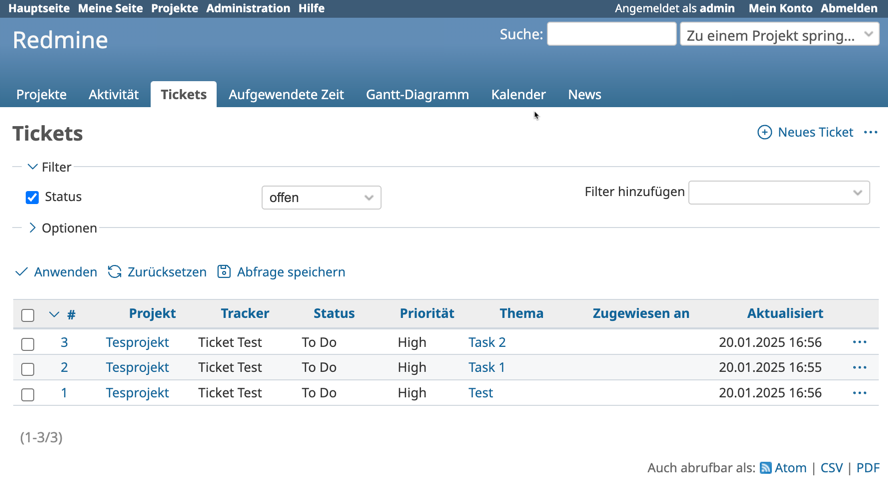
Redmine is stable and flexible, but technical and not contemporary. For simple task management under your own control it gets the job done — but for modern, user-friendly project management, other systems offer significantly more comfort and functional depth.
Smartsheet - For Excel Fans
Smartsheet combines spreadsheets with project management and is aimed at users who feel at home in Excel. The platform offers Gantt charts, task tracking, formulas, automations, and dashboards — all within a spreadsheet-based interface. Smartsheet is particularly strong in areas such as PMO, project controlling, and reporting.
The spreadsheet structure is not ideal for everyone, however. For teams that work visually or in an agile manner, Smartsheet often feels technical and not very intuitive. Features such as role management, resource planning, or agile boards are available but not deeply integrated. Hosting is also predominantly in the US, which poses a challenge for GDPR-critical organizations.
| Category | Weight (%) | Score (1–10) | Weighted Score |
|---|---|---|---|
| Feature Set | - | ||
| Ease of Use | - | ||
| Collaboration | - | ||
| Integrations | - | ||
| Customizability | - | ||
| Reporting & Analytics | - | ||
| Support & Help | - | ||
| Value for Money | - | ||
| Security & Data Protection | - | ||
| Scalability | - | ||
| Total Score | - | ||
Smartsheet is strong for data-driven projects with an Excel affinity. Those looking for a modern, methodologically versatile, and data-privacy-compliant project management tool will find more well-rounded alternatives — especially for classical or hybrid approaches.
Trello - Simply Visual
Trello is a visual project management tool based on the Kanban principle. It stands out for its ease of use, intuitive drag-and-drop interface, and quick setup. For small teams looking to manage tasks clearly, Trello is a straightforward starting point. It is especially popular in marketing, design, and event teams.
As project complexity grows, however, Trello hits clear limits. Gantt charts, scheduling, role management, or reporting functions are absent from the basic package and must be added via so-called “Power-Ups” — often only with paid plans. Structured hierarchies or deeper workflows are also barely feasible. Hosting takes place in the US, which is critical for GDPR-sensitive organizations.
| Category | Weight (%) | Score (1–10) | Weighted Score |
|---|---|---|---|
| Feature Set | - | ||
| Ease of Use | - | ||
| Collaboration | - | ||
| Integrations | - | ||
| Customizability | - | ||
| Reporting & Analytics | - | ||
| Support & Help | - | ||
| Value for Money | - | ||
| Security & Data Protection | - | ||
| Scalability | - | ||
| Total Score | - | ||
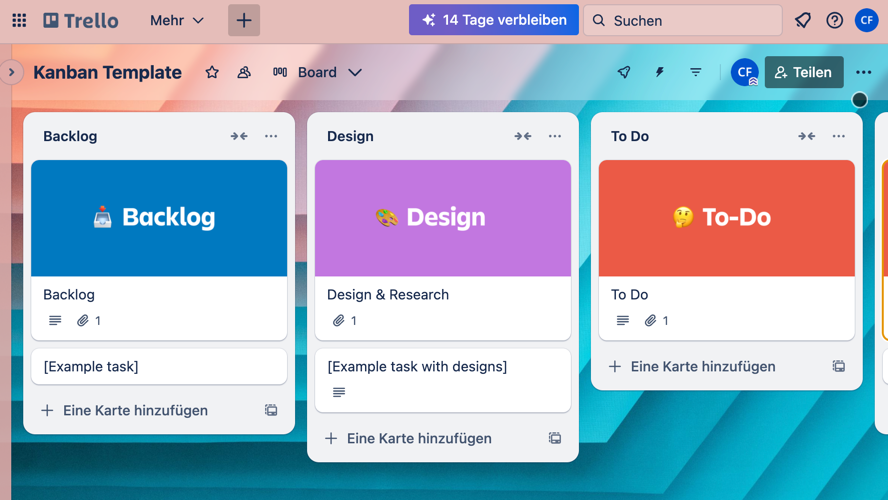
In summary, Trello works very well for simple task boards and visual collaboration. Anyone who wants to manage projects with clear structures, roles, timelines, and data privacy requirements will quickly run up against its limitations.
Wrike - Very Comprehensive
Wrike is a comprehensive project management platform used particularly in larger organizations and agencies. It offers strong features such as Gantt charts, time tracking, customizable workflows, dashboards, and integrations with common business tools. For structured teams managing projects across multiple departments, Wrike is quite attractive.
However, Wrike can quickly feel overwhelming: the interface is complex and not always intuitive. New users need onboarding time, and many features only deliver their full value in more expensive Business or Enterprise tiers. Wrike can also be too cumbersome for smaller teams or classical projects without an IT focus. Data privacy is another consideration: hosting defaults to outside the EU and is only GDPR-compliant with additional measures.
| Category | Weight (%) | Score (1–10) | Weighted Score |
|---|---|---|---|
| Feature Set | - | ||
| Ease of Use | - | ||
| Collaboration | - | ||
| Integrations | - | ||
| Customizability | - | ||
| Reporting & Analytics | - | ||
| Support & Help | - | ||
| Value for Money | - | ||
| Security & Data Protection | - | ||
| Scalability | - | ||
| Total Score | - | ||
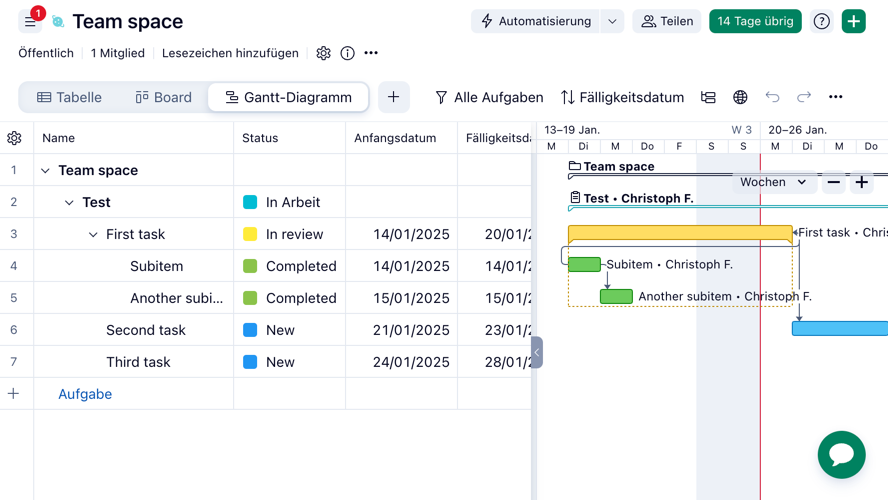
Wrike is a powerful solution for large, structured teams with professional requirements. For smaller organizations or projects with high data privacy needs, a focused and data-secure solution such as Allegra may be a better fit.
Zoho Projects - All-in-One
Zoho Projects is part of the larger Zoho Suite and offers a broad range of project management features: tasks, Gantt charts, time tracking, dependencies, and milestones are all included by default. Particularly attractive is the integration with other Zoho tools such as CRM, mail, or analytics — ideal for organizations that want everything from a single source.
The Zoho Projects interface is not particularly modern, however, and can feel cluttered in places. New users need time to get used to the logic of the tool, and some features are hidden behind paid plans. Customizability for classical or hybrid methods is also limited. In addition, hosting takes place outside the EU, which can be problematic for organizations with strict data privacy requirements.
| Category | Weight (%) | Score (1–10) | Weighted Score |
|---|---|---|---|
| Feature Set | - | ||
| Ease of Use | - | ||
| Collaboration | - | ||
| Integrations | - | ||
| Customizability | - | ||
| Reporting & Analytics | - | ||
| Support & Help | - | ||
| Value for Money | - | ||
| Security & Data Protection | - | ||
| Scalability | - | ||
| Total Score | - | ||
Zoho Projects is a solid solution for organizations already embedded in the Zoho ecosystem. For methodologically demanding or data-sensitive projects, a specialized, GDPR-compliant software is the superior choice.
Further reading: Project management, PMBOK, Project portfolio management, Project management methods, Waterfall model, PRINCE2, Project management phases, Project manual, Project planning, Project scope, Functional specification, Requirements specification, Project management triangle, Create a project plan, Network diagram, Work breakdown structure (WBS), Project schedule, Effort estimation, Capacity planning, Gantt chart, Kick-off meeting, Project controlling, Project documentation, Milestone trend analysis, Earned Value Analysis, Project organization, Matrix organization, SWOT analysis, SMART goals.
Frequently Asked Questions
Which is the best project management tool for small teams?
Trello, Asana, or ClickUp are particularly popular with small teams, as they are easy to use and offer many features for free.
Which project management tools are free for startups?
Free tools such as Trello, Notion, or Freedcamp offer ideal entry points for startups with limited budgets.
Which project management software supports Gantt charts?
Tools such as Allegra, TeamGantt, ClickUp, and Zoho Projects support Gantt charts for clear project planning.
Which tools are suitable for task assignment within a team?
Asana, Allegra, Monday.com, and Wrike enable clear task assignment with deadlines, responsibilities, and progress tracking.
How does project planning with Kanban work?
Kanban visualizes work processes in columns such as “To Do,” “In Progress,” and “Done,” enabling flexible task management.
Which project management tools are suited for agile work?
Jira, Allegra, and ClickUp are ideal for agile teams and support methods such as Scrum and Kanban.
Are there project management tools with time tracking?
Yes, Allegra, ClickUp, Clockify, and Jira offer integrated time tracking features.
Which project management tool is suitable for freelancers?
Freelancers often prefer simple tools such as Todoist, Trello, or Notion, as they are clear and cost-effective.
Which online tools are suitable for team planning and collaboration?
Tools such as Allegra, Monday.com, Microsoft Planner, and Asana combine task management with team communication.
Which project management tools have a German-language interface?
Allegra, Stackfield, MeisterTask, and factro offer fully German-language interfaces and support.
Which project management software is GDPR-compliant?
Allegra, Stackfield, factro, and Projektron BCS are data-protection-compliant and host data on European servers or optionally on premise (Allegra, Stackfield).
How do I integrate project management tools with Slack?
Most tools such as Allegra, Asana, Trello, and Jira offer direct integrations with Slack for notifications and task updates.
Which project management apps work well on mobile devices?
ClickUp, Trello, Notion, and Asana offer user-friendly mobile apps for iOS and Android.
Which project management tool is suitable for marketing teams?
Allegra, Monday.com, Wrike, and Asana are popular with marketing teams, as they organize campaigns, deadlines, and feedback processes effectively.
Which tools are ideal for remote work in project management?
Allegra, Notion, ClickUp, and Basecamp are cloud-based and support collaboration across time zones.
What are the differences between Trello and Asana?
Trello is visually simpler and uses boards, while Asana is more structured and allows more complex workflows.
Which tools can I self-host?
Allegra, OpenProject, and Redmine can be operated on premise.
Which tools offer task prioritization?
Allegra, Asana, ClickUp, and Todoist enable task prioritization by importance, urgency, or custom tags.
Which project management tools include budget planning?
Wrike, Allegra, Meisterplan, and Zoho Projects include features for cost control and budget management.
How do I find the right project management tool?
Define your requirements (team size, budget, desired features) and use comparison portals to make a well-informed decision.

Senior Advisor
Jörg Friedrich is the original author of the project management software Allegra and continues to accompany its development to this day. He has many years of industry experience as a project and department manager. He also serves as a professor in the Faculty of Computer Science and Information Technology at Esslingen University of Applied Sciences.


