What Is a Project Schedule?
Every project needs a roadmap. Not the kind that collects dust in a glove compartment — but one that is used, reviewed, and updated every day. That is exactly what a project schedule is.
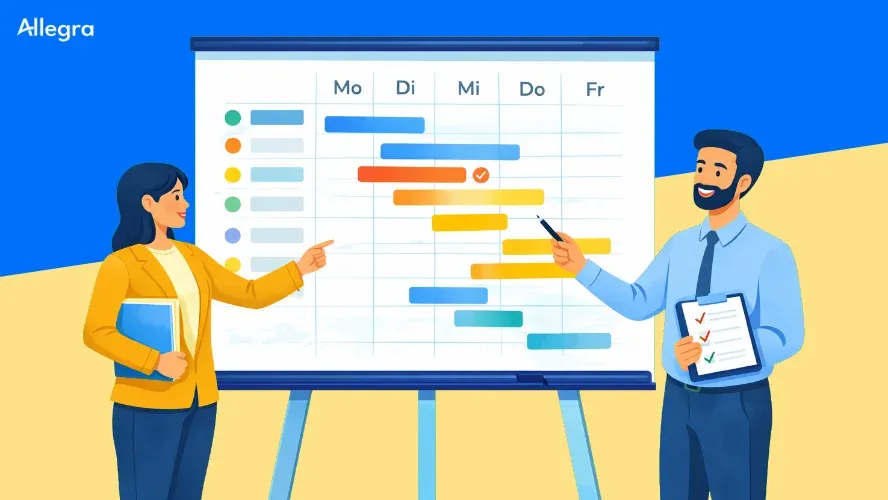
A project schedule represents the chronological flow of a project. It contains all tasks, their planned duration, the dependencies between them, and the milestones at which important interim results are expected. Start and end dates give the project its temporal framework.
That said, a project schedule is not the same as a project plan. The project plan is the overarching concept — it also covers budget, resources, quality objectives, and risk management. The project schedule is the time-based component of that plan. It answers one single but crucial question: When does what happen?
Why a Project Schedule Is Indispensable
A project without a schedule is like a construction site without a site plan. Everyone may have a rough idea of what needs to be done — but no one knows in what order, by when, or who is waiting on whom.
Structure and orientation. The project schedule breaks a complex endeavor into manageable sections. The team always knows what comes next and what results are expected.
Early warning system. Dependencies and buffer times make it visible where delays are brewing before they actually occur. Knowing the critical path tells you which tasks have no slack at all.
Transparency. Stakeholders, clients, and team members can see at a glance where the project stands. This reduces back-and-forth questions and builds trust.
Foundation for resource planning. Only once it is clear when which tasks are due can people and resources be assigned meaningfully. The schedule is therefore a prerequisite for realistic resource planning.
Creating a Project Schedule: Step by Step
A good project schedule does not come together in a single stroke. It grows from a series of sequential steps — from a rough structure to a detailed plan.
1. Clarify Project Scope and Objectives
Before you schedule any dates, you need to know what the project is supposed to deliver. What results are expected? Where are the boundaries of the project? Without a clear understanding of scope, you are planning in the fog.
2. Identify and Structure Tasks
Break the project down into work packages. A work breakdown structure (WBS) helps ensure nothing is forgotten and that work is decomposed to a manageable level. Each task should be clearly described — with an identifiable result and a person responsible for it.
A project planning checklist can help secure this step.
3. Define Dependencies
Not every task can start at the same time. Some results are prerequisites for subsequent work. These dependencies must be recorded explicitly — ideally in a network diagram that shows the logical connections between activities.
The most common dependency is the finish-to-start relationship: Task B can only begin once Task A is complete. There are also start-to-start, finish-to-finish, and start-to-finish relationships, which come into play in more complex projects.
The output of this step also forms the basis for calculating the critical path — the longest chain of dependent activities that determines the minimum duration of the entire project.
4. Estimate Duration and Plan for Buffer Time
Estimate the expected duration for each task. Draw on experience from previous projects, expert knowledge, and — where available — historical data. Deliberately plan buffer time: the unexpected is part of every project.
A tried-and-tested rule of thumb: plan a buffer of 10–20% of the estimated total duration. Distribute it strategically to high-risk tasks rather than tacking it onto the end as a blanket reserve.
5. Set Milestones
Milestones are the checkpoints of your project. They mark the completion of important phases or interim deliverables and give the team orientation. A good milestone describes a concrete state: “Concept approved,” “Testing phase completed,” “Go-live completed.”
Set at least one milestone per project phase — plus one for the project start and one for the close. Milestone planning explores this topic in more depth.
6. Assign Resources
Assign the people and resources needed to execute each task. Check whether capacities are realistically available. If three tasks simultaneously require the same person, something is off — then the schedule must be adjusted.
7. Visualize and Communicate the Schedule
A schedule that no one sees is worthless. Choose an appropriate format — in most projects this is a Gantt chart — and share the plan with the entire team. Keep it up to date: a project schedule is a living document, not a one-time artifact.
Scheduling Methods
There is no single correct method. Which approach fits depends on the nature of the project, the certainty of planning, and the team culture.
Classical: Gantt Chart and Network Diagram
The Gantt chart is the best-known format for project schedules. Tasks appear as bars on a timeline, and dependencies are made visible through connecting lines. At a glance you can see which tasks run in parallel and where bottlenecks are looming.
The network diagram complements the Gantt chart with a logical perspective. It puts the dependencies between activities front and center and forms the basis for calculating the critical path.
Both methods are particularly well-suited to projects with clearly defined phases and stable requirements — for example in construction, product development, or projects following the waterfall model.
| Method | Strength | Best for |
|---|---|---|
| Gantt chart | Timeline overview, intuitive presentation | Projects with fixed deadlines and phases |
| Network diagram | Dependencies and critical path | Complex projects with many interconnections |
Agile: Sprints and Iterative Planning
In dynamic projects where requirements change as the work progresses, classical schedules reach their limits. Agile methods rely on short planning cycles and continuous adjustment.
Scrum works in sprints — fixed time boxes of two to four weeks. At the beginning of each sprint, the team plans which tasks it will tackle. At the end, progress is reviewed. Here the project schedule does not emerge as a complete picture upfront; instead it grows sprint by sprint.
Kanban forgoes fixed time boxes. Tasks flow through defined stages (e.g., “Open,” “In Progress,” “Done”). Work-in-progress limits prevent overload. The focus is on a steady flow of work rather than predefined deadlines.
| Method | Strength | Best for |
|---|---|---|
| Scrum | Rapid adaptation, regular feedback | Projects with changing requirements |
| Kanban | Continuous flow, simple visualization | Teams with an ongoing stream of tasks |
Hybrid: The Best of Both Worlds
Many projects benefit from a combination: a classical framework schedule with milestones and phases, within which agile teams work in sprints. The framework schedule provides orientation and external accountability, while agile detail planning allows flexibility in day-to-day work.
An overview of the various approaches is available in our article on scheduling methods.
Practical Example: Project Schedule for a Software Rollout
A mid-sized company is introducing a new CRM system. The project team creates the following schedule:
| Phase | Tasks (selection) | Duration | Milestone |
|---|---|---|---|
| Analysis | Gather requirements, document current processes | 3 weeks | Requirements catalog approved |
| Selection | Compare vendors, evaluate trial installations | 2 weeks | Vendor selected |
| Configuration | Set up system, connect interfaces | 5 weeks | System configured and ready for testing |
| Testing | Functional tests, sign-off by business unit | 2 weeks | Acceptance test passed |
| Training | Train key users, create documentation | 2 weeks | Training completed |
| Go-live | Migration, production launch, follow-up support | 1 week | System live in production |
Dependencies: Configuration can only begin after vendor selection. Testing requires a completed configuration. Training starts in parallel with the testing phase, since it is based on the already-configured environment.
The critical path runs through Analysis → Selection → Configuration → Testing → Go-live. Training is parallel and has buffer time.
Common Mistakes — and How to Avoid Them
| Mistake | Consequence | Solution |
|---|---|---|
| Overly optimistic estimates | Deadlines are missed, team comes under pressure | Plan buffer time, use historical benchmarks |
| Ignoring dependencies | Tasks block each other | Create a network diagram, calculate the critical path |
| Never updating the schedule | The plan loses touch with reality | Regular reviews at status meetings |
| Too much detail | The schedule becomes unwieldy and hard to maintain | Stay at an appropriate level of planning granularity |
| Lack of communication | The team does not know the plan | Share the schedule visibly, discuss it regularly |
| Overlooking resource bottlenecks | Tasks stall, the schedule collapses | Involve capacity planning early on |
The most common mistake of all: treating the project schedule as a one-time compliance exercise. A good schedule is alive. It is reviewed regularly, adjusted, and shared with the team.
Tools for the Project Schedule
For simple projects, a spreadsheet is sufficient. As soon as dependencies, resources, and multiple team members come into play, it is worth using project management software.
Advantages of specialized tools:
- Automatic calculation of dependencies and the critical path
- Gantt charts with drag-and-drop adjustments
- Milestone tracking and progress monitoring
- Real-time collaboration within the team
- Integration with other systems (calendar, communication, time tracking)
A comparison of current solutions can be found in our articles on the best project management tools and planning tools.
Frequently Asked Questions
What is a project schedule?
A project schedule is the chronological representation of all tasks, milestones, and dependencies in a project. It shows when each piece of work is scheduled to start and end, and serves as the central reference point for the team during project execution.
What is the difference between a project schedule and a project plan?
The project schedule focuses on the chronological sequence of tasks and milestones. The project plan is broader: it additionally covers budget, resources, quality requirements, and risk management. The schedule is one component of the project plan.
What methods exist for project scheduling?
The most common classical methods are the Gantt chart and the network diagram. Agile approaches such as Scrum and Kanban rely on iterative, shorter planning cycles. Hybrid models combine a classical framework schedule with agile detail planning.
How often should the project schedule be updated?
At minimum at every milestone and at every project status meeting. In agile projects this happens at the end of each sprint. The key point: the schedule must reflect the current state, not the original plan.
What software is suitable for a project schedule?
For simple projects, a spreadsheet is enough. For more complex endeavors, project management software with a Gantt chart, dependency management, and collaboration features is recommended. An overview is available in our comparison of the best project management tools.

Senior Advisor
Jörg Friedrich is the original author of the project management software Allegra and continues to accompany its development to this day. He has many years of industry experience as a project and department manager. He also serves as a professor in the Faculty of Computer Science and Information Technology at Esslingen University of Applied Sciences.


