Allegra Software has the incredible ability to transform your project from disorganized to super organized! Part of successfully leading an organization or a project is making sure you are able to effectively plan and track the actions of your teams. Good communication and follow-up makes it possible to address every obstacle properly and resolve it quickly, achieving maximum success.
This is where Allegra Track plus comes in — providing you with an adaptable and intelligent piece of software that ensures your team knows exactly what to do and when, and that you can manage everyone with ease!
The headings above will guide you through a brief explanation of each element and how you can use it when working with Allegra Software on your next project.
First, you need to create an account and choose the plan you want to use with Allegra. There are various options available, and certainly something that fits your needs! But if you are new to Allegra and simply want to get a look and feel for the software, use the free demo on the website! It is an interactive example of how the software looks and works, so you can be confident you will be happy with it before using the real software for yourself and your team.
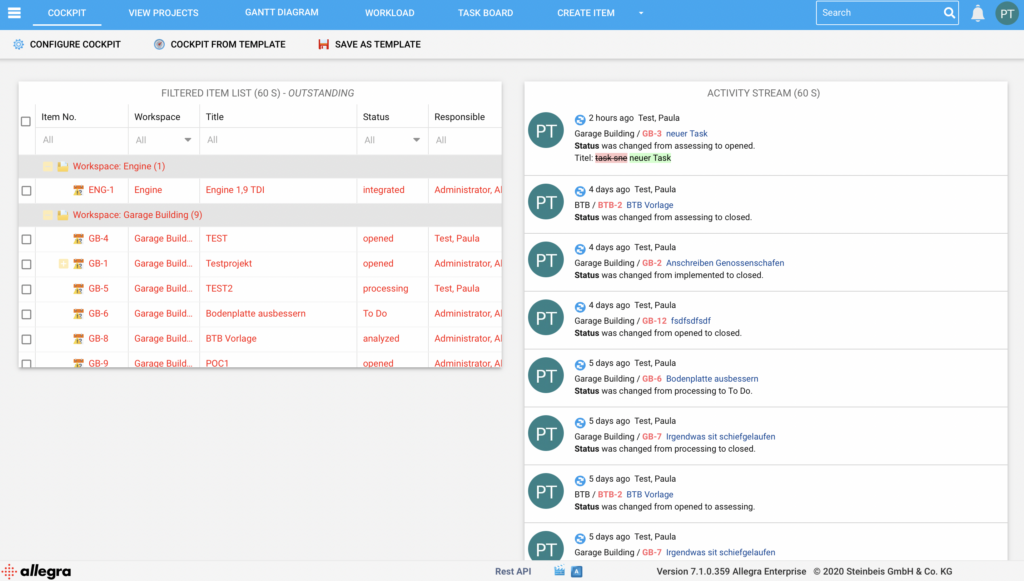
As you can see in the image below, there are many different tools available within the extensive Allegra Software — such as a Cockpit, a project view, a Gantt chart, a workload view, a Task Board, and a tab for creating items. These different dashboards are available to give you various lenses through which to view your project. The features are discussed further below:

Cockpit
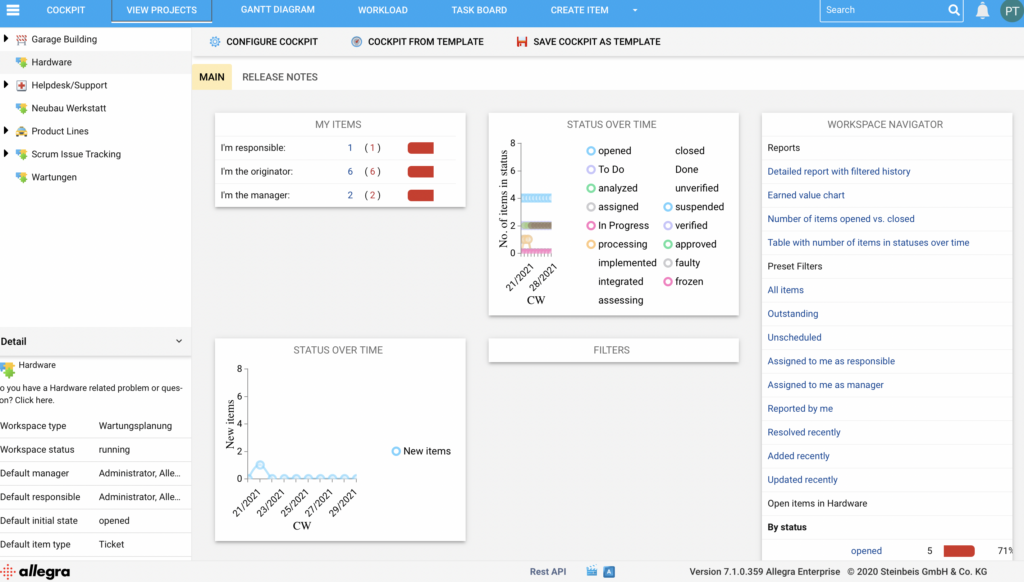
First (top left) you will see the Cockpit of your project. Here you will find details on open items and tasks that are in progress, as well as an activity stream that helps you monitor what is happening in the project in real time. You also get a status of the activity stream, allowing you to see how each individual task has moved and what the overall progress looks like.
The Cockpit is aptly named (like the front of an airplane), because it is essentially the brain of your project. Decisions can be made and tasks monitored within this tab.
Allegra Software: Projekt anzeigen
Next you will see a tab called “Projekte anzeigen.” This is a detailed, highly intelligent dashboard that configures real-time charts and graphs to illustrate the progress of a project. Here you can find a “Status over Time” chart, which is useful for a project manager who wants to monitor what the future of the project looks like — is the project running ahead of or behind schedule? You will also find a “Helpdesk” here. This ensures you can get any support from the Allegra team that you need when it comes to the smooth operation of Allegra Track plus Software.
Allegra Software: Gantt-Diagramm
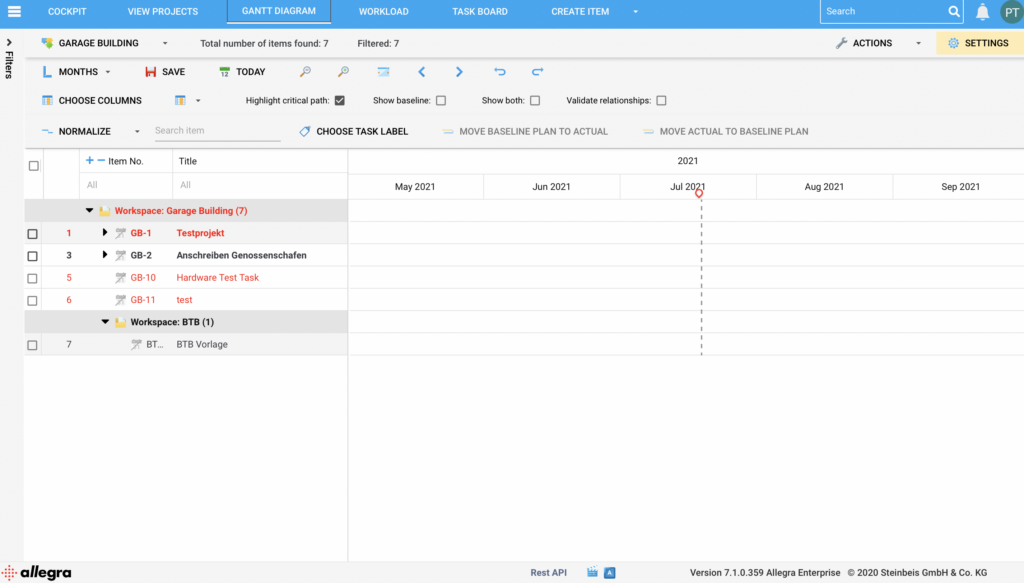
A “Gantt-Diagramm” tab is also available. Gantt charts are a popular method for tracking project management and have proven effective in large organizations around the world. This generated Gantt chart enables quick decision-making and a better understanding of how the people involved in your project are interacting with it.
If you would like to learn more about how to optimize your Gantt chart and make sure you are using it correctly, read our blog post where we explain it to you in detail!
Das Gantt-Diagramm: ein unschätzbares Projektmanagement-Tool
Allegra Software: Auslastung
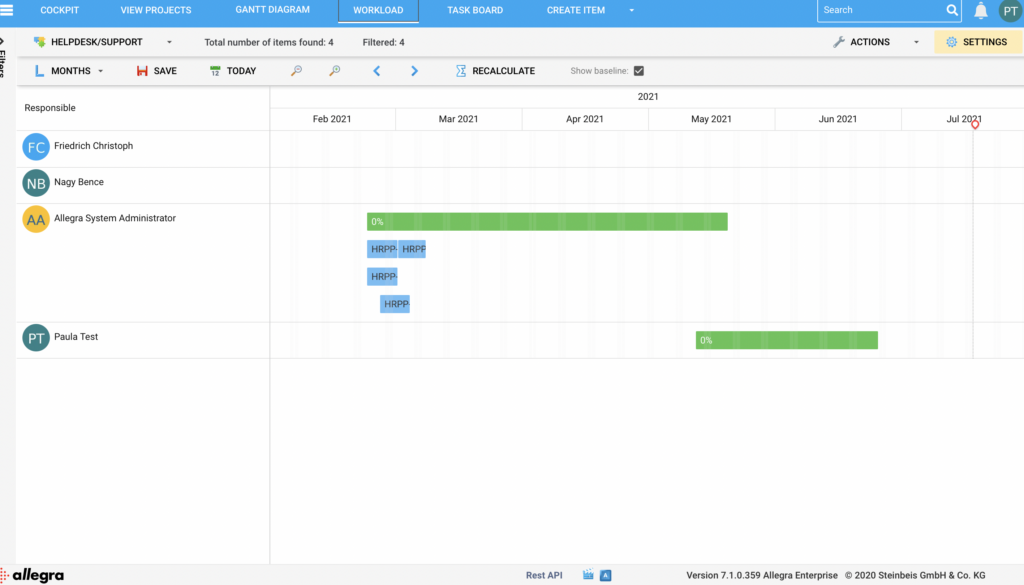
The next tab is the “Auslastung” tab. In this tab, the project manager and other team members involved in the project can analyze how much work each individual is taking on. This tab makes it clear which roles a person is assigned to within which time frame. This can be beneficial when viewing the team from a performance management perspective, as the actual workload each individual is responsible for becomes visible. The depth and breadth of tasks is also highlighted through the use of colors and shapes within the tab.
Allegra Software: Aufgaben-Board
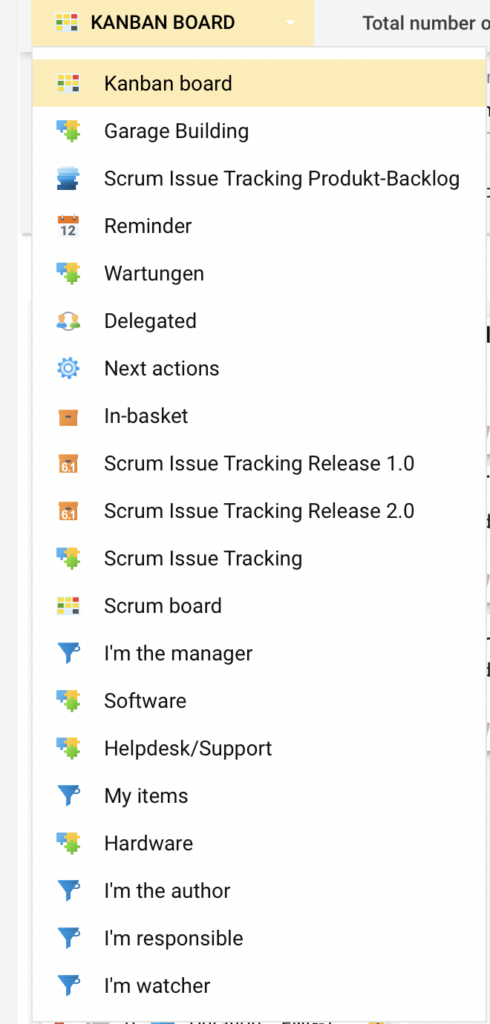
Finally, there is also a “Task Board” tab. This tab consists of a Kanban board. It has a dropdown field where you can select exactly the perspective you need to make the best decision or view the data in the best way.
Finally, there is also a “Task Board” tab. This tab consists of a Kanban board. It has a dropdown field where you can select exactly the perspective you need to make the best decision or view the data in the best way.
If you would like to learn more about a Kanban board, check out our blog post where we explain everything you need to know.
Kanban-Boards für Anfänger: Ein kompletter Leitfaden
The purpose of this Task Board, however, is to give someone a zoomed-in perspective on the actual tasks being carried out in the current time frame. The various tasks are also categorized with respect to the people working on a particular task. For example, if 3 members of the larger team are working together on a task, they have their own tab on the Task Board to enable updates as well as general communication among themselves.
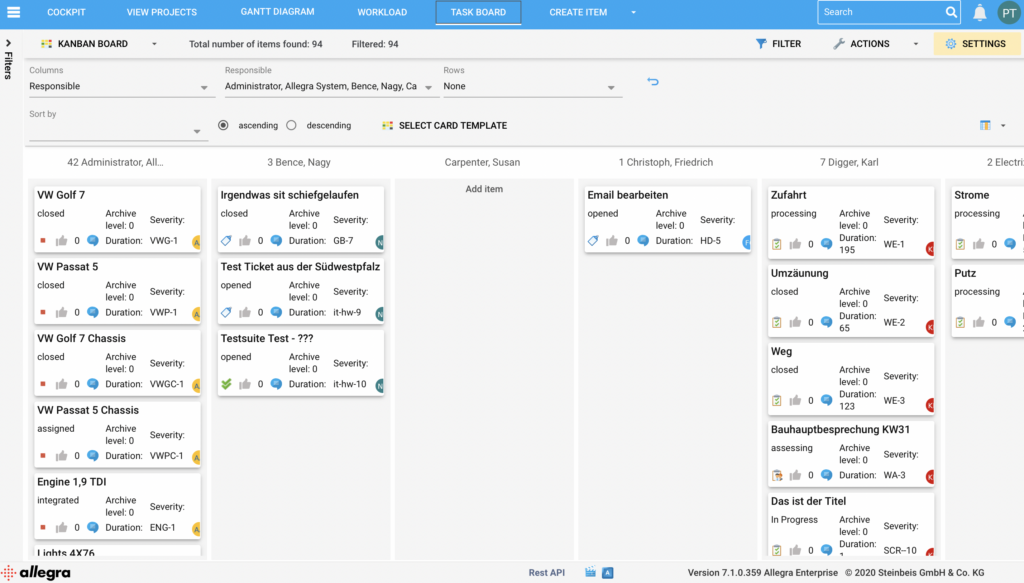
Task Boards are indispensable for the smooth running of a project, as they are constantly updated and provide an accurate overview of “what is happening right now,” so to speak. Allegra Software is clearly about so much more than this! Hence the amazing possibilities that come with all the tabs listed above.
Allegra Software: Artikel erstellen
There is also a “Create Item” tab in the top right of the dashboard. This “Create Item” tab is available for individuals to take control of all the task variables that need to be documented for the completion of their project. This is necessary because even if all tasks were accounted for when the boards were created, you may need to add additional items and thus create additional tasks.
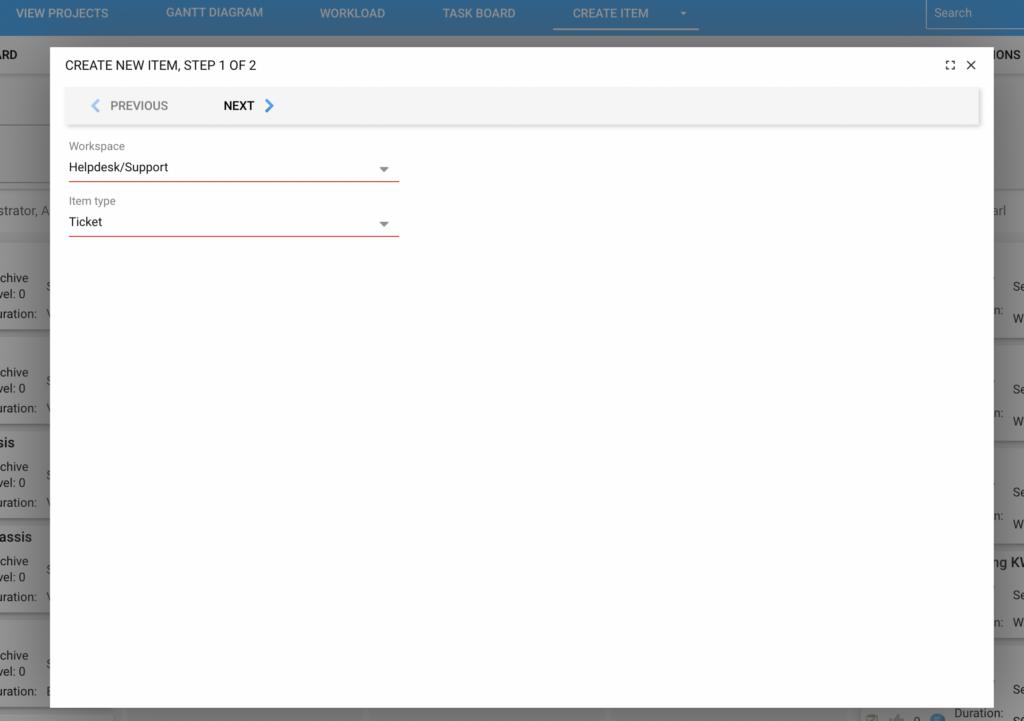
The great advantage of Allegra Software is that these newly created items are fully customizable and tailored to the respective project.
Allegra Software: Zusammenfassung
The possibilities of Allegra Software are endless. The intelligence and adaptability of the software is extremely capable of ensuring successful communication and monitoring of all aspects of an ongoing project. There is no doubt that — especially since the start of the pandemic — an online software system is necessary for organizations of every size to work effectively.
Allegra Software not only enables successful communication between team members and project managers, but also provides a great visual representation of progress for everyone. It is undoubtedly one of the most advanced project management software platforms available today!
If you have any further questions about Allegra Software, feel free to get in touch with us via the contact details on this website.
A brief excerpt from our feature overview also provides an insight into the purpose and effectiveness of the Allegra Software.

CEO Alltena GmbH
Christoph Friedrich is a computer scientist and certified Project Management Professional. He has extensive experience in the introduction and integration of project management tools as well as the analysis and definition of processes in project and service management.