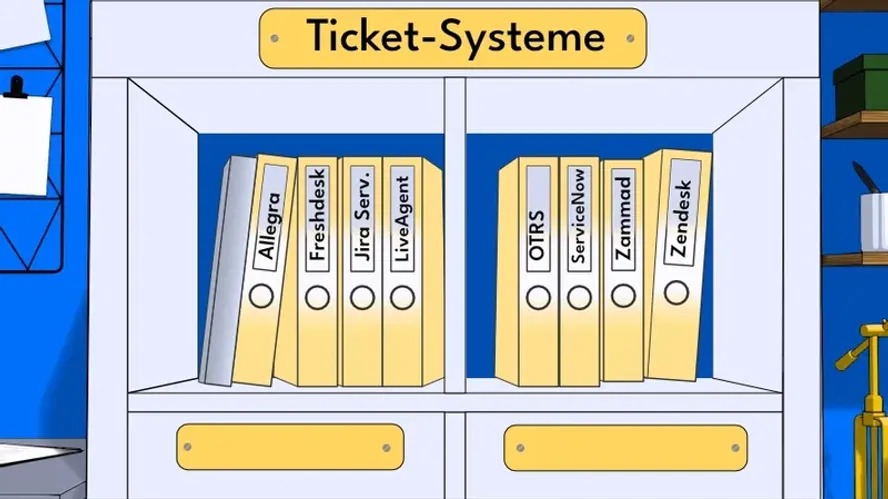
Guide to the Best Ticketing Software
Choosing the best ticketing software with features tailored to your needs has a significant impact on the quality of your customer service. In work management and project management, the right system can unlock substantial productivity gains. This guide helps you compare the best ticketing systems, explains the different types available, and documents what functionality you can expect.
What Is Ticketing Software?
Ticketing system is the umbrella term for all systems that capture and track requests, tasks, or issues as tickets.
Every ticket = one case (e.g., a support request, a bug, a customer issue).
Core features include:
-
Creating, assigning, and processing tickets
-
Status management (“new,” “in progress,” “resolved”)
-
Prioritization and notifications
-
Comment and documentation features
The most important types of ticketing systems are helpdesks, service desks, and issue tracking systems.
Helpdesk software is a customer-centric ticketing system designed primarily for external customer support.
Helpdesk = “customer service ticketing system”
Service desk software is an advanced form of the helpdesk — often aligned with the ITIL standard. It covers not only incident management (outages) but also service management processes.
Service desk = helpdesk + IT service management
An issue tracking system is specifically focused on tracking bugs, defects, or tasks in software development.
Issue tracking = developer-oriented ticketing system for bugs and tasks.
Ticketing systems belong to the broader category of work management systems.
Categories of Ticketing Systems
There are various types of ticketing systems that differ in their area of application, functionality, and target audience. The range extends from flexibly configurable to highly specialized systems. Here is a suggested categorization:
Helpdesk Ticketing Systems (Customer Support)
Focus: External support for customers
- Used by support teams, call centers, or customer service departments
- Management of customer inquiries, complaints, and feedback
- Often with omnichannel features (email, chat, phone, social media)
- Examples: Zendesk, Freshdesk, Allegra Service, Zoho Desk
IT Service Management Systems (ITSM)
Focus: Internal technical support
- Used by IT departments to handle internal incidents or requests
- Supports ITIL processes such as incident, problem, and change management
- Often linked with asset and configuration management
- Examples: Allegra Service, Jira Service Management, ServiceNow, OTRS
HR Ticketing Systems
Focus: Human resources and employee requests
- Processing requests related to vacation, onboarding, payroll, and employment contracts
- Enables structured communication between HR and staff
- Examples: ServiceNow HR, PeopleSoft, Zammad (configurable)
Facility / Operations Ticketing Systems
Focus: Building and infrastructure management
- Management of repair reports, maintenance requests, and room bookings
- Frequently used internally by facility or building management teams
- Examples: Planon, FMX, CAFM systems
Project- and Task-Based Ticketing Systems
Focus: Work organization and collaboration
- Tickets are used to manage tasks, bugs, or work packages
- Often used in project management or software development
- Examples: Allegra, Jira, Asana, Trello (with plugins)
Email-Based or Simple Ticketing Systems
Focus: Small teams or straightforward use cases
- Automatically convert incoming emails into tickets
- Less complex, often without workflow or automation features
- Examples: osTicket, Spiceworks, HelpScout
Industry- or Application-Specific Ticketing Systems
Focus: Specific requirements (e.g., healthcare, government agencies)
- Adapted to data protection requirements, processes, or specialized terminology
- Examples: HEAT (Ivanti) for government agencies, Epic for hospitals
The Best Ticketing Systems
| System | Use Case | Price (per user/month) | Target Audience | Self-Hosting Available | Omnichannel |
|---|---|---|---|---|---|
| Allegra Service | ITSM, DevOps, project management | from €10 | SMBs, IT teams | ✅ Yes | ⚠️ Limited |
| Freshdesk | Customer support | from approx. €15 | Startups, SMBs | ❌ No | ✅ Yes |
| Help Scout | Customer support (email) | from approx. €20 | Small teams | ❌ No | ⚠️ Limited |
| HubSpot Service Hub | CRM-integrated support | from approx. €45 | Sales, marketing, support | ❌ No | ✅ Yes |
| Jira Service Management | ITSM, DevOps | from approx. €20 | IT teams, enterprises | ✅ Yes | ⚠️ Limited |
| Kayako | Customer support | from approx. €30 | Support teams | ❌ No | ✅ Yes |
| LiveAgent | Multichannel customer service | from approx. €15 | SMBs | ❌ No | ✅ Yes |
| ManageEngine ServiceDesk Plus | ITSM | from approx. €10 | Enterprises, government | ✅ Yes | ⚠️ Limited |
| osTicket | Basic support | Free | Small IT teams | ✅ Yes | ❌ No |
| OTRS | ITSM, government | Open Source / Enterprise (on request) | Public administration, IT | ✅ Yes | ❌ No |
| ServiceNow | Enterprise ITSM | very expensive | Large enterprises | ❌ No | ✅ Yes |
| Spiceworks Help Desk | IT support | Free | SMBs | ✅ Yes | ❌ No |
| SysAid | ITSM | from approx. €100 | IT departments | ✅ Yes | ⚠️ Limited |
| Zendesk | Omnichannel customer service | from approx. €49 | Mid-market, enterprises | ❌ No | ✅ Yes |
| Zammad | Helpdesk, open source | Free / Enterprise from €5 | Public sector, SMBs | ✅ Yes | ✅ Yes |
| Zoho Desk | Customer support | from approx. €14 | SMBs | ❌ No | ✅ Yes |
Allegra
Ideal for IT service and project-oriented work in teams
| Starting Price | Free Trial | Key Features |
|---|---|---|
| €10.00/user/month | 30 days |
|
Allegra is a ticketing system developed in Germany with a strong focus on IT service management (ITSM) and project-based work. The software is particularly well-suited for teams that want to centrally manage not only classic support but also task, change, and project management.
The system enables structured ticket management with priorities, status definitions, and assignments. The visual workflow editor allows rules for ticket processing, escalation, and notifications to be configured individually. Organizations can define SLAs and map the service catalog through the user interface.
Particularly noteworthy is the close integration of the ticketing system with project management features. Tasks from projects can be converted directly into tickets and vice versa, making Allegra attractive for internal IT teams and service-oriented organizations as well.
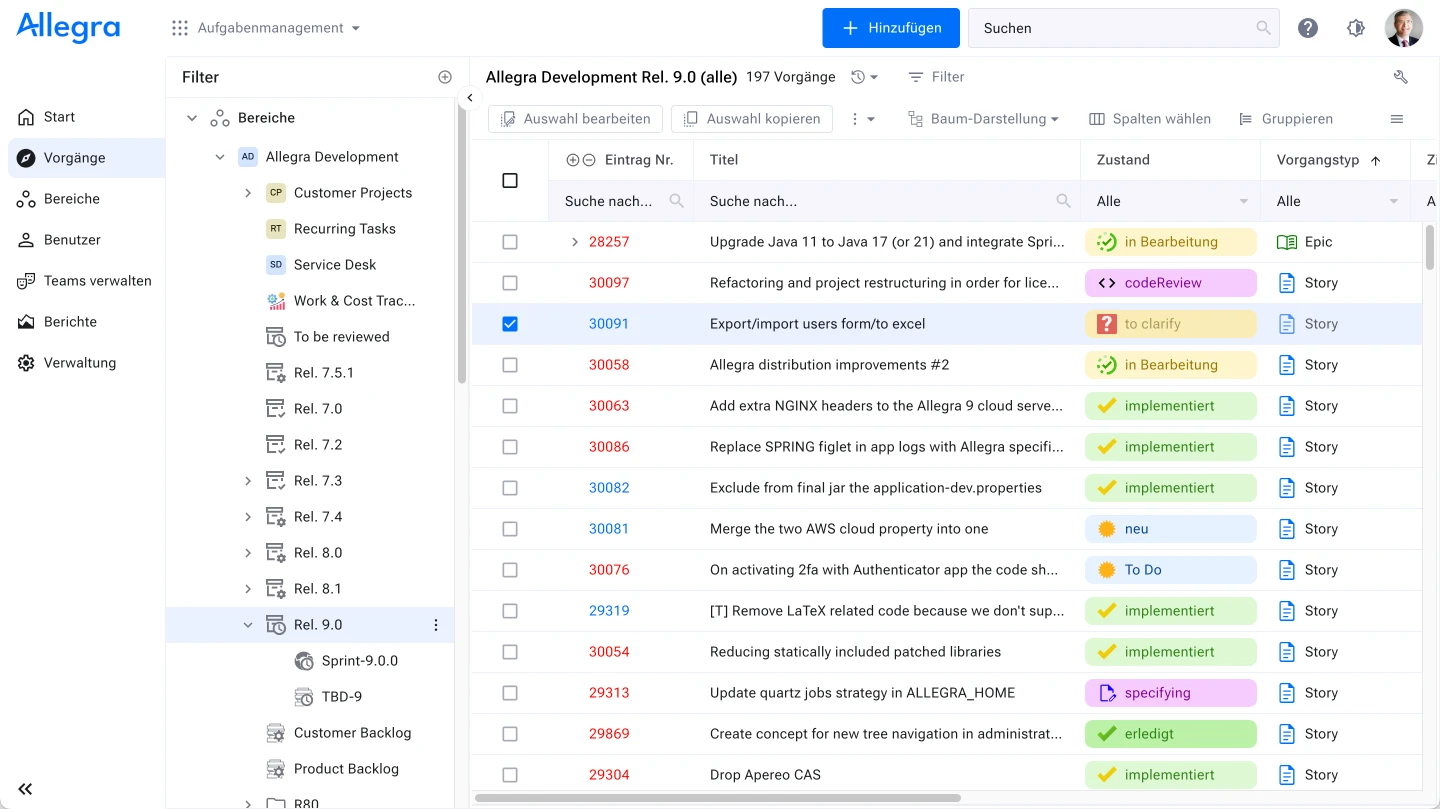
Allegra can be used in the cloud or operated entirely on-premises. The solution targets mid-sized and larger organizations that require process control, configurability, and data protection compliance.
Current User Reviews
See e.g. https://www.g2.com/products/allegra/reviews.
- “Allegra is extremely flexible and can be tailored precisely to our internal workflows. The combination of ticket and project management is very helpful.” —Stefan L.
- “We had been looking for a self-hosted solution for a long time — Allegra delivers that with full control over our data.” —Tobias F.
- “The user interface takes some getting used to at first, but the customization options are excellent.” —Anonymous
- “Ideal for our IT department — we use it not just for support, but also for IT projects and internal requests.” —Lars M.
Freshdesk
Ideal for versatile omnichannel customer support
| Starting Price | Free Trial | Key Features |
|---|---|---|
| 0 USD (Free plan) / from 15 USD per agent/month (billed annually) | 21 days |
|
Freshdesk is a cloud-based ticketing system by Freshworks that helps teams handle customer requests across multiple channels. The platform consolidates incoming requests from email, phone, chat, and social media into a central dashboard, giving support teams a clear overview at all times.
Tickets can be automatically categorized, prioritized, and routed. Using rules and workflows, organizations can efficiently structure processing, define SLAs, and automate escalations. Freshdesk also offers built-in tools for creating a knowledge base, enabling users to resolve common questions on their own.
The user interface is designed to be intuitive and easy to understand even for less tech-savvy users. The system has a modular architecture that adapts to individual team sizes and support processes. Advanced features such as bot-assisted responses or customer portals are available in higher-tier plans.
Current User Reviews
See e.g. https://www.g2.com/products/freshdesk/reviews
- “Freshdesk is easy to use and greatly simplifies our entire request management. The automations in particular save a lot of time.” —Sandra T.
- “The omnichannel features are great. I can handle emails, Facebook messages, and chat messages all centrally.” —Ryan M.
- “The free plan is good for small teams, but for larger companies the advanced features are essential.” —Anonymous
- “The mobile app is helpful but could be improved in terms of feature coverage.” —Anonymous
Help Scout
Ideal for personal email support with a simple interface
| Starting Price | Free Trial | Key Features |
|---|---|---|
| From 20 USD per agent/month (billed annually) | 15 days |
|
Help Scout is a cloud-based ticketing system focused on email support and making customer communication as personal as possible. The platform is particularly suited for small to medium-sized teams that value clarity, efficiency, and straightforward processes.
The core component is the shared inbox, which allows teams to handle emails in a structured way. Tags, saved replies, and automated workflows enable efficient management of support processes. Help Scout also offers an integrated live chat (“Beacon”) and a modular knowledge base to reduce support load through self-service options.
A distinctive feature is the minimal, user-friendly interface that deliberately avoids technical complexity. Communication feels like a personal conversation, with no visible ticket numbers or system language — ideal for organizations that value natural customer interaction.
Help Scout integrates with numerous tools such as Slack, HubSpot, Jira, and Shopify. The solution is GDPR-compliant and offers EU server locations — an advantage for privacy-sensitive organizations.
Current User Reviews
See e.g. https://www.g2.com/products/help-scout/reviews
- “Help Scout is ideal when you need a simple and reliable support solution. The interface is clean and intuitive.” —Elisa B.
- “I appreciate the personal nature of the communication. As a customer, you don’t notice you’re interacting with a ticketing system.” —Jonas K.
- “For smaller teams with straightforward processes it’s perfect, but for complex use cases it sometimes lacks depth.” —Anonymous
- “The chat feature (Beacon) is easy to set up and adapts well to your own design.” —Lena W.
HubSpot Service Hub
Ideal for integrated customer service with CRM connectivity
| Starting Price | Free Trial | Key Features |
|---|---|---|
| 0 USD (Free plan) / from 45 USD per agent/month (billed annually) | 14 days |
|
HubSpot Service Hub is a cloud-based ticketing system fully embedded in HubSpot CRM. This makes it particularly suited for organizations that want to tightly integrate support processes with marketing, sales, and customer management.
Tickets are automatically linked to associated contacts, companies, and activities, enabling a 360-degree view of the customer. Support agents handle requests through a shared inbox that consolidates emails, live chat, and forms. Automation allows routing rules, SLAs, and escalations to be configured.
Service Hub also offers built-in features for creating a knowledge base, collecting customer feedback (e.g., NPS and CSAT), and analyzing support performance through reports and dashboards. The user interface is clearly structured and ideal for teams already working with HubSpot.
The ticketing system is especially attractive for growing organizations that want a central platform — without gaps between sales, marketing, and customer service.
Current User Reviews
- “The best thing about Service Hub is that we have all support data directly in the CRM. This gives our sales colleagues full visibility into the customer history at any time.” —Max R.
- “We were able to set up automated workflows with just a few clicks, which takes a huge load off our daily support work.” —Jens M.
- “Anyone already using HubSpot should definitely consider Service Hub — the integration is seamless.” —Anonymous
- “Great for straightforward support processes — less suitable for more complex ITSM requirements.” —Timo K.
Jira Service Management
Ideal for IT teams focused on DevOps and ITSM
| Starting Price | Free Trial | Key Features |
|---|---|---|
| From 20 USD per agent/month (billed annually) | 7 days (cloud), unlimited with self-hosting |
|
Jira Service Management is a powerful ITSM ticketing system from Atlassian, designed specifically for IT teams, DevOps environments, and complex service processes. It provides deep integration into the Atlassian toolchain, particularly Jira Software and Confluence.
Support agents can receive requests through a self-service portal, process them using predefined or custom workflows, and manage them through SLAs, automations, and escalations. The solution supports core ITIL processes such as incident, problem, change, and asset management.
Thanks to the close integration with Jira, tickets can be linked directly to development tasks — ideal for IT and software departments that want to combine rapid issue resolution, transparent communication, and continuous improvement processes.
Jira Service Management is available as a cloud solution and as a Data Center version for self-hosting. It targets mid-sized to large organizations with complex workflows and a high need for process control, configurability, and integration depth.
Current User Reviews
- “Jira Service Management is ideal for our IT department. The connection to our development teams via Jira Software saves us time and coordination overhead.” —Stefan M.
- “We were able to map our ITIL processes without issues and make them significantly more efficient with automations.” —Patrick W.
- “Getting started was somewhat complex at first, but the customization options are impressive.” —Anonymous
- “Through the Confluence integration, we were able to build an internal knowledge base that is linked directly within the ticketing system.” —Niklas H.
Kayako
Ideal for fast multichannel support in small to mid-sized teams
| Starting Price | Free Trial | Key Features |
|---|---|---|
| From 30 USD per agent/month (billed annually) | 14 days |
|
Kayako is a cloud-based ticketing system particularly suited for small and mid-sized support teams that want to manage customer requests from various channels in one place. The system brings together email, live chat, Twitter, Facebook, and a help center in a single shared inbox.
A key feature of Kayako is its focus on customer history: all conversations and interactions with a customer are displayed in a continuous thread — regardless of the channel. This enables support agents to handle requests with full context and respond more quickly.
The integrated live chat feature allows customer requests to be answered in real time and website visitors to be proactively engaged. Kayako also provides a simple way to set up a knowledge base and self-service features for end users.
Kayako is aimed at organizations that want to establish centralized, cross-channel support without significant implementation effort. It is especially suited for teams focused on speed, clarity, and customer retention.
Current User Reviews
- “With Kayako we were able to bring our chat and email requests into a single system. Communication is now much more organized.” —Tim F.
- “A customer’s history across different channels is always easy to follow. This makes support work much easier.” —Marc D.
- “The interface is clearly structured, but some features feel somewhat dated compared to newer tools.” —Anonymous
- “For a small support team with multichannel needs, Kayako is a solid solution, though there are limits when it comes to scalability.” —Lukas H.
LiveAgent
Ideal for fast multichannel customer support with live chat
| Starting Price | Free Trial | Key Features |
|---|---|---|
| From 15 USD per agent/month (billed annually) | 14 days |
|
LiveAgent is a comprehensive helpdesk and ticketing system particularly suited for organizations that handle large volumes of customer contacts across multiple channels. It provides a central platform for email, live chat, phone, social media, and contact forms.
A central highlight is the live chat with real-time typing preview: support agents can see what the customer is typing while they are still typing it, enabling faster responses. The integrated call center supports call forwarding, queues, IVR menus, and call recordings directly in the browser — without third-party tools.
Tickets from all channels are consolidated into a universal inbox. Features such as tagging, time tracking, escalations, and automations simplify team processing. A self-service knowledge base and customer portal are also part of the system.
LiveAgent targets small and medium-sized businesses that need a powerful yet affordable all-in-one support solution. It is available as a cloud version and optionally for self-hosting.
Current User Reviews
- “LiveAgent is our central tool for chat, email, and phone. The typing preview is a real game changer in live support.” —David S.
- “The phone feature with IVR and call history is better than what we were used to from more expensive tools.” —Ralf H.
- “A solid tool for support teams with high customer contact volumes. Some elements of the interface could feel more modern.” —Anonymous
- “Great value for money and very fast support from the vendor itself.” —Oliver T.
ManageEngine
Ideal for IT departments focused on ITSM and asset management
| Starting Price | Free Trial | Key Features |
|---|---|---|
| From approx. 10 USD per agent/month (billed annually) | 30 days |
|
ManageEngine ServiceDesk Plus is a fully featured IT service management (ITSM) solution aimed primarily at IT departments in enterprises, government agencies, and educational institutions. The software supports all key ITIL processes and is available both as a cloud solution and for on-premises installation.
The system covers the complete lifecycle of a ticket — from the initial request through classification and prioritization to resolution and documentation. IT assets can also be managed and linked to tickets through the integrated CMDB, providing a complete overview of infrastructure, responsibilities, and dependencies.
The user interface is structured and functional, and can be adapted to different roles (e.g., technicians, end users, administrators). Thanks to automations, SLAs, and escalation rules, IT teams maintain oversight even under high request volumes.
ServiceDesk Plus is especially well-suited for organizations that value data control, process compliance (e.g., ITIL, GDPR), and a high degree of customizability — without sacrificing ease of use.
Current User Reviews
- “We have used ServiceDesk Plus for IT support for years — reliable, secure, and with a good overview of our tickets and assets.” —Thomas E.
- “The on-premises version gives us full control over our data. For us as a government agency, that’s a real plus.” —Jörg B.
- “An excellent price-to-performance ratio compared to other ITSM tools with similar feature sets.” —Anonymous
- “Setup requires some initial effort, but after that it runs stably and efficiently.” —Markus L.
osTicket
Ideal for simple, self-hosted helpdesk solutions
| Starting Price | Free Trial | Key Features |
|---|---|---|
| Free (open source) / Hosted from approx. 9 USD per agent/month | Unlimited (open source) |
|
osTicket is a widely used open-source ticketing system particularly suited for small to medium-sized organizations looking for a cost-effective, self-managed solution. It provides all the core features needed for structured support — without licensing costs.
Tickets can be submitted via web form, email, or API. The system supports automatic replies, prioritization, ticket routing, and internal notes for better collaboration within the support team. Administrators can create custom fields and forms to capture specific information.
osTicket can be run on your own server (PHP/MySQL), giving you complete control over data, security, and customization. For users who do not want to manage their own infrastructure, osTicket Cloud is also available as a hosted option.
The user interface is functional but less modern than commercial tools. For many use cases — especially in internal IT support — osTicket is, however, a stable and robust solution.
Current User Reviews
- “We’ve been using osTicket for internal IT support for years. It runs reliably, is easy to maintain, and is completely free.” —Martin Z.
- “As an open-source solution, osTicket is very flexible — ideal for organizations with their own servers.” —Andreas H.
- “The interface is somewhat dated, but perfectly adequate for straightforward helpdesk processes.” —Anonymous
- “You need some technical know-how, but then it’s a very good, cost-efficient system.” —Daniel T.
OTRS
Ideal for IT and service organizations with high security and process requirements
| Starting Price | Free Trial | Key Features |
|---|---|---|
| Community Edition: free (discontinued, still usable) / Enterprise: on request | 30 days (enterprise version) |
|
OTRS (Open Ticket Request System) is an established ticketing system that started as an open-source project and has since been developed further as a commercial enterprise solution. The software is particularly popular in areas with high requirements for data protection, auditability, and process control — such as government agencies, IT departments, and industrial organizations.
With OTRS, requests from various channels can be centrally managed, structured, and automatically processed. The system offers extensive features for escalation, SLA monitoring, and workflow management. The flexible role and permissions model allows access rights to be controlled at a fine-grained level.
The user interface is functional and optimized for efficiency. Organizations can self-host OTRS and customize it individually. The earlier open-source version (“Community Edition”) is no longer officially supported but remains in use — particularly in public administration and the education sector.
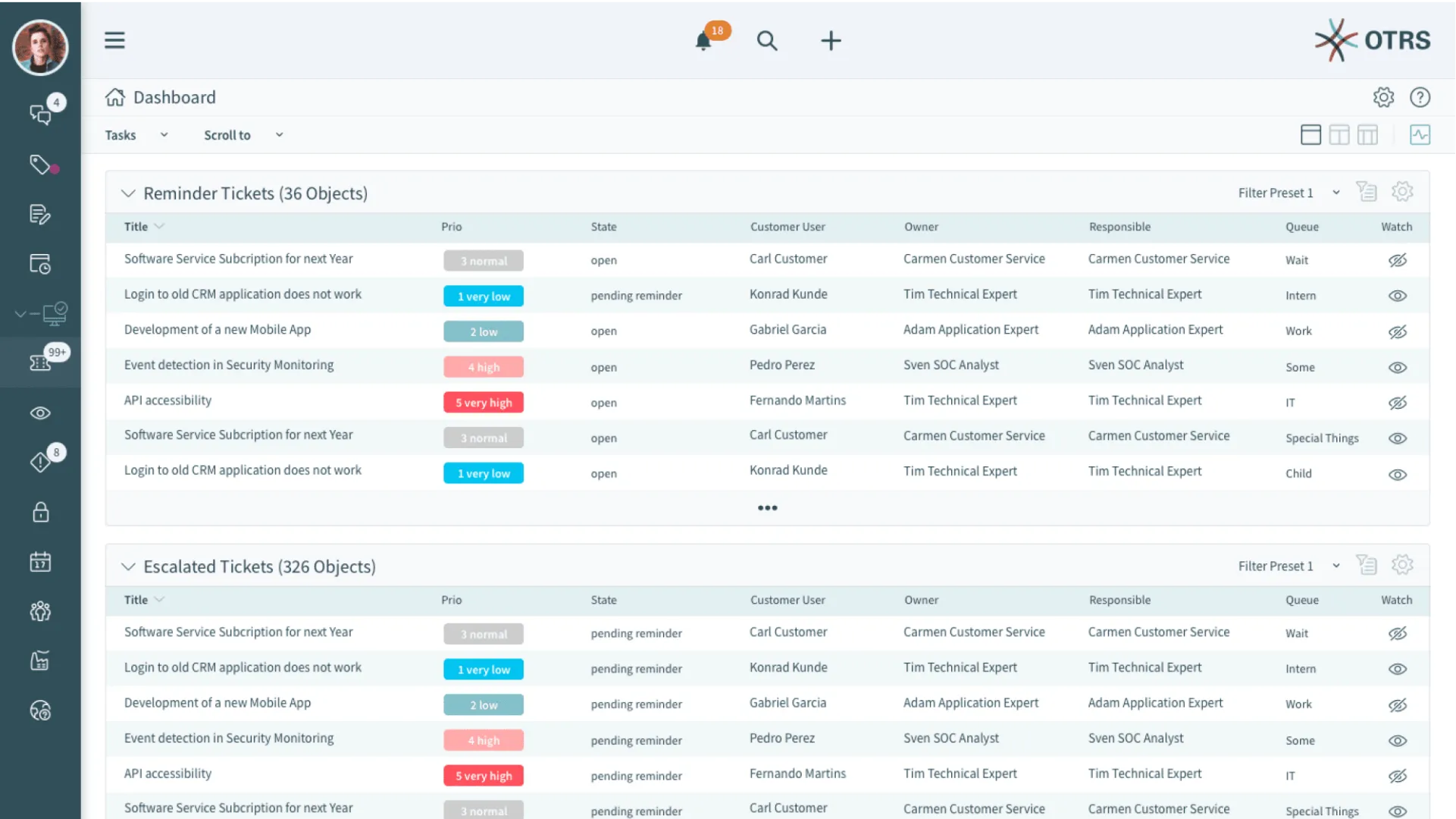
The current commercial version of OTRS is aimed at mid-sized to large organizations that value long-term maintenance, security, and professional support.
Current User Reviews
- “We use OTRS in our IT department. The customization options are very extensive — especially in combination with other systems.” —Matthias R.
- “For our public sector organization OTRS was ideal, as we can fully self-host it.” —Bernd L.
- “The interface looks somewhat dated, but it’s functional. Well-suited for complex processes.” —Anonymous
- “The enterprise version offers reliable support and regular security updates — that was the deciding factor for us.” —Stefan K.
ServiceNow
Ideal for complex enterprise service processes with ITSM, HR, and security modules
| Starting Price | Free Trial | Key Features |
|---|---|---|
| On request (enterprise pricing model) | 30 days (on request) |
|
ServiceNow is one of the leading enterprise platforms for IT service management and digital process automation. The system targets large organizations that need complex workflows, multiple departments, and high scalability. Beyond classic ITSM, ServiceNow also covers HR, security, customer service, project management, and facilities.
The platform allows all processes around incidents, service requests, changes, and configurations to be managed in a central environment. The graphical workflow engine along with AI-based suggestions and automations ensures efficient processing and targeted escalations.
ServiceNow supports ITIL-compliant processes and provides deep capabilities for analytics, SLA tracking, and integration with external systems. The user interface is modern, individually configurable, and also suitable for non-technical users.
As a cloud solution, ServiceNow offers the highest security standards and a high-performance architecture. It is especially prevalent in regulated industries such as finance, pharma, telecommunications, and the public sector.
Current User Reviews
- “ServiceNow has become indispensable for our IT organization — it maps all processes in a structured and scalable way.” —Christopher W.
- “The automation capabilities are extremely powerful — from simple ticket routing to complete end-to-end workflows.” —Johannes R.
- “ServiceNow is not cheap, but the investment pays off for complex requirements.” —Anonymous
- “The integration with other systems such as SAP or Azure works reliably. Role management is also very granular.” —Daniel V.
Spiceworks
Ideal for IT departments in small to medium-sized organizations with self-hosting requirements
| Starting Price | Free Trial | Key Features |
|---|---|---|
| Free (on-premises) | Permanently free |
|
Spiceworks Help Desk is a free, locally installable ticketing system developed specifically for small and medium-sized IT departments. It provides a simple way to capture, manage, and transparently document IT support requests — without licensing costs.
The software can be run on a Windows server and supports both email-based ticket creation and a user-friendly web portal for end users. Support agents can prioritize, categorize, escalate, and annotate tickets with internal notes. SLAs and automation rules can also be defined.
Spiceworks also offers tight integration with Active Directory, which greatly simplifies user management. In addition to the helpdesk functionality, Spiceworks provides additional IT tools — including network monitoring, inventory management, and mobile device management (MDM).
The software is especially suited for IT teams looking for a reliable, cost-efficient solution for internal support while retaining full control over hosting, data, and security.
Current User Reviews
- “Spiceworks is perfect for our small IT team — free, functional, and no cloud requirement.” —Daniel S.
- “The integration with our Active Directory works seamlessly. User management is a breeze because of it.” —Lukas H.
- “The interface isn’t the most modern, but it’s perfectly adequate for our purposes.” —Anonymous
- “For a free tool, Spiceworks offers an impressive number of features — ideal for SMBs.” —Tobias R.
Sysaid
Ideal for mid-sized to large IT departments focused on ITSM and automation
| Starting Price | Free Trial | Key Features |
|---|---|---|
| From approx. 100 USD per agent/month (varies by package) | 30 days |
|
SysAid is a comprehensive ITSM platform developed specifically for mid-sized to large organizations. The system offers not only classic helpdesk management but also modules for IT asset management, workflow automation, and extensive reporting.
Tickets can be automatically created via email, web forms, or monitoring systems, and then processed according to individually definable rules. SysAid provides a clear interface for technicians and a user-friendly self-service portal for end users with access to FAQs, status tracking, and knowledge entries.
Another central feature is the CMDB integration, which enables IT assets and their relationships to services and tickets to be managed. SysAid supports ITIL processes such as incident, problem, change, and request management, as well as escalations and SLAs.
The solution is available as a SaaS option or for on-premises operation, and is particularly targeted at organizations that value customizability, automation, and a strong IT backend.
Current User Reviews
- “SysAid provides everything we need for professional IT service management — especially in combination with our CMDB.” —André K.
- “The automation options have greatly accelerated our ticket processing.” —Florian B.
- “The interface looks somewhat dated in some areas, but it’s functional and stable.” —Anonymous
- “For our internationally distributed teams, the combination of cloud service and flexible role models was the deciding factor.” —Jens R.
Zammad
Ideal for modern, open-source-based helpdesk processes with a focus on data privacy
| Starting Price | Free Trial | Key Features |
|---|---|---|
| Community Edition free / Enterprise from €5 per agent/month | 30 days (enterprise version) |
|
Zammad is a modern, web-based open-source ticketing system focused on data privacy, usability, and flexibility. It is particularly suited for small to medium-sized organizations that need a transparent, GDPR-compliant support solution — without sacrificing modern features.
Tickets can be received through various channels — including email, web forms, live chat, Twitter, Facebook, or phone integration. The interface is clearly structured, easy to use, and supports a fast onboarding experience. Integrated full-text search and filter functions make it significantly easier to locate cases.
With role and permissions management, escalation rules, and detailed user controls, Zammad is also suitable for teams with differentiated responsibilities. An integrated knowledge base, REST API, and LDAP connectivity round out the system. Notably, Zammad is actively maintained and is fully open source.
The software can be self-hosted or operated via a cloud platform. The paid enterprise version offers additional features, security patches, and professional support.
Current User Reviews
- “Zammad is clear, fast, and perfect for our mid-sized support team. The open-source philosophy is a real plus.” —Christian N.
- “We wanted a self-hosted system that looks modern and is GDPR-compliant — Zammad delivers on both counts.” —Jan P.
- “The interface is intuitive and can be customized individually. Great for getting started.” —Anonymous
- “Zammad has many practical features like LDAP connectivity, REST API, and a strong community.” —Matthias K.
Zendesk
Ideal for scalable, cross-channel customer service in organizations of any size
| Starting Price | Free Trial | Key Features |
|---|---|---|
| From 49 USD per agent/month (billed annually) | 14 days |
|
Zendesk is one of the world’s leading ticketing systems for customer service and support. It targets organizations of all sizes that need a powerful, modern, and scalable helpdesk system. Zendesk is particularly strong in omnichannel support — with seamless integration of email, chat, social networks, messaging services, and telephony.
Tickets are managed across all channels within a central interface. Automations, macros, and SLA rules help structure support processes efficiently. The integrated knowledge base allows customers to help themselves, while support agents can access helpful content directly from within the ticket.
Another highlight is the powerful reporting and analytics suite, which allows service performance and customer satisfaction to be continuously measured and improved. AI-powered features such as response suggestions, prioritization, and trend analysis round out the package.
Zendesk integrates flexibly with many other tools and is extensible via comprehensive APIs. The platform is suitable for both startups and large international enterprises with complex requirements and multiple support teams.
Current User Reviews
- “Zendesk gives us exactly what we need for professional, cross-channel customer service — and it scales extremely well.” —Sebastian T.
- “The dashboard is clear and the automations save us a lot of time every day.” —Anonymous
- “The integration with Slack and Salesforce works seamlessly. The open API is a real advantage.” —Julia W.
- “The price is high, but you get a very stable, feature-rich system in return.” —Tom K.
Zoho Desk
Ideal for growing teams with CRM connectivity and strong value for money
| Starting Price | Free Trial | Key Features |
|---|---|---|
| Free plan available / from 14 USD per agent/month (annually) | 15 days |
|
Zoho Desk is a flexible, cloud-based ticketing system developed specifically for growing organizations and support teams. As part of the Zoho product suite, Zoho Desk integrates seamlessly with Zoho CRM, Zoho Analytics, and other business solutions — ideal for a centralized customer view.
The system consolidates requests from various channels such as email, chat, web forms, Twitter, and Facebook. It enables automated ticket distribution, prioritization, escalation, and SLA monitoring. Particularly helpful is the AI-powered assistant “Zia”, which suggests response templates, performs sentiment analysis, and recommends knowledge articles.
The integrated help center enables self-service offerings for customers. The user interface is clearly organized and well-suited for newcomers, but also offers advanced features for more complex requirements. Zoho Desk is especially attractive on price, even for smaller teams or startups.
In addition, numerous integrations with third-party tools (e.g., Slack, Jira, Microsoft Teams) and a REST API are available. The system is GDPR-compliant and suitable for both B2B and B2C organizations.
Current User Reviews
- “Zoho Desk provides all the features we need and connects perfectly with our CRM — at a very fair price.” —Florian W.
- “The automations and response suggestions from Zia make the work enormously easier.” —Alexander G.
- “Great for smaller teams, but also scales as needs grow.” —Anonymous
- “The interface is intuitive, but not quite as modern as some competitors.” —Thomas M.
What Benefits Do Ticketing Systems Offer?
A ticketing system offers many benefits for organizations, teams, and businesses — particularly in terms of structure, transparency, and efficiency. Here is an overview of the most important advantages:
Structure and Order in Request Management
A ticketing system ensures that every request is captured — regardless of whether it arrives by email, chat, web form, or phone. This prevents information loss and reduces reliance on individual employees’ personal inboxes.
Every request receives a unique ticket number, is categorized and prioritized, and goes through clearly defined processing steps.
Example: Instead of “forgetting” an email, every new support request is automatically captured as a ticket — including a timestamp, sender, subject, and description.
Centralized Communication and Documentation
All information, comments, internal queries, and attachments related to a matter are stored centrally in the ticket — not scattered across email threads or chat histories.
This means everyone involved can follow the current status at any time, including during team handovers or when someone is covering for a colleague.
Benefit: No information loss during team transitions, vacation coverage, or escalations. The entire communication history remains traceable.
Transparency and Traceability
A ticketing system creates full transparency:
-
Status indicators show whether a ticket is open, in progress, or resolved.
-
Histories and logs document every processing step.
-
Responsibilities are clearly assigned.
This not only improves internal management but also builds trust with customers or employees submitting requests.
Prioritization and Service Level Management (SLA)
Not every request has the same urgency. Ticketing systems allow classification by priority (e.g., critical, normal, low) as well as the management and monitoring of SLA timeframes (e.g., response time within 4 hours).
Effect: Critical cases are identified more quickly, automatically escalated, or given priority treatment.
Automation and Efficiency Gains
Many ticketing systems offer rule sets and automations, such as:
-
Automatic assignment to teams based on category or sender
-
Standard replies for frequently asked questions
-
Escalation when an SLA breach is imminent
This reduces manual routine tasks, shortens processing times, and decreases error rates.
Better Teamwork and Clear Responsibilities
In larger teams or shift operations, it is important to know:
-
Who is handling which ticket?
-
When was the last response made?
-
What is still outstanding?
Ticketing systems support team coordination by assigning tasks, setting deadlines, and creating visibility.
Self-Service and Reducing Support Load
Many modern ticketing systems can be connected to knowledge bases or self-service portals. Users can then resolve common questions on their own without creating a ticket.
Example: “Forgot password” or “Wi-Fi not working” — instead of handling each request individually, an article or an automated suggestion provides the answer.
Analysis, Control, and Optimization
Ticketing systems deliver meaningful reports and dashboards:
-
Number of open vs. closed tickets
-
Average processing time
-
Satisfaction ratings
-
Bottlenecks in specific categories or teams
Value: Informed decisions on staffing, process optimization, or training needs.
Scalability and Configurability
Whether a small team or a global corporation — modern systems can be extended modularly. They support multiple departments (e.g., IT, HR, facility management), different locations, time zones, and languages.
Example: A company starts with a helpdesk for IT and later also incorporates HR requests or building management.
Legal Compliance and Auditability
In many industries, documented processing of cases is legally or contractually required. A ticketing system creates traceable, auditable processes:
-
Who did what and when?
-
What response was given?
-
When was the matter closed?
This is particularly important for audits, in the finance and healthcare sectors, or when handling customer complaints.
A ticketing system is therefore much more than a digital mailbox. It creates structure, improves communication, and raises service quality — both internally and externally. Depending on the size of the organization and the use case, it can be individually configured, automated, and integrated into existing IT landscapes.
Features of Ticketing Systems
A good ticketing system should offer a range of features that enable the processing, tracking, and evaluation of requests to be carried out efficiently and transparently. The exact requirements depend on the area of application (e.g., IT, customer service, HR), but there are some fundamental and advanced features that make sense in most cases.
Core Features of a Ticketing System
| Feature | Description |
|---|---|
| Ticket creation | Manual or automatic creation of tickets from emails, forms, chats, etc. |
| Ticket tracking | Tracking the ticket status (open, in progress, resolved, closed). |
| Assignment & role allocation | Assigning tickets to teams or individual agents. |
| Prioritization | Classification by urgency or importance (e.g., low, medium, high). |
| Categorization | Classification by topic, department, or ticket type. |
| Comments & notes | Communication and documentation directly within the ticket history. |
| Notifications | Automatic email or in-app notifications when changes occur. |
| Search & filters | Quickly finding tickets by status, agent, date, etc. |
Advanced Features
| Feature | Description |
|---|---|
| Automation & workflows | Rules for automatic assignment, escalation, routing, or status changes. |
| SLA management | Monitoring and compliance with service level agreements (e.g., response times). |
| Self-service portal | Users can submit tickets themselves and check their status. |
| Knowledge base | Access to FAQs or solutions for self-help, directly from the ticketing system. |
| Multichannel support (omnichannel) | Integration of email, chat, phone, social media, etc. |
| Reporting & analytics | Dashboards, KPIs, and evaluations of ticket volume, processing times, etc. |
| Access rights & roles | Fine-grained control over who can view or edit what. |
| Multilingualism & localization | Support for multiple languages for international teams. |
| API & integrations | Connectivity to CRM, ERP, monitoring tools, Slack, Teams, and others. |
| Mobile access | Access to and processing of tickets via mobile apps or responsive web interfaces. |

Editor and Writer
Gabriella Martin is a Yale University graduate and holds a Master's degree in German Literature from the University of Tübingen. She loves explaining complex things in simple terms.


