A Compelling Project Management Tool Alternative to Wrike
Are you currently using or evaluating the project management tool Wrike? The extensive feature set may have impressed you at first, but the interface just isn’t intuitive enough? Certain settings are too complex, making your daily work difficult and preventing the whole team from actually embracing the tool?
You want a combination of broad functionality on one hand and ease of use on the other? Then Allegra is exactly what you’re looking for — easy to understand and well-organized, despite its extensive feature set. Get started with your team right away. No onboarding time required!
Allegra: The Better Alternative to Wrike
“The do-it-yourself learning approach works very well with Allegra — it’s noticeable that consistent and intuitive user guidance was a top priority during development. The fact that Allegra manages to remain so beginner- and user-friendly despite its high performance is remarkable.” — NETZSIEGER
1. Simple Operation with a Customizable Menu Structure
Thanks to consistent drag-and-drop controls, the features of Allegra are quick and easy to learn. Tasks can be created with a click and quite literally “handed off” to the right person.
You’ll find this simple control scheme in every area of Allegra: in the table view’s header row, for example, you can conveniently rearrange and resize columns via drag and drop. The columns displayed are easily configured through the field list. All other features can be discovered along the way — exactly when you need them.
“Allegra delivers everything you need to organize projects as a team — a powerful and flexible project management tool that is easy to use.” — TRUSTED
2. Attractive Wrike Alternative with RACI Matrix
In addition to its convenient and intuitive drag & drop controls, Allegra project management software stands out above all with its clear visualizations and project views. This guarantees you a complete overview at all times!
Using Allegra’s unique RACI Matrix principle, your project is structured both organizationally and content-wise. A clear, well-arranged structure view allows you to build step by step, provides orientation, and can clearly visualize even complex relationships — so you always keep sight of the big picture.
Beyond a quick overview of the full project scope, the project structure view also lets you directly edit details on individual tasks: check off checklist items, add comments, and create links.
Guest users are free in both Allegra and Wrike and do not require a paid seat. However, the number of guest users you can invite to your account is limited in Wrike. Allegra is a top alternative here as well, allowing you to invite unlimited guest users.
“A useful feature is the free inclusion of customers and partners as guest users. Customers stay up to date on their projects at all times, while external partners can be assigned tasks easily.” — SEVDESK
5. Personal, Free Customer Support
Allegra is rounded off by strong, customer-focused support. Even though Allegra is nearly self-explanatory and allows you to get started without any onboarding, questions about specific features or settings may arise — especially when you’re first getting started and testing the software.
Even with the affordable standard version, you can make use of free support: whether by phone (German landline number), email, or video conference — the Allegra support team is there for you.
In contrast, Wrike only offers limited contact options. Support is available, but only via a contact form (“submit a ticket”) on the website. You can also enter your phone number there and request a callback.
“With Allegra, customer service is still written in capital letters: A personal online presentation of the tool with an Allegra expert who answered all our questions immediately. That made the decision easy for us. The free and genuinely friendly phone support is available at any time whenever someone on our team has a question.” — PROVEN EXPERT
Allegra: The Best Wrike Alternative on the Market
Anyone looking for a professional and functionally robust project management tool without having to sacrifice simple, intuitive operation will be happy with Allegra.
Wrike or Allegra?
The question isn’t easy to answer. The Wrike alternative Allegra is richer in functionality and more extensively configurable than Wrike. It supports virtually all common database systems and covers a very wide range — from simple task management through agile project management to classic project management and workflow management. Allegra can be customized so that even less technically savvy users can work with it comfortably.
Wrike makes it easy to get started with its open-source licensing model. However, it’s worth noting that for many serious use cases, only the paid version provides the necessary feature set. In the following, we compare the two solutions.
Wrike
When searching for free project management software, Wrike ranks quite high in terms of quality and scope. The project is one of the best solutions I’ve found. It branched off from the Redmine project and is developed independently of it. It offers a clean, tidy, and modern interface.
Extensive Feature Set
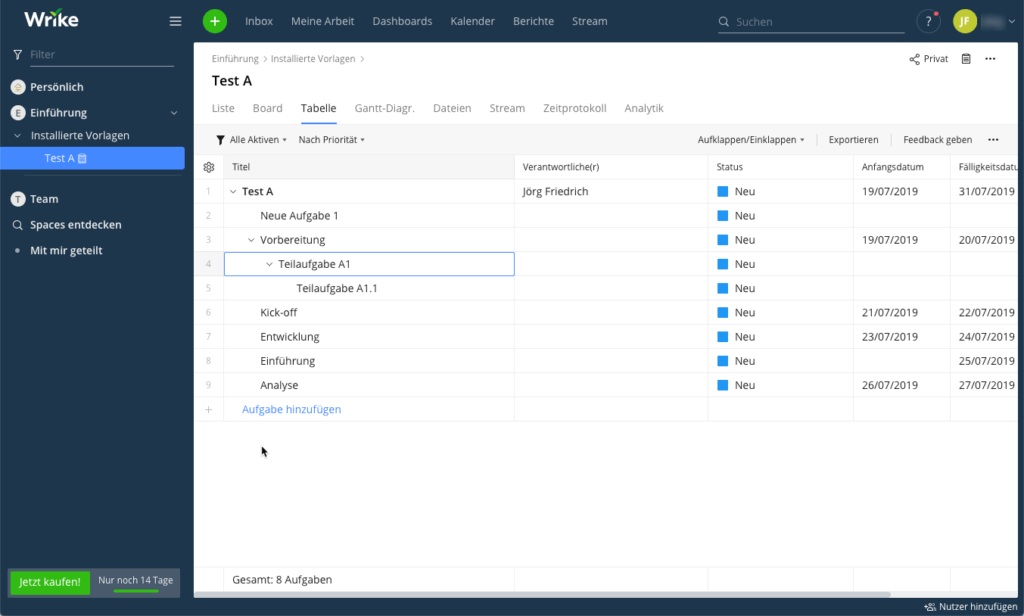
Wrike is well-suited for projects related to software development. The system is comprehensively configurable. Like Redmine, it offers so-called “modules” that can be enabled on a per-project basis. There are modules with features for tickets (issue tracking), time tracking, news, documents, files, wiki, repository, forums, calendar, and an interactive Gantt view.
Project and Task Hierarchies
Wrike allows you to create project hierarchies and task hierarchies of any depth. Tasks can be linked to one another — for example, through predecessor-successor relationships. Effort can be logged in categorized form.
No Support for Agile Methods
To find out what Wrike does not offer, I looked at the feature list of the paid enterprise version. It quickly becomes clear that the free version has no Agile Board for Scrum and Kanban. Support is also missing for Single Sign-On, attribute highlighting, full-text search in attachments, a usable workflow system, and unfortunately even something as basic as a multi-select custom field. I also found no way to freely design input forms.
Good for Classic PM and Issue Tracking
The free version is therefore best suited for classic project management, task management, and as an issue tracking tool in situations where no workflows are needed and the number of task attributes remains manageable.
Installation and Technology
The project management software Wrike is written in Ruby on Rails and supports the PostgreSQL database system. I installed my test system on a Linux server, which was relatively straightforward using a Docker container. Installation on Windows servers is possible but demanding.
Wrike Alternative Allegra
The project management software and Wrike alternative Allegra by Alltena provides comprehensive support for agile, classic, and hybrid project management models. Proven methods such as the Eisenhower principle, Earned Value, Getting Things Done, and the RACI Matrix are used throughout to ensure clarity even in very large projects.
Modern, Mature, Complete — but Little Known
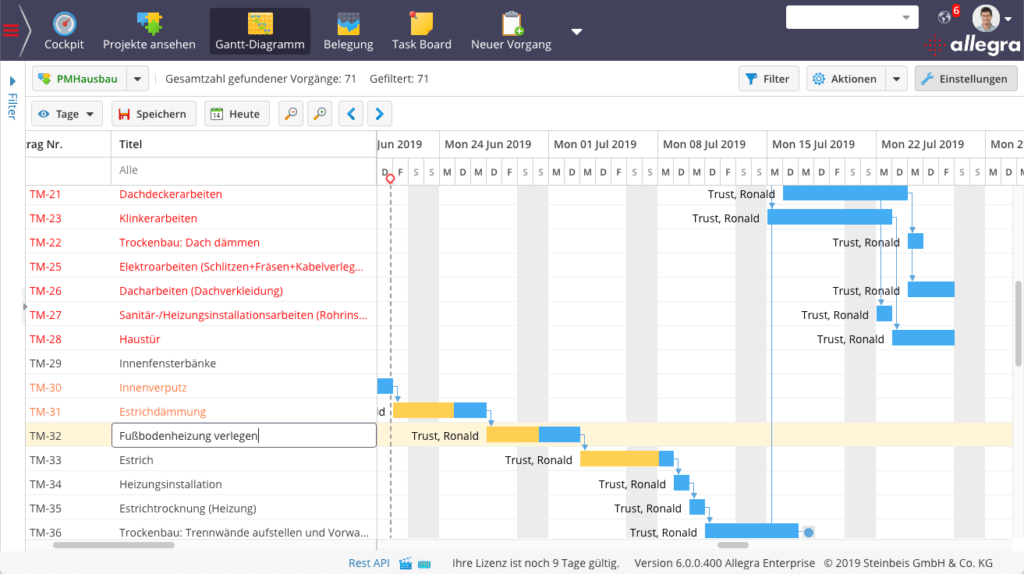
The Wrike alternative Allegra supports virtually all important features. The user interface is clean and modern. The configurability can be a little intimidating at first, but after spending a short time with it, it proves to be logical and well thought out. The Gantt chart, the Kanban board, the resource view, and the graphical workflow editor are all interactive.
Comprehensive Role and Permission System
The role and permission system of this Wrike alternative makes a well-considered impression and is based on the RACI Matrix principle. Access permissions can be set down to the level of individual fields. All key methods such as Earned Value, milestone trend, the Eisenhower principle, and Getting Things Done are supported. Drag and drop operations can be performed practically everywhere.
Allegra supports common database systems and runs on virtually all operating systems. It is written in Java and JavaScript, has been on the market for over ten years, and is used by approximately 10,000 users.
Servers Located in Germany
Allegra Cloud runs on servers located in Frankfurt am Main, Berlin, and Karlsruhe. Allegra Cloud is fully GDPR-compliant. A personally reachable support team is available via email, phone, and web conference.
Form your own impression of the comprehensive project management software Allegra and book a free live demo.

CEO Alltena GmbH
Christoph Friedrich is a computer scientist and certified Project Management Professional. He has extensive experience in the introduction and integration of project management tools as well as the analysis and definition of processes in project and service management.


