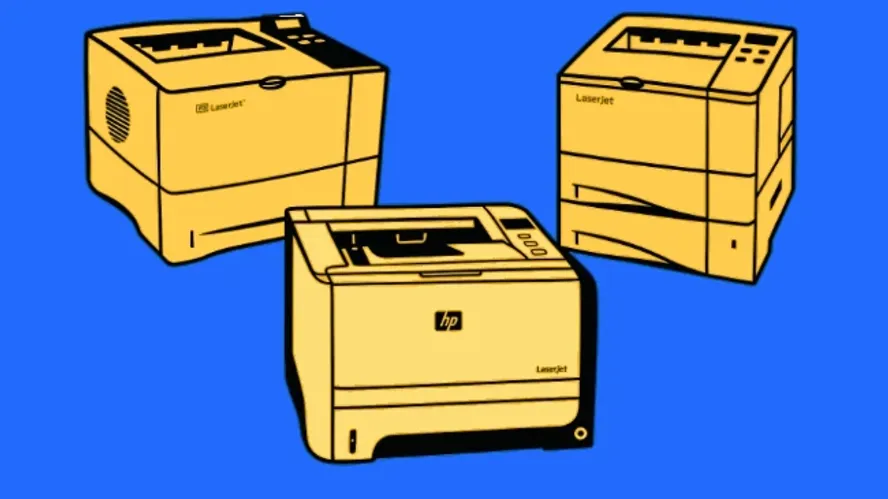
Many companies organize their product portfolio into product lines, i.e. groups of related products. Products are then composed of shared parts (“Commonalities”) and product-specific parts (“Specialities”). This article examines the challenge of systematic issue tracking in such product lines.
When a defect occurs in one product, other products may also be affected. This is the case when the root cause of a defect lies in a component that is used across multiple products — that is, one that belongs to the “Commonalities.” Defect management in product lines therefore requires special care.
Example of Issue Tracking in Product Lines
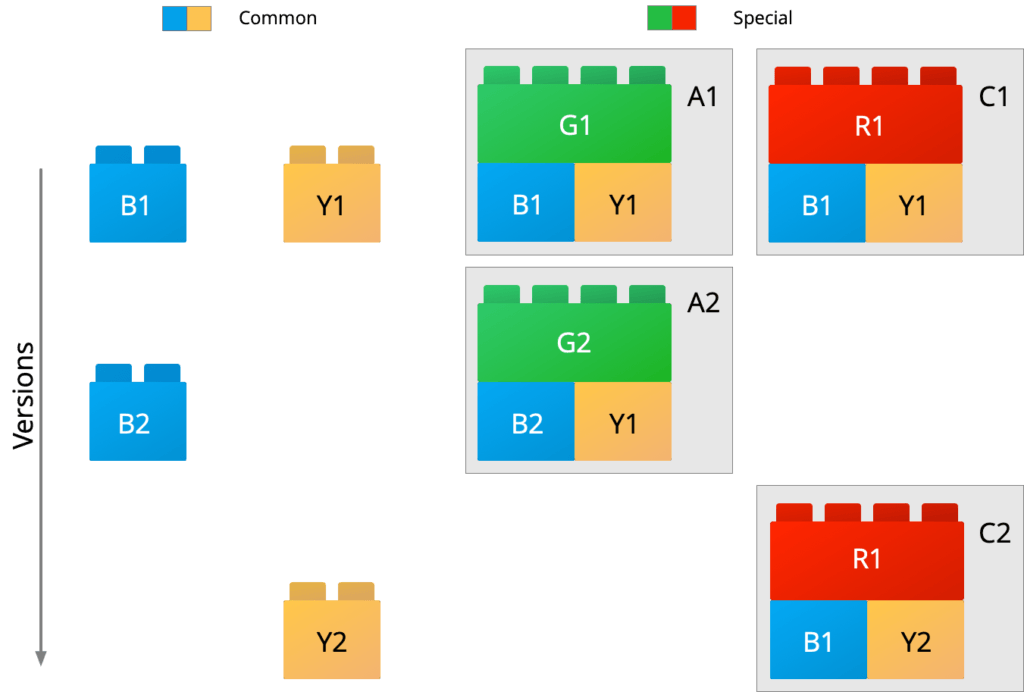
In the example in Fig. 1, there are two products A and C in versions A1, A2 and C1, C2 respectively, built from the specific parts G and R as well as the shared components B and Y.
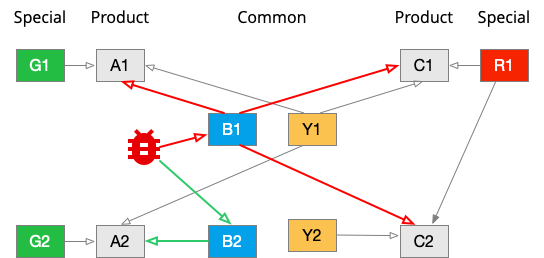
When a defect is discovered in component B in version B1, the components A1, C1, and C2 are affected as shown in Fig. 2. A fix can be delivered with B2, which affects product variant A in version A2. In this context, there are therefore three types of associations between components:
- “Component is used in”
- “Defect propagates to” (red lines in Fig. 2)
- “Fix propagates to” (green lines in Fig. 2)
All of these association types are 1:n — that is, a defect can affect n products or sub-products. For an impact analysis and to track defect resolution, the first association is sufficient; the other two can be derived from it.
Defect Management Modeling
To map the constellation described above — with shared product components — you need a system that can:
- Distinguish versions of elements
- Create relationships between elements
- Trace relationships between elements across multiple levels
A prerequisite for impact analysis is modeling the relationships between shared components and the components that use them. Using a suitably configurable issue tracking software, a ticketing system, or a project management tool, you can proceed as follows:
- A separate project (area) is created for each component.
- Within this area, exactly one element of the type “Component Info” (Issue Type) is created at the top of the hierarchy.
- If the software used does not support versions, these must be managed via an element attribute (e.g., “Release”). In that case, a Component Info entry must be created for each version — for example, as a child element of a parent collection Component Info.
- When the sub-component is used in another component in a specific version, a relationship (link) is created with the appropriate link type.
Mapping Components and Products to Areas in the Issue Tracking System
A project or workspace is first created for each component and product. It helps to have a system that can manage areas hierarchically, to maintain a better overview (the examples here come from the Allegra project management software).
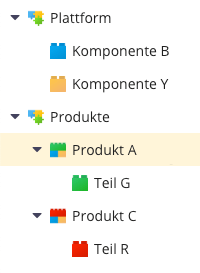
In Fig. 3, the shared components have been arranged under the “Platform” area and the products under the “Products” area. If there are a very large number of components and products, further structuring is conceivable.
Creating Association Points in Areas
To map the relationships between elements, an association point is created for each area. This can be a task (item, issue) with a corresponding issue type. If the software supports baselines for areas, one association point per area is sufficient. Otherwise, versions must be mapped via an issue attribute (e.g., “Release”) with a corresponding list of versions stored in the issue tracking system.
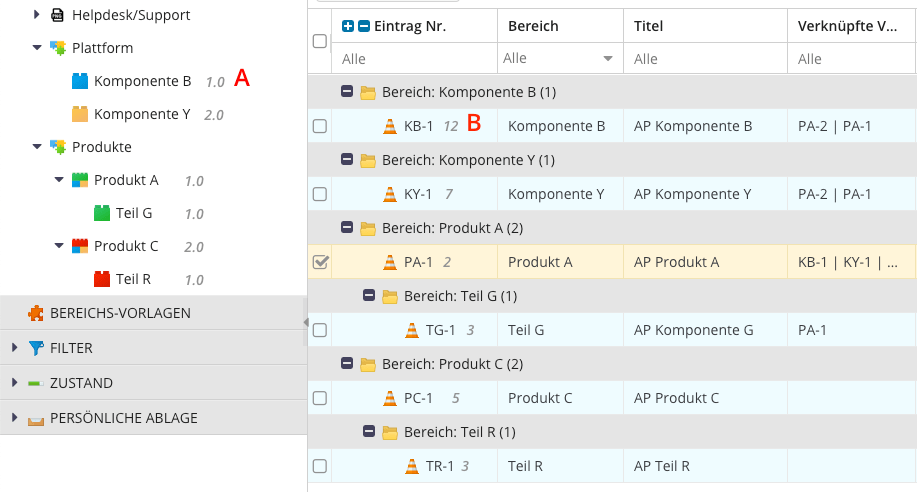
Components and products always belong to a baseline (A in Fig. 4). Within a component or product, the association points have versions (B in Fig. 4). Links are always version-specific.
If the system does not support versioning of issues, a separate association point must be created for each version under the component or product association points — for example, under KY-1 in Fig. 4.
Essentially, part of a bill of materials must be replicated here, and it is worth considering whether information from a bill-of-materials management system can be used to automatically create the relationships in a defect management system (issue tracking system).
You May Also Be Interested In
In the overview of ticketing systems you will find helpful issue tracking software that supports the concepts discussed here.

Editor and Writer
Gabriella Martin is a Yale University graduate and holds a Master's degree in German Literature from the University of Tübingen. She loves explaining complex things in simple terms.


