You know monday and feel there must be a better, more powerful project management tool out there as an alternative? Or are you looking to introduce a new solution for successful project controlling, came across monday, and are searching for a monday alternative you can also self-host?
We took a close look at both team collaboration tools and compared them in detail. Our findings are documented below.
Key Differences at a Glance
In broad terms, there are the following fundamental differences between the monday alternative Allegra and monday:
- Allegra and monday are both available as Software as a Service in the cloud. However, Allegra can also be purchased and installed and operated on-premises within your own company (self hosting).
- Monday is de facto a functionally simple task management system. It does away with the concept of projects and structuring. Allegra as a monday alternative also supports task management, but offers far more customization options. Beyond that, it is a fairly complete project management tool with Gantt charts, resource planning, Kanban and Scrum support.
- Monday works primarily with task boards and simple lists. Allegra, by contrast, offers full support for agile methods with epics, user stories, backlogs, sprints, burn charts, and more. In addition, Allegra supports the Scaled Agile Framework (SAFe) to handle larger initiatives in an agile manner.
The two project management tools are really not comparable. We have therefore focused on the task management function below.
1. Cloud and Self Hosting
Monday is an Israeli company and stores its data on Amazon servers in the United States. Monday claims to be GDPR-compliant, even though the data is not stored within the EU. The cloud servers for Allegra are located in Frankfurt and Paris for European customers and are therefore subject to strict European data protection regulations.
The German data center where Allegra data is stored is certified to ISO/IEC 27001 and DIN EN ISO 9001 standards and is approved for commissioned data processing. This guarantees Allegra users the highest security standards. Data transmission between the data center and the end device is encrypted using the secure SSL method.
Allegra offers comprehensive security for your work: with a German server location and a stable cloud.
2. Onboarding, Support, and Integration
Anyone can download Allegra and try it out for free. Alternatively, you can request your own test instance in the cloud from the vendor. From a certain license volume onwards, the vendor also assists with customization and initial configuration of the tool — even during the trial phase.
With monday you can also get an impression of the software without any commitment or cost, but only for small teams. If you want to implement realistic scenarios, you have to pay.
Allegra’s German-language customer support advises you by phone, email, contact form, and via web conferences on configuration and usage questions. The software rollout is made significantly easier and faster by an onboarding package included in the license costs, covering several hours of support.
Monday’s customer support is English-language only, and the approach is primarily to direct customers to published self-help materials.
Because every Allegra customer receives their own dedicated virtual server, the solution integrates well into existing IT infrastructure. Through the diverse APIs, customer-specific extensions can be added — for example, for integration with ERP, CRM, and CI/CD systems. There is a range of ready-to-use integrations for single sign-on as well as CI/CD systems such as GitLab and Jenkins.
3. Perspectives and Views
Monday and Allegra offer different views of projects and tasks. Both team collaboration tools have a board view. Monday maps a workflow that is created in the form of cards.
The Allegra (Kanban) board view also includes the task status, which shows the user at a glance which tasks are planned, active, completed, or under review. This enables clear and collaborative project work.
4. Task Management
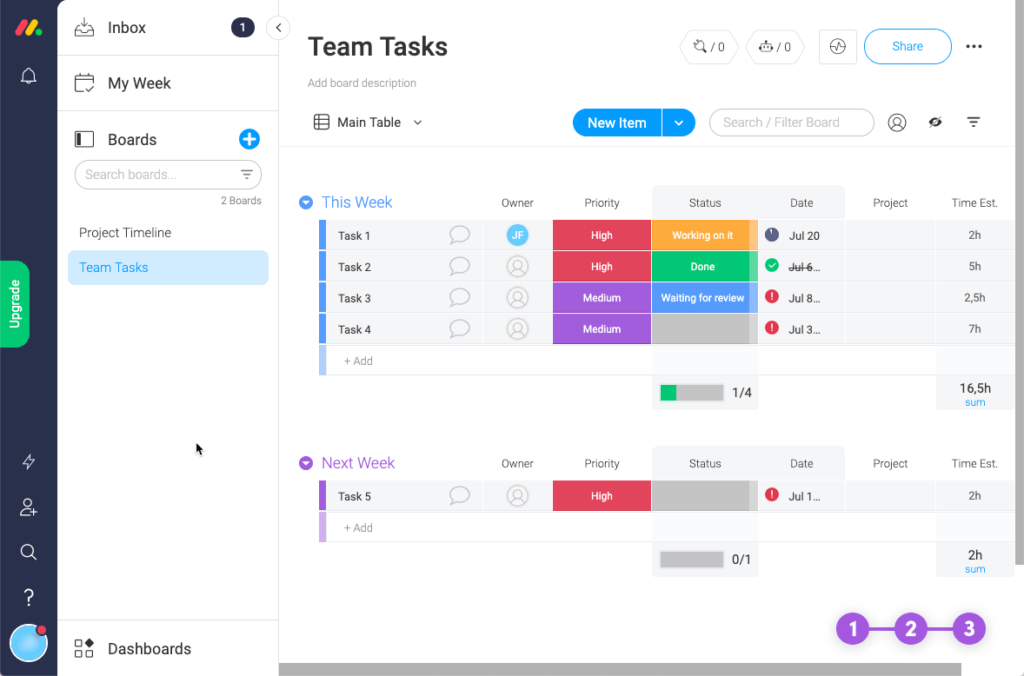
The user interface of monday is clearly laid out and makes ample use of bright colors. Instead of boring lists there are many colorful tiles adorned with icons. Everything is generously sized. For those who like it really colorful, there is little better.
Where Are the Projects?
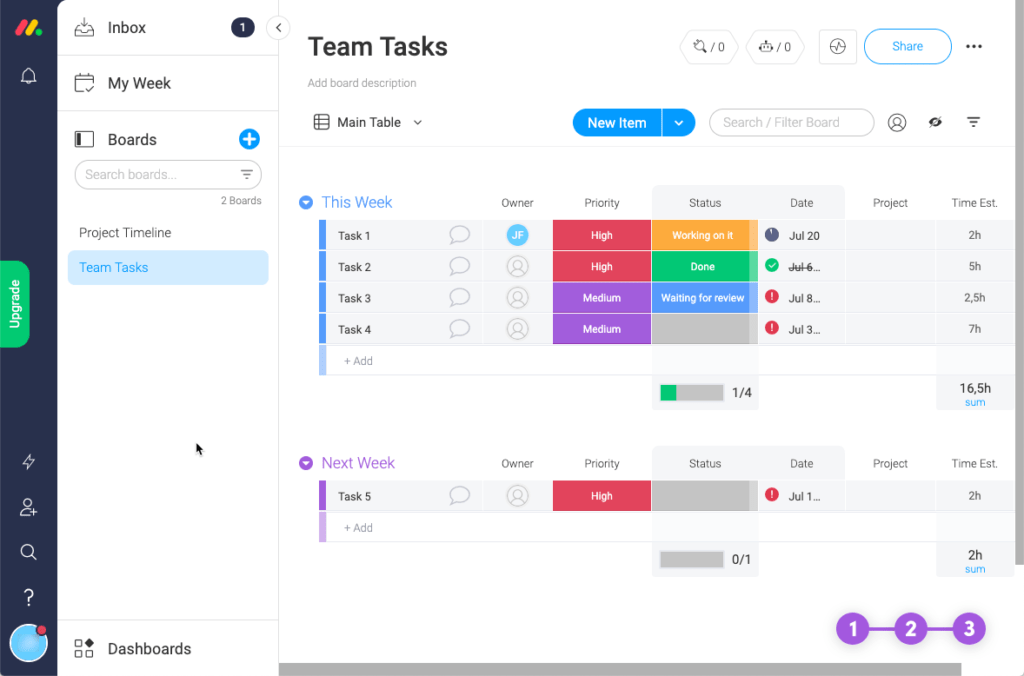
A project management software without projects? Is that possible? The answer is: No! The collaboration tool Monday organizes all tasks in “Views” on which “Boards” are placed. There are a number of board types, such as a calendar view or a timeline. In the table view, the columns of the boards can be configured. There are also templates for boards.
With Monday, Things Stay Simple
Thanks to Monday’s simple approach, project management never gets complex. The reason is straightforward: the software simply does not support handling more complex tasks. Here is a sample of what is not possible:
- Only boards, no projects or sub-projects. With around 30 or more tasks per board, clarity increasingly suffers
- No task hierarchy, and therefore no work breakdown structure (WBS) possible
- Very basic access control — either an entire row on the board, all contents, or read-only
- Very limited options for creating input forms (“We are on it…”)
- The entire layout and design becomes overwhelmed with initiatives involving more than 5 people and a few hundred tasks
Toy or Tool?
Only each person can answer that for themselves. Monday offers a bit of both — you can play around with it, and you can also handle manageable tasks with it. The noise level of monday’s marketing makes you think a huge truck is about to come around the corner. When you actually look, it turns out to be more of a compact car.
5. Project Management
As already described above, monday lacks essential functions that are important for a serious project management tool. These include:
- Missing structuring options
- No concept of projects
- Functionally weak filter options
- No support for Gantt charts
- Limited configurability
Monday is a nicely made piece of software for simple task management, but it is far from being a project management software like Allegra.
6. Agile Methods
To truly support agile project management methods like Scrum and Kanban, it is not enough to offer a board view. Here another significant difference emerges between Allegra as a monday alternative and monday: Allegra has a full feature set when it comes to agile methods. Concepts such as epics, user stories, releases, backlogs, sprints, team velocity, and burn charts are supported within the application logic. For larger initiatives, there is the option to scale Scrum according to the Scaled Agile Framework (SAFe).
7. Time and Cost Management
Professional project controlling is only available in Allegra. Using the controlling module, expenses — including those related to projects, individuals, or tasks — can be recorded and exported as an Excel file.
Unlike Allegra, monday offers no way to track the estimated remaining effort. Monday does have time tracking, but it is up to the user to keep an eye on the remaining time by calculating the difference between planned and actual time.
Allegra as a monday alternative offers a user-friendly solution to keep remaining time in focus. After all, the effort invested affects the overall duration and thus the cost of a project. With the help of estimated remaining effort, the Allegra user keeps a better eye on the critical success factor of time — and thus prevents their project from failing.
8. Service Desk and Guest Users
Allegra’s permissions system provides users with a clearly defined free authorization group — the guest user. An unlimited number of guest users can be integrated into a project or individual tasks at no cost. These can be external staff, customers, suppliers, or partners who receive read access to a project and edit rights for individual tasks. They have their own cockpit and can work on their own tasks.
This means a project manager can invite a customer as a guest user and assign one or more tasks to them by granting edit rights. The guest participates by adding comments and attachments, reviewing checklists, and changing the task status.
Allegra’s guest users enable the free inclusion of key project stakeholders. This makes collaboration between all relevant project participants simple and transparent.
Conclusion: Allegra Is More Than a Monday Alternative
Monday is a nice, easy-to-use task management tool. Allegra stands out as a monday alternative through:
- German server location and thus the highest data security
- Option for self hosting
- German-language customer service
- Full project management functionality with Gantt charts and resource planning
- Full support for Scrum and SAFe
- Powerful workflow engine and a very extensive task management function
- Clear cockpit for perfect project management
- If you are looking for an Asana alternative, this article might also be of interest to you: Asana alternative Allegra: much more than a replacement
Form your own opinion of the comprehensive project management software Allegra and book a free live demo.

CEO Alltena GmbH
Christoph Friedrich is a computer scientist and certified Project Management Professional. He has extensive experience in the introduction and integration of project management tools as well as the analysis and definition of processes in project and service management.


