Introduction
Collaboration software helps teams work together effectively, even when they are geographically distributed. Collaboration tools must ensure that
- all stakeholders are appropriately informed
- every stakeholder knows clearly what is expected of them and by when
- those responsible can monitor work progress in real time
- resource utilization can be presented objectively
One of the most popular collaboration tools is Excel, even though it was never intended — or suited — for that purpose. There are understandable reasons for the widespread practice of managing tasks in (Excel) lists:
- Many employees are familiar with this approach from personal time and productivity management (Filofax, Time/System, etc.).
- The principle is intuitive and flexible.
- Filtering is straightforward.
- Simple reports can be created quickly.
- The tool is practically available to everyone.
- Many people already know it from other contexts.
Why should you use a real collaboration tool or project management software for professional teamwork? Here are the key reasons:
- Excel has no version control. Spreadsheets are often sent by email, and within a short time multiple inconsistent versions exist. When stored centrally on a file server, it remains unclear who changed what.
- Excel provides no control over who can see or edit what.
- In projects involving multiple companies, maintaining a central copy on a file server accessible to everyone is difficult.
- There is no support for work package structures or a work breakdown structure (WBS) — only flat lists, which makes managing large projects difficult.
- There are no automatic change notifications; it is left to each person to inform those affected.
- There is no support for automated workflows.
Modern collaboration software — such as the tools introduced below — is designed to overcome these shortcomings of the Excel approach. The following products achieve this to varying degrees. The order is alphabetical and implies no ranking; the selection is, of course, highly subjective:
1. Allegra
The project management software Allegra by Alltena provides comprehensive support for agile, classic, and hybrid project management models. Proven project management methods — such as the Eisenhower principle, Earned Value, Getting Things Done, and the RACI matrix — are applied throughout to keep even large initiatives clearly organized.
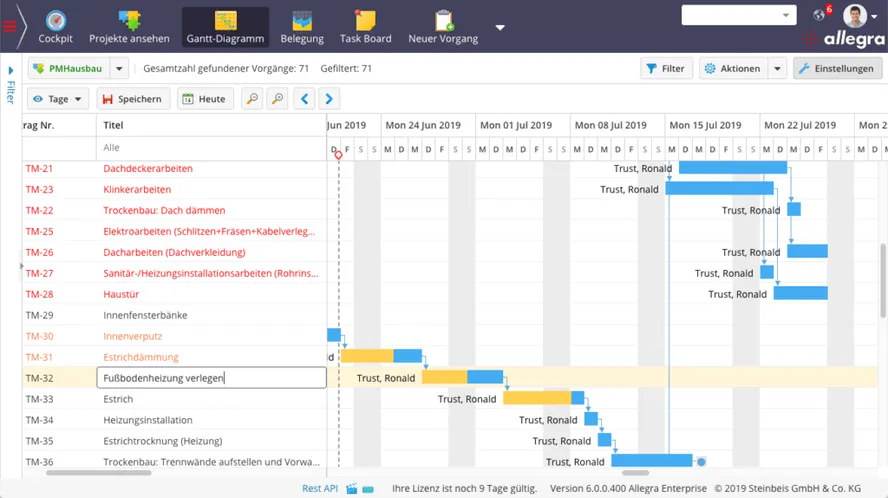
Allegra offers all the key capabilities you would expect from collaboration software. The collaboration tool’s user interface is clean and modern. The degree of configurability can be slightly daunting at first, but after spending a short time understanding the principles behind the system, you quickly realize that everything is logical and well thought out. The Gantt chart, the resource view, the Kanban board, and the graphical workflow editor are all interactive. In addition, important project management methods such as milestone trend analysis are supported, making it easy to create even complex project plans.
Comprehensive Roles and Permissions System
The roles and permissions system is impressively well-conceived and is based on the RACI matrix principle. Access rights can be configured down to individual fields. All major methods — Earned Value, milestone trend, the Eisenhower principle, and Getting Things Done — are supported. Drag-and-drop operations are available practically everywhere.
Allegra supports common database systems and runs on all widely used operating systems. It is written in Java and JavaScript, has been on the market for over ten years, and is used by approximately 10,000 users.
Servers Located in Germany
Allegra Cloud is hosted on servers located in Frankfurt am Main, Berlin, and Karlsruhe. Allegra Cloud is fully GDPR-compliant. Personalized support is available via email, phone, and web conference.
2. Asana
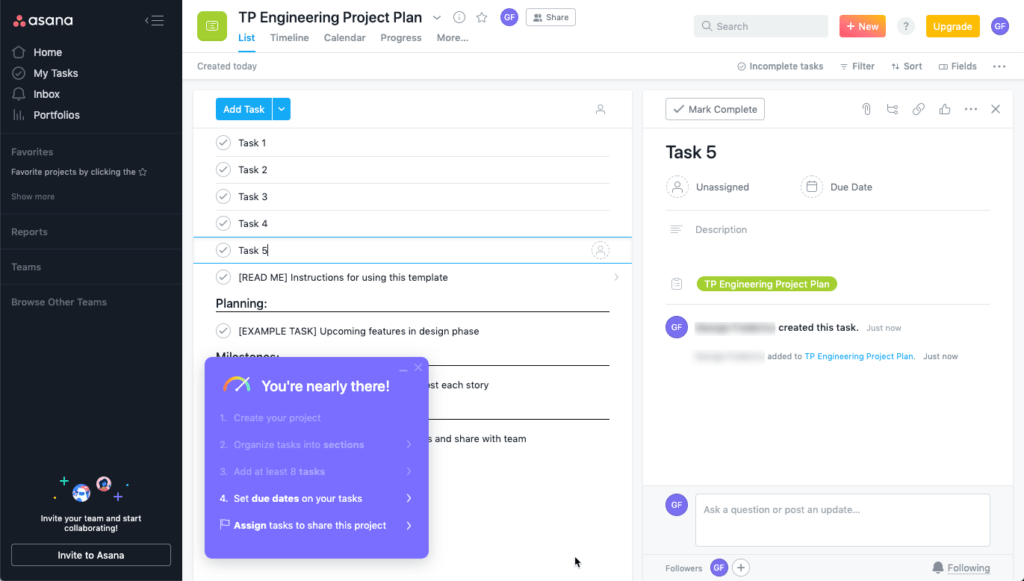
Asana is a widely used cloud-based collaboration tool for managing projects. An attractive interface with plenty of guidance and tooltips makes getting started relatively comfortable. The free version for a single user does not allow productive work — it is merely a teaser. The minimum viable plan covers up to 5 users and costs approximately €350 per year.
Templates, Lists, and Boards
When creating a project, you start from a project template. A good number of ready-made templates are available, and you can also create your own. The tool centers on projects in which tasks are managed. Only one type of item exists per project — you cannot define risks or open issues, for example.
Tasks can be displayed in list views or on boards. The project management software Asana offers a timeline view similar to a Gantt chart as well as a calendar view. You can create custom input forms.
A Good Solution with a Few Gaps
It is clear that the collaboration tool concept of Asana offers many users fully adequate functionality. However, you should pay attention to the following points if you want to get started with Asana. Asana is a good fit if
- you do not need a work breakdown structure (WBS) — i.e., hierarchically arranged tasks. Sub-tasks can only be created one level deep
- you do not need sub-projects — they do not exist
- you do not need read-only or hidden task attributes
- you can treat tasks, risks, open issues, milestones, etc. all the same way
- you do not need tables in task descriptions
- you can forgo methods such as RACI or Earned Value
- you do not need a comparison between the actual state of a project and a target state
Server Locations in the USA and Europe
The task management software Asana runs exclusively in the cloud. Under the enterprise licensing model, there is an option to store data on European servers, allowing Asana to comply with European data protection regulations.
3. Bitrix24
The collaboration software Bitrix24 supports teamwork across four categories:
- Communication
- Tasks and projects
- Customer Relationship Management
- Service Desk
- Website Building
The communication area includes a chat system, a video conferencing system, and a shared calendar. The “Tasks and Projects” area offers features for basic task and project management.
Bitrix24’s strength lies in its CRM module, which can be seen as a serious and affordable alternative to SalesForce and SugarCRM. The large user community comes primarily from this segment.
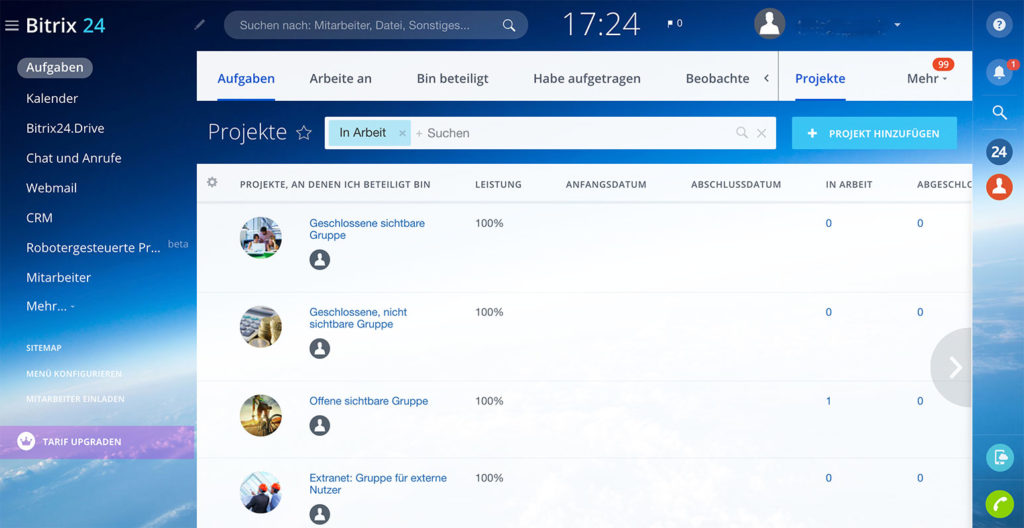
The feature set in the “Tasks and Projects” area, however, is not comparable to that of a true project management software like Allegra. Bitrix24 has no concept of item types — only tasks are managed. You cannot distinguish between a bug report, a feature request, and a project task, for example. The system also provides no way to organize projects and items in hierarchical structures.
Access Permissions
In Bitrix24, it is not possible to define custom roles with corresponding permissions. Predefined roles are available at the project level and are applied to all tasks. This allows access to be controlled at the project level, but not for individual tasks within a project.
The collaboration tool Bitrix24 is offered both as a GDPR-compliant cloud solution and as an on-premises solution. According to the vendor, it has a large user community.
4. Microsoft Teams
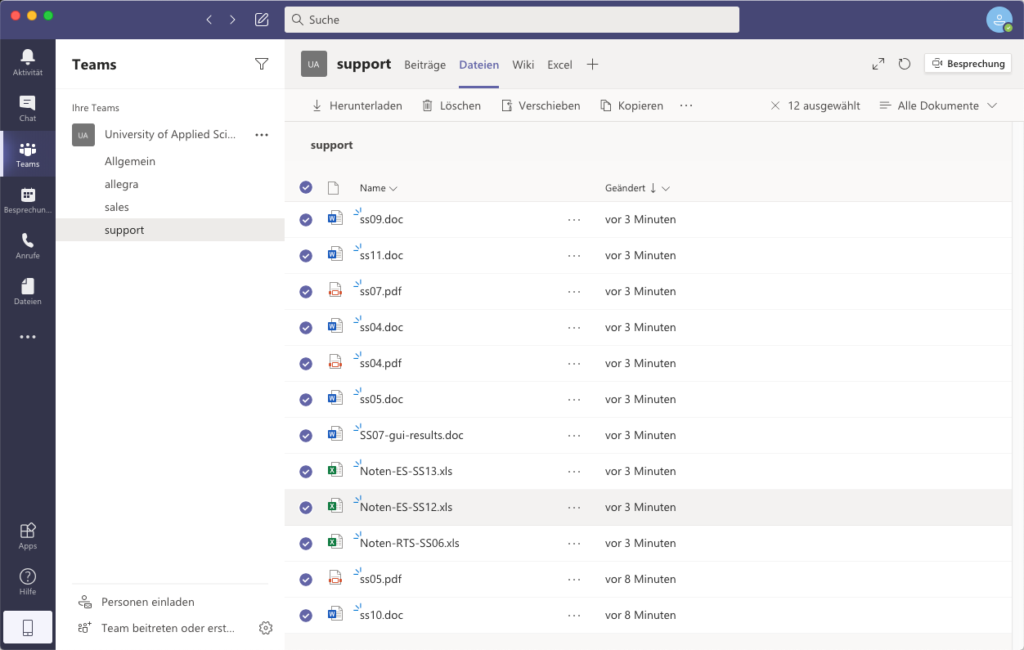
Microsoft Teams is — similar to Slack — a collaboration tool that organizes work around chat-based communication within and outside a company. Thanks to deep integration with Office 365, you can discuss and collaborate on documents from other Office services and applications directly within Teams.
Teams also supports online meetings, either via video chat or a simple phone conference.
Teams takes the communication behavior familiar from personal messaging apps like WhatsApp and translates it into the work environment. As collaboration software, it primarily reduces email usage and thus tackles one of the key productivity killers in the modern workplace. Communication flows more smoothly, interruptions are fewer, and it is easy to seamlessly switch to a more direct form of communication such as a video call or phone conference.
Microsoft Teams is therefore, on one hand, a very specialized collaboration solution — and on the other hand, a potential cornerstone of well-organized teamwork.
5. Slack
Slack is a well-crafted chat application in which team communication is organized into “channels.” Slack suggests distributing documents within channels as well, treating each channel as a searchable archive. This, however, stretches the role of a collaboration tool too far.
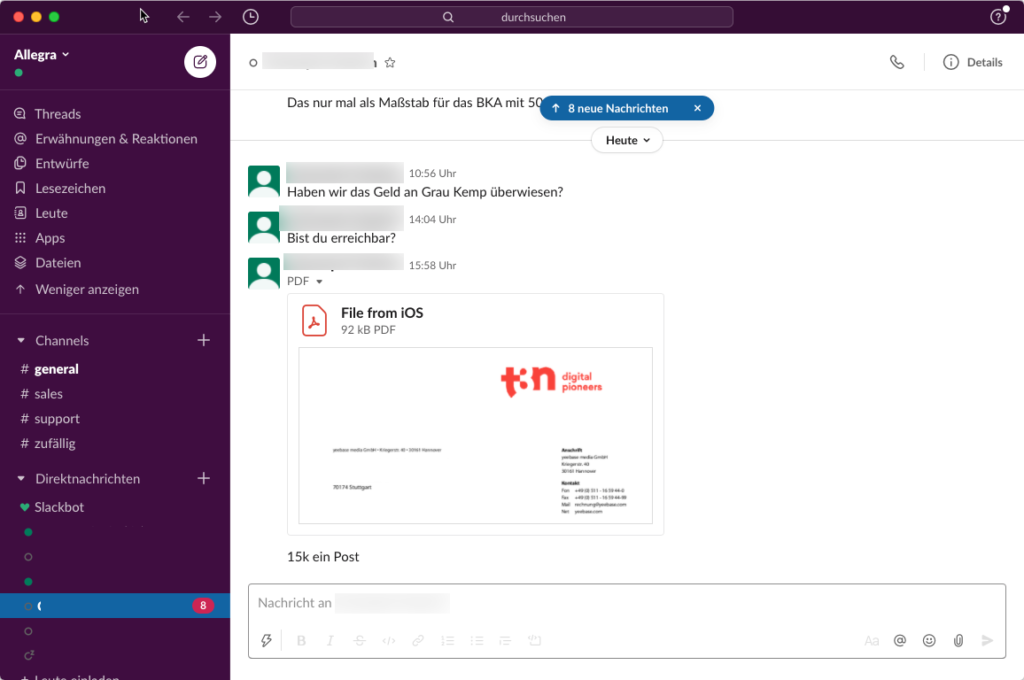
Slack remains a chat application, with the strength of being able to integrate more or less deeply with other collaboration tools. The Slack API is very well designed. Here is a brief sample of available integrations:
| Category | Integrations |
|---|---|
| Communication | GotoMeeting, Cisco Webex, Zoom, Skype, E-Mail, Outlook-Kalender |
| Customer Support | Zendesk, Salesforce, Mail Chimp, Allegra |
| Developer Tools | GitLab, GitHub, Jira Cloud, Allegra, Jenkins CI |
| File Management | Dropbox, Google Drive, Microsoft OneDrive |
| Marketing | Hubspot, Clever Ads, Typeform |
| Finance | Zoho, Teampay, Nikabot Timetracking |
| Productivity | Allegra, Asana, Trello, GitLab, GitHub, Google Kalender, Outlook Kalender |
| Project Management | Allegra, Asana, Wrike, Jira Cloud |
| Sales | Salesforce, Zoho, Clearbit |
Slack is available as a cloud solution only.
6. Trello
When searching for collaboration software, Trello ranks near the top of the list in terms of both feature scope and adoption. It offers a clean, well-organized, and modern interface along with a broad range of features.
Trello is available exclusively as Software as a Service (SaaS) hosted in the vendor’s cloud. The vendor guarantees compliance with European data protection standards.
Boards Instead of Projects
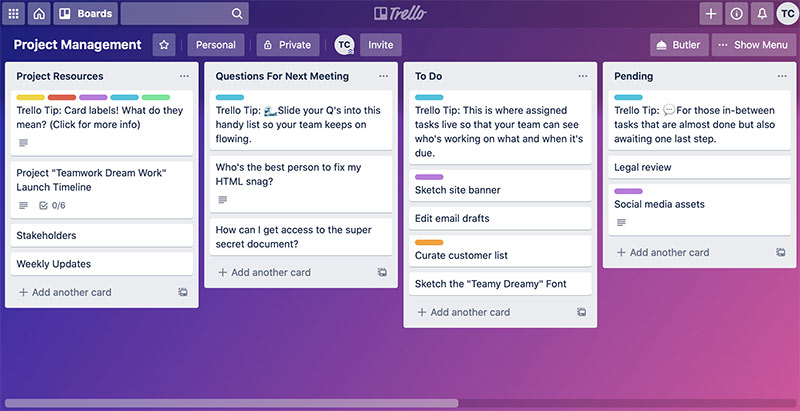
Thanks to its “board with lists” approach, Trello is particularly well suited to smaller projects. The system is extensively configurable. Many so-called “Power-Ups” are available, which can be enabled on a per-board basis. These Power-Ups offer capabilities such as hierarchical structuring, news feeds, time tracking, file management, repositories, forums, calendars, and an interactive Gantt view.
In the collaboration tool Trello, items are called “cards.” These are organized into lists, which in turn belong to a “board.” Board templates are available, and with the appropriate Power-Ups, cards can also be arranged hierarchically. However, there are no board types in the sense of centrally configured templates from which derived boards and their properties could be managed.
Items and Item Types
In task and project management, almost everything revolves around “items.” In Trello, items — or cards — belong to a list, which can influence the behavior of those items. Lists can be created freely, for example for “Tasks,” “Action Points,” and “Issue Reports,” or sorted by other criteria.
Lists can have their own workflows and different attributes. For example, an action point optionally has a due date, while a task requires both a start and an end date.
Item Hierarchies
Trello offers the ability — via Power-Ups — to fully organize cards in a hierarchy. The type of subordinate items can be restricted depending on the type of the parent item through so-called “Rules.”
In brief, here are the key differentiating characteristics of Trello compared to alternatives:
- Trello is not available as an on-premises solution — only as SaaS in the vendor’s cloud
- Trello is well suited to smaller projects with a manageable number of items
- Trello supports only simple, non-graphical workflows
- Trello offers only limited hierarchical structuring options
Conclusion
The products presented here offer a broad overview of the different types of collaboration software available. Allegra represents true project management software and task management software — without which effective collaboration can only be partially achieved. Asana and Trello focus entirely on simple task management, Bitrix24 on CRM and service desk, while Microsoft Teams and Slack organize collaboration around chat-based communication.

Editor and Writer
Gabriella Martin is a Yale University graduate and holds a Master's degree in German Literature from the University of Tübingen. She loves explaining complex things in simple terms.


