The European answer to monday.com
More functionality. More control. Better project management.
monday.com Alternative | Classical & Agile | On-Premises
Allegra – the full-featured monday.com alternative
Visual task and project management like monday.com – plus first-class classical project management with Gantt charts, deeper Scrum support, and an integrated wiki. We'll walk you through Allegra and answer your questions one-on-one.
We present Allegra to you and answer your questions individually.



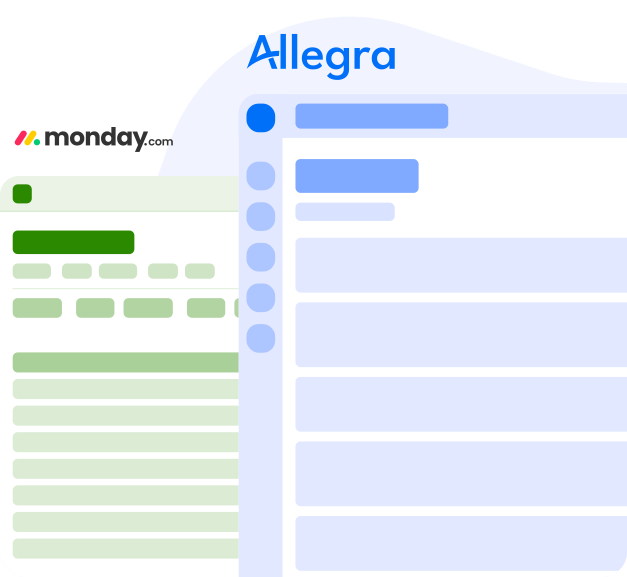
Why an alternative?
-
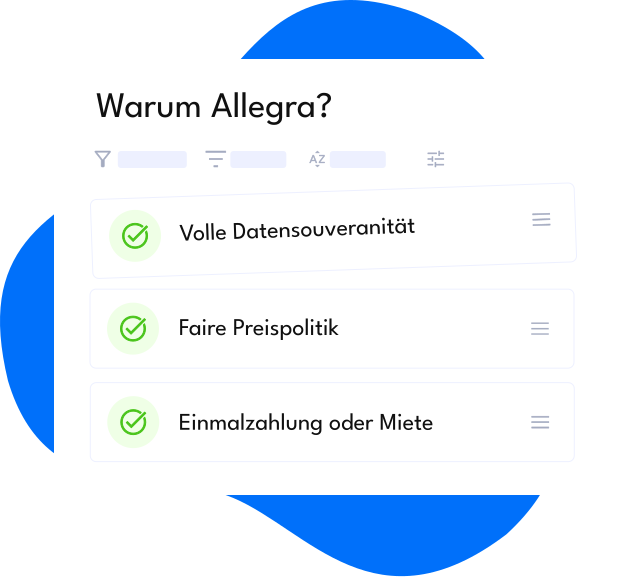
Complete data sovereignty
It's entirely up to you who you want to share your data with. We guarantee complete compliance with European data protection standards.
-
Fair pricing and licensing terms
We have been operating profitably for years, and our pricing and licensing terms are fair and transparent. We aim to gain market share through the quality of our products and services rather than through expensive marketing.
-
Innovation through competition
We listen to our customers. Our innovations are often direct responses to real customer challenges.
Where Allegra leads
| Features | Allegra | monday.com |
|---|---|---|
100% data protection via cloud or self-hostingFull control over your data with on-premises hosting. Or get started immediately with the cloud solution. | | |
Classical project managementBreak projects down into sub-projects and tasks into sub-tasks — essential for classical project management. Interactive Gantt charts and resource planning. | | |
Agile project managementFull support for every agile workflow. Semantic support for all Scrum artifacts like epics, stories, sprints, backlogs, and burn charts with the corresponding actions. | | |
Fully integrated wikiFor meeting minutes, test reports, requirements, manuals, etc. | | |
ChatGPT on Allegra vs. monday.com:
“Allegra is significantly more powerful than monday.com when it comes to traditional project management. It offers richer tooling for work breakdown structures, Gantt charts, and the Earned Value Method, making it the better choice for projects that rely on these classical techniques. Both tools support agile workflows, but Allegra provides a deeper, semantically integrated Scrum implementation — including sprints, backlogs, and burn charts — whereas monday.com's sprint boards are configured on top of generic boards rather than native Scrum artifacts. monday.com shines as a highly visual, easy-to-adopt work-management platform for cross-functional teams, but it doesn't offer the same depth, hierarchy, or self-hosting capability as Allegra.”
GDPR Compliant with Full Data Sovereignty
Run Allegra GDPR compliant – in the cloud or on your own infrastructure.
On Your Server
-
Run Allegra on your own server -
Keep full control over your data -
Runs on all platforms (VMs, Docker)
In the Allegra Cloud
-
Ready to use immediately -
GDPR & ISO 27001 compliant in a German cloud -
Switch to self-hosting at any time
Allegra vs. monday.com in detail
A direct feature comparison for teams that want to unite classical and agile project management in a single tool.
| Feature | Allegra | monday.com |
|---|---|---|
| Operation | ||
| On-premises / self-hosting for full data protection | | |
| Cloud / SaaS for easy use | | |
| European data-protection compliance | | |
| All customer data stored exclusively in the EU | | |
| Classical project management | ||
| Work packages with unlimited depth | | |
| Gantt charts | | |
| Resource planning | | |
| Earned Value method | | |
| Agile project management | ||
| Full Scrum support | | |
| Backlogs, epics and stories | | |
| Sprints and releases | | |
| Burn charts | | |
| Kanban / task boards | | |
| Project configuration | ||
| Project templates with predefined tasks | | |
| Copy complete projects | | |
| Sub-projects with unlimited depth | | |
| Issues and issue types | ||
| Various issue types such as tasks, tickets, actions etc. | | |
| Custom issue types | | |
| Type-specific forms and workflows | | |
| Issue hierarchies | ||
| Sub-tasks with unlimited depth | | |
| Restriction of issue types that can be used as sub-tasks | | |
| Notifications | ||
| Detailed control over the notifications the system sends to users | | |
| Roles and permissions | ||
| Role-based access to projects and issues | | |
| Fine-grained permissions so a user can read and edit only some fields in a form | | |
| Custom roles with dedicated permissions | | |
| Fields / attributes | ||
| Custom fields | | |
| Custom field type for multi-select (options) | | |
| Custom field type to select a user from a specific user group | | |
| Different default values for fields in different projects possible | | |
| Forms / input masks | ||
| Custom forms | | |
| Forms with arbitrarily many custom tabs and panels | | |
| Different forms for creating and editing an issue | | |
| Different forms can be used for the same issue type in different projects | | |
| Links / dependencies | ||
| Link issues together, e.g. to indicate dependencies | | |
| Define links that ensure an issue cannot be closed while the linked issue is still open | | |
| Create custom link types | | |
| Cockpit / Dashboard | ||
| Strong support for custom cockpits / dashboards | | |
| Every user can configure their own cockpit | | |
| Cockpit templates for a quick start | | |
| Reporting | ||
| Template-based reporting | | |
| Microsoft Power BI integration | | |
| Generation of reports in PDF and Excel format | | |
| User management | ||
| Synchronization of the user base with a directory server | | |
| Connection to more than one LDAP server | | |
| Single sign-on support | | |
| Two-factor authentication | | |
| Interfaces | ||
| Comprehensive REST API | | |
| Creation and modification of projects via the REST API | | |
| Run queries via the REST API | | |
| Plug-ins for cockpit / dashboard widgets | | |
| Plug-ins for field types | | |
| Other | ||
| Integrated wiki | | |
Get started and try Allegra free for 30 days in the cloud!
Get startedGreater Transparency for Every Decision Level
For Executive Management
-
Complete overview of all ongoing work -
Informed decisions based on up-to-date data -
Fewer escalations and ad-hoc meetings
For CTOs & Heads of IT
-
Reduced system landscape -
Fewer interfaces and integration effort -
Unified data structure and higher operational reliability
For Department Heads
-
Clear priorities and dependencies -
Better resource planning -
Noticeably fewer coordination loops
Designed for Simple to Complex Organizations
Electronics Industry
For project management, order management, quality management, change management, and customer service.
More on electronics industry...Engineering/Mechanical Engineering
For project management, order management, quality management, and customer service.
More on engineering...Software Development
For issue tracking, agile, classic, and hybrid project management, DevOps.
More on software development...Auditors and Controlling
For managing annual tasks related to accounting and for general task management.
More on controlling...Government and Administration
For security incident management, project management, order management, approval workflows, and change management.
More on government...Defense Industry
For project management, order management, quality management, and change management.
More on defense industry...Allegra works with many systems
Numerous useful interfaces make working with Allegra pleasant and effective.








What Our Customers Say
Discover why companies across various industries trust Allegra.
"We have been using Allegra software at DUNGS Combustion Controls for several years, managing a large portion of our tasks and projects — across multiple locations and continents. It's truly impressive how the software has evolved over the past years."

DUNGS Combustion Controls
"We have been working with Allegra for over 3 years. We have customized the system to our requirements so that we can plan and manage our many projects effectively, with minimal effort and great reliability. An indispensable tool for our project managers and development teams."

Helios Ventilatoren
"We have been working with Allegra for over 2 years. The platform was customized to our specifications, allowing us to manage and archive all advertising projects. Whether creating statistics or conducting research, all information can be reliably found in Allegra. Highly recommended."

Nomos Verlagsgesellschaft mbH & Co. KG