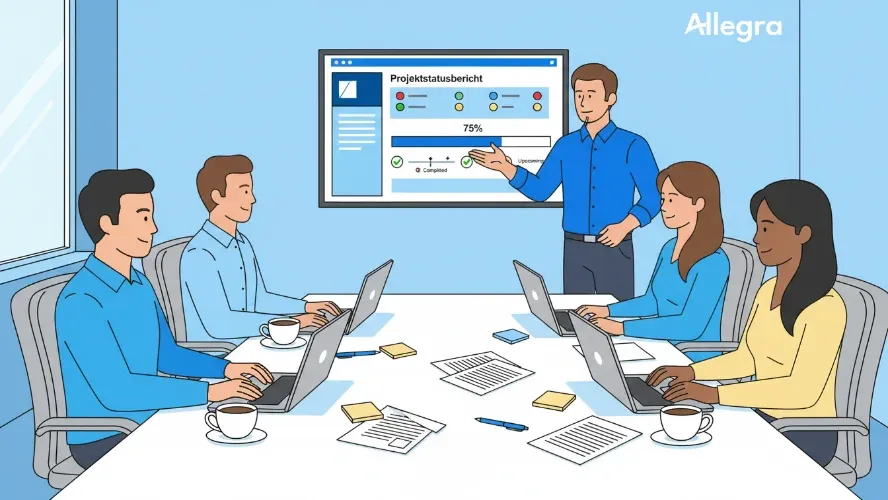
What Is a Project Status Report?
A project status report summarizes the current state of a project at a defined reference date. It answers the four central questions that clients, steering committees, and stakeholders always ask:
- Where does the project stand? — Overall status and progress
- Where are the problems? — Risks, issues, and deviations
- What has been achieved? — Completed milestones and deliverables
- What needs to be decided? — Open items that require outside support
The report is not a novel and not a project diary. It is a standardized communication tool — brief, structured, and regular. Its purpose is to bring everyone involved to the same level of knowledge without requiring a meeting.
An important distinction: the project status report describes the ongoing state during project execution. It is not the same as a project closure report, which draws a final balance at the end of a project. And it does not replace project controlling as a whole — it is, rather, its most visible output.
Why Are Project Status Reports Important?
Projects rarely fail due to a lack of expertise. They fail due to a lack of transparency. When no one knows where the project really stands, problems are recognized too late, decisions are made too late, and resources are deployed incorrectly.
Regular project status reports counteract this:
Transparency for everyone involved. From team member to steering committee — everyone can see at a glance how the project is going. This eliminates follow-up questions, rumors, and the notorious “What’s actually happening with …?” emails.
Early-warning system for deviations. A well-maintained status report reveals trends: Is a milestone being shifted for the second time in a row? Are costs rising faster than progress? These patterns become visible before the situation escalates.
Foundation for decisions. Steering committees and clients can only make well-informed decisions when they have reliable information. The status report delivers exactly that — compact and comparable.
Accountability and traceability. What is documented can be tracked. The status report creates a written history of the project’s progress — valuable for later lessons learned and capturing experience.
Fewer status meetings. A good status report makes purely informational meetings unnecessary. Participants can read the information asynchronously and use their time for more productive things.
Structure and Contents of a Project Status Report
A project status report follows a fixed structure. This has two advantages: creation becomes faster, and readers immediately know where to find which information. The following components have proven their worth in practice.
General Project Information
Every report begins with the key data: project name, project number, project manager’s name, reporting period, and reference date. In some contexts, the project budget and a brief description of the project objectives are added. This may seem obvious, but it matters — especially when many projects are running in parallel in an organization and the steering committee reads several reports in a single day.
Overall Status — The Project Traffic Light
The heart of every project status report is the traffic-light assessment. It shows at a glance whether the project is on track:
- Green: The project is on track. No action required.
- Yellow: There are significant deviations or risks. Measures have been initiated or are being prepared.
- Red: Achieving the objectives is at risk. Immediate escalation and decisions are needed.
In addition to the overall traffic light, detail traffic lights are recommended for the three objective dimensions of the project management triangle: schedule, cost, and performance/quality. This makes it immediately clear in which area the problem lies.
Critically: the criteria for each traffic-light color must be defined in advance. Without clear thresholds, the rating depends on subjective perception — and this leads to uncomfortable truths being glossed over. A proven rule: yellow from 10% deviation from plan, red from 20%. The overall traffic light must not show green if a detail traffic light is red.
The traffic-light history — the color progression across several reporting periods — is at least as informative as the current status. A shift from green to yellow says more than a single yellow.
Performance Status and Milestones
This section shows how far the project has progressed in terms of content. Three pieces of information suffice:
- What has been completed? — Achieved milestones and accepted deliverables
- What is currently being worked on? — Ongoing activities and their status
- What comes next? — The next upcoming milestones with dates
The percentage completion of the overall project (e.g., “62% complete”) can serve as a rough indicator, but should not be overvalued. More meaningful is the concrete statement of which milestones have been reached and which are still outstanding.
Schedule and Cost Situation
Here, the target-versus-actual comparison is condensed to the essentials. The goal is not a detailed breakdown of all work packages — that belongs in project controlling — but rather the key messages:
- Is the project on track schedule-wise? If not: how large is the deviation and what is the cause?
- Is the project on track financially? If not: is the budget committed or still available?
- How is the deviation trending — is it getting larger or smaller?
A trend indicator (better / unchanged / worse compared to the last report) helps assess the dynamics.
Risks and Issues
The most important risks are named — ideally with a brief assessment of likelihood and impact. Not every risk from the risk register belongs in the status report. Focus on the top 3 to 5 that pose the greatest threat to the project.
For issues that have already materialized, the countermeasures initiated should be included. An issue without a countermeasure is just a complaint.
Decision Requirements
This section is perhaps the most important part of the report — and is most frequently neglected. Here the project manager clearly states which decisions they need from the client or steering committee in order to move the project forward:
- Approval of additional budget
- Prioritization of competing requirements
- Decision on a technical or substantive alternative
- Provision of resources
Without this section, the status report is an information document. With it, it becomes a management instrument.
Next Steps
A brief outlook on the planned activities until the next reporting date. This gives readers a sense of what will happen, and gives the project manager a self-commitment against which they can be measured at the next update.
Creating a Project Status Report — Step by Step
1. Define a Template
Define a template once that applies to all projects in your organization. The template should be suited to the project size: a small internal project does not need ten pages, but a large project with an external client requires a bit more detail. What matters is that the format remains consistent across all projects — this makes reports comparable and allows for historical tracking.
2. Gather Data
Compile the actual data: degree of completion of work packages, costs incurred, milestones reached, status of open risks. Ideally, this data comes directly from your project management tool, not from copy-pasted Excel spreadsheets.
3. Set the Traffic Lights
Assess the status based on the data gathered and the criteria defined in advance. Be honest — a yellow traffic light set in time is more valuable than a green traffic light that turns red next week.
4. Write the Commentary and Required Actions
Write a brief commentary that contextualizes the traffic lights and explains the current situation. Be specific about which decisions you need. “We have a problem” is not a call to action. “We need approval for Option B by Friday so that milestone M4 can be maintained” is.
5. Release and Distribute the Report
Distribute the report to all relevant stakeholders — ideally via your PM tool, so that the history is documented without gaps. The report should be available before the next steering meeting so that participants are prepared.
Project Status Report: Example
The following example shows a project status report for a fictional website relaunch project:
| Project Status Report – Website Relaunch | |
|---|---|
| Project Manager | Maria Schmidt |
| Reporting Period | 01.03. – 15.03.2026 |
| Reference Date | 15.03.2026 |
| Traffic Light | Area | Status |
|---|---|---|
| 🟡 | Overall | Yellow – schedule risk in design |
| 🟡 | Schedule | Yellow – design phase 5 days behind |
| 🟢 | Cost | Green – budget 42% used (plan: 45%) |
| 🟢 | Quality | Green – all approvals passed so far |
Project Manager’s Commentary: The design phase is expected to be delayed by approximately 5 working days because the final sign-off with the client required two more iteration cycles than planned. Implementation can partially begin in parallel, so the overall deadline can likely be maintained if design approval is received by 22.03.
Milestones Achieved:
- M1 Requirements analysis completed (28.02.) ✓
- M2 Wireframes approved (07.03.) ✓
Upcoming Milestones:
- M3 Design approval – planned: 17.03., revised: 22.03.
- M4 Backend implementation – planned: 15.04.
Top Risk: Delay in design approval threatens the go-live date of 30.06. Countermeasure: parallel start of backend implementation, daily coordination with the client.
Decision Required: The client must approve the final design variant by 22.03. at the latest. Without approval, M4 will be delayed and the entire schedule will shift. Please escalate via the steering committee.
Next Steps:
- Obtain design approval (by 22.03.)
- Start backend development (from 18.03.)
- Prepare content migration
Template: Project Status Report
The following template can be used as a starting point for your own status reports. Adapt the fields to your project size and industry.
| Area | Content |
|---|---|
| Project Name | [Name of the project] |
| Project Manager | [Name] |
| Reporting Period | [From – To] |
| Reference Date | [Date] |
| Overall Traffic Light | 🟢 / 🟡 / 🔴 |
| Schedule Traffic Light | 🟢 / 🟡 / 🔴 – [Brief explanation] |
| Cost Traffic Light | 🟢 / 🟡 / 🔴 – [Brief explanation] |
| Quality Traffic Light | 🟢 / 🟡 / 🔴 – [Brief explanation] |
| Commentary | [2–3 sentences on the current situation] |
| Milestones Achieved | [List] |
| Upcoming Milestones | [Milestone – Date] |
| Target vs. Actual Cost | Target: [X] / Actual: [Y] / Deviation: [Z] |
| Top Risks | [Risk – Countermeasure] |
| Decision Required | [What is needed? By when?] |
| Next Steps | [Planned activities until the next report] |
Tips for Meaningful Project Status Reports
Less is more. A good project status report fits on one page. Everything beyond that belongs in detailed reports or project documentation. This forces you to focus on what matters — and that is exactly what your readers want.
Don’t be afraid of red traffic lights. A red traffic light is not an admission of failure. It shows that you are in control and actively addressing problems. It only becomes problematic when all traffic lights are green and the project fails anyway.
Regularity builds trust. Establish a fixed rhythm — weekly for dynamic projects, biweekly or monthly for more stable ones. A status report should be created at every milestone. Use milestone trend analysis to make schedule shifts visible over time. Regularity turns the report into a routine and reduces the effort of creating it over time.
Request decisions, don’t just report. The most common mistake: the report informs but does not call for action. State the decision requirements specifically and with a deadline. “We need a decision on X by Friday” works better than “There is an open topic regarding X.”
Stay honest. Glossed-over reports always come back to bite you. A yellow traffic light that points to a problem in time is more valuable than a green traffic light that turns red next week. Foster a culture where bad news is welcome — the earlier a problem is identified, the cheaper the solution.
Use project management software. If you have to gather your actual data manually from different sources, every status report becomes a chore. Modern PM tools already track schedules, costs, and progress — the status report can then be put together with a few clicks.
Frequently Asked Questions
What is a project status report?
A project status report is a regular, standardized summary of the current state of a project at a defined reference date. It informs clients, steering committees, and teams about progress, deviations, risks, and decision requirements. As the central communication tool in project controlling, it creates transparency and provides the foundation for well-informed management decisions.
How often should a project status report be created?
The frequency depends on the size and dynamics of the project. For agile or critical projects, weekly reports make sense; for more stable projects, biweekly or monthly intervals are sufficient. A status report should be created at every important milestone. What matters most is a fixed, predictable rhythm.
What should a project status report contain?
The most important components are: an overall traffic light and detail traffic lights for schedule, cost, and quality; a brief summary of the current situation; the performance status with achieved and upcoming milestones; the schedule and cost situation in a target-versus-actual comparison; the top risks with countermeasures; the specific decision requirements; and an outlook on the next steps.
Who creates the project status report?
Responsibility lies with the project manager. They gather the actual data — ideally with input from work package owners — assess the status, and write the report. In larger organizations, a Project Management Office (PMO) supports quality assurance and ensures that all projects report on time and in a consistent format.
What is the difference between a project status report and a project closure report?
The project status report is created on an ongoing basis during project execution — regularly and at short intervals. It shows the current state and the required actions. The project closure report is created once at the end of the project. It draws a final balance: were the project objectives achieved? What went well, what did not? What experiences feed into future projects?

Senior Advisor
Jörg Friedrich is the original author of the project management software Allegra and continues to accompany its development to this day. He has many years of industry experience as a project and department manager. He also serves as a professor in the Faculty of Computer Science and Information Technology at Esslingen University of Applied Sciences.


