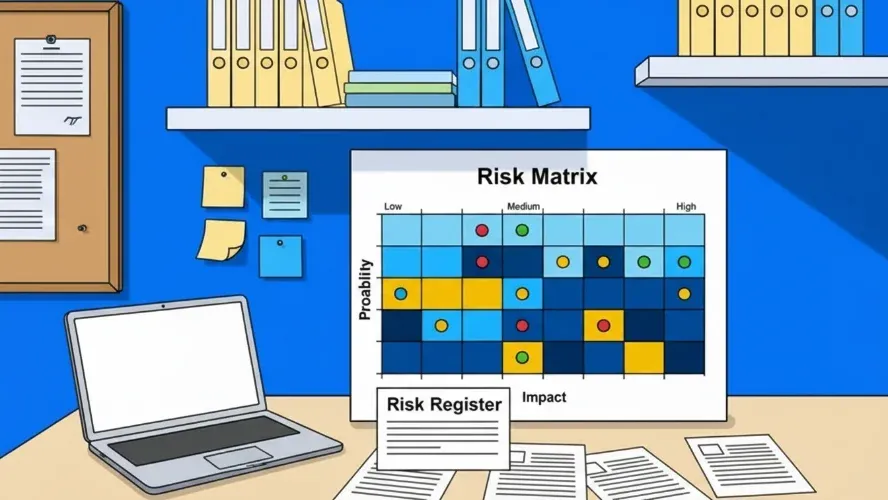
The Example Project: CRM Implementation
A mid-sized mechanical engineering company with 150 employees wants to professionalize its sales operations. Currently, the 40 sales staff work with Excel spreadsheets and Outlook folders — customer data is scattered across personal files, quotes are nearly impossible to track, and forecasts are based on gut feeling. Management expects a centralized system to shorten sales cycles and deliver more reliable pipeline data.
The company decides to implement a cloud-based CRM system. The key parameters:
- Budget: €180,000
- Duration: 6 months
- Go-live date: Fixed, before the start of the new financial year
- Team: Internal project manager, two key users from sales, external implementation partner with three consultants
- Interface: The CRM is to be connected to the existing ERP system
A project plan is in place and the project phases are defined. What’s missing: a systematic approach to risk management. The project manager walks the team through the process in five steps.
Step 1 — Identify Risks
In the first step, the project team gathers all the risks that could threaten the project in a workshop. The project manager uses two methods: a structured brainstorming session with the full project team and a checklist of typical risks from the company’s earlier IT projects. In addition, she interviews the IT manager and the sales manager individually — both bring perspectives that didn’t come up in the workshop. A detailed guide to risk identification methods can be found in our separate article.
After two hours, seven key risks are on the list:
-
R1 — Data quality in the legacy system is inadequate. Customer data in Excel and Outlook is incomplete, contains duplicates, and has outdated contacts. The data migration will be more complex than planned.
-
R2 — ERP interface is more complex than expected. The ERP system uses a proprietary API with incomplete documentation. The integration could require more time than estimated.
-
R3 — Low user acceptance in sales. The sales team is accustomed to its Excel workflows. Resistance to the new system can jeopardize project success even if the technology works perfectly.
-
R4 — External partner delivers late. The implementation partner is simultaneously serving other clients. Resource constraints could lead to delays.
-
R5 — Requirements change during implementation. Experience shows that departments only recognize new needs once they see the prototype. Scope creep threatens the schedule and budget.
-
R6 — Performance issues under simultaneous access. When all 40 sales staff are working at the same time, system performance could degrade.
-
R7 — GDPR requirements are identified too late. A CRM holds personal data. Deletion policies, consent management, and data processing agreements must be addressed early.
Step 2 — Assess Risks
Each risk is rated on two scales: probability of occurrence and impact. The team uses a five-level scale that is defined together before the assessment begins. This ensures everyone has the same understanding of what “medium” or “high” means. Detailed methods are described in our article on risk assessment.
Rating Scale
| Level | Probability of Occurrence | Impact |
|---|---|---|
| 1 – Very low | < 10 % | Barely noticeable, no plan change required |
| 2 – Low | 10–30 % | Minor delay or additional cost (< 5 %) |
| 3 – Medium | 30–60 % | Noticeable deviation, additional cost 5–15 % |
| 4 – High | 60–85 % | Significant deviation (15–30 %), scope at risk |
| 5 – Very high | > 85 % | Project objective at risk, massive overrun |
Assessment Results
Team members rate each risk individually; the estimates are then discussed and consolidated. From the probability of occurrence (P) and impact (I), the Risk Priority Number (RPN = P × I) is derived:
| Risk | P | I | RPN | Category |
|---|---|---|---|---|
| R1: Data quality inadequate | Medium (3) | Severe (4) | 12 | High |
| R2: ERP interface complex | Medium (3) | Medium (3) | 9 | Medium |
| R3: Low user acceptance | High (4) | Severe (4) | 16 | Critical |
| R4: Partner delivers late | Low (2) | Medium (3) | 6 | Low |
| R5: Scope creep | High (4) | Medium (3) | 12 | High |
| R6: Performance issues | Low (2) | Low (2) | 4 | Low |
| R7: GDPR identified too late | Medium (3) | Catastrophic (5) | 15 | Critical |
Step 3 — Create the Risk Matrix
The assessed risks are plotted on a risk matrix. The position of each risk results from the combination of probability of occurrence (row) and impact (column). The color coding makes it immediately clear where action is most urgently needed.
| Negligible (1) | Low (2) | Medium (3) | Severe (4) | Catastrophic (5) | |
|---|---|---|---|---|---|
| Very high (5) | |||||
| High (4) | R5 | R3 | |||
| Medium (3) | R2 | R1 | R7 | ||
| Low (2) | R6 | R4 | |||
| Very low (1) |
Rows = probability of occurrence, columns = impact
The picture is clear: Two risks fall in the red zone (R3 and R7), two in the orange zone (R1 and R5). The project team must act here. R2 is in the yellow zone — plan and monitor. R4 and R6 are green — keep an eye on them, but no immediate action required.
Step 4 — Plan Response Measures
The team defines a strategy and concrete measures for each risk. The four core strategies in risk management are: Avoid, Reduce, Transfer, and Accept. Our article on risk response measures describes these strategies in detail.
Critical Risks
R3 — Low user acceptance (Strategy: Reduce)
The greatest risk is not technical but human. The project manager plans four measures: First, two key users from the sales team are brought in as champions from the very start of the project — they help shape the system and carry decisions back to their colleagues. Second, a pilot phase with five selected sales staff begins in month 3, with their feedback feeding directly into the configuration. Third, hands-on training sessions using real customer data replace the usual abstract system introductions. Fourth, quick wins are made visible — such as automated quote templates that save the sales team time immediately.
R7 — GDPR requirements identified too late (Strategy: Avoid)
The data protection officer is involved from the project kickoff, not just before go-live. The deletion policy is created in Sprint 1. Consent management and data processing agreements are defined as their own work packages. A privacy-by-design review takes place before go-live.
High Risks
R1 — Data quality inadequate (Strategy: Reduce)
Data cleansing is pulled forward as a separate work package, before migration begins. Sprint 2 includes a test migration on a staging system. The team defines acceptance criteria: fewer than 2% duplicates, all mandatory fields populated, contact persons up to date.
R5 — Scope creep (Strategy: Reduce)
A change request process is agreed upon: new requirements are documented, assessed, and prioritized. Requests that would jeopardize the go-live date are moved to Phase 2. The MVP (Minimum Viable Product) is clearly defined — sales pipeline, quote management, and reporting.
Medium and Low Risks
R2 — ERP interface (Strategy: Reduce): A proof of concept in Sprint 1 tests feasibility. The schedule includes a two-week buffer for integration work.
R4 — Partner delay (Strategy: Transfer): The contract includes milestones with penalties. An escalation path is defined.
R6 — Performance (Strategy: Accept): A load test with 40 simultaneous users is scheduled before go-live. The risk is consciously accepted because the cloud provider guarantees scalability.
Step 5 — Monitor Risks
Risk management is not a one-time workshop — it is a continuous process throughout the entire project lifecycle. In the CRM project, the project manager conducts a risk review every two weeks during the project status meeting. Three questions are at the center: Have probabilities of occurrence or impacts changed? Have new risks emerged? Can any risks be closed because the measures have taken effect? The risk register is updated at every review.
Two examples from the course of the project illustrate why this monitoring is critical:
R3 (user acceptance) was downgraded from “Critical” to “Medium” after the successful pilot phase. The sales team responded positively to the automated quote templates — initial resistance gave way to curiosity.
R2 (ERP interface), on the other hand, was upgraded from “Medium” to “High.” The proof of concept revealed that the API documentation contained errors. Additional measure: an external interface specialist was brought in for three weeks.
Without the regular reviews, the team would have underestimated R2 and put the go-live date at risk. The lesson: an initial risk assessment at the start of a project is valuable — but only if it is updated continuously throughout the project.
The Complete Risk Register
The risk register consolidates all information in one place. It is the central management tool in the risk management process — a living document that is updated at every status meeting.
| ID | Risk | P | I | RPN | Strategy | Measure | Owner | Status |
|---|---|---|---|---|---|---|---|---|
| R1 | Data quality inadequate | 3 | 4 | 12 | Reduce | Data cleansing before migration, test migration in Sprint 2 | Key User 1 | In progress |
| R2 | ERP interface complex | 3→4 | 3 | 9→12 | Reduce | PoC in Sprint 1, external specialist engaged | Ext. partner | Escalated |
| R3 | Low user acceptance | 4→3 | 4 | 16→12 | Reduce | Key users as champions, pilot phase, training | Project manager | Reduced |
| R4 | Partner delivers late | 2 | 3 | 6 | Transfer | Contractual milestones with penalties | Project manager | Open |
| R5 | Scope creep | 4 | 3 | 12 | Reduce | Change request process, MVP defined | Project manager | In progress |
| R6 | Performance issues | 2 | 2 | 4 | Accept | Load test before go-live | Ext. partner | Open |
| R7 | GDPR identified too late | 3 | 5 | 15 | Avoid | DPO involved from project start, deletion policy in Sprint 1 | DPO / Project manager | In progress |
In practice, many teams maintain their risk register in a spreadsheet. As the number of projects grows, a project management software that manages risks, measures, and responsibilities in one central location becomes worthwhile. Our article on the risk register in project management describes the structure and maintenance in detail.
What This Example Shows
The biggest risks are not always technical. R3 (user acceptance) was the most critical risk — not a bug, not a system failure, but human resistance to change.
Early identification prevents costly rework. Had the team discovered R7 (GDPR) shortly before go-live, a delay of several months would have been unavoidable.
Risks change. R3 decreased after the pilot phase; R2 increased after the proof of concept. Only through regular reviews does the picture stay current.
The process is transferable. The same five steps — identify, assess, prioritize, plan measures, monitor — work regardless of project size or industry. Opportunity management follows the same logic, just with a positive sign.
Starting simply beats planning perfectly. Seven risks with concrete measures and assigned owners create more transparency than a theoretically complete analysis that is never put into practice.
Frequently Asked Questions
What is an example of risk management in a project?
A typical example: during a CRM implementation, the project team identifies risks such as inadequate data quality, low user acceptance, or unresolved data protection requirements. These risks are assessed by probability of occurrence and impact, prioritized in a risk matrix, and assigned concrete response measures. The entire process is monitored and updated on an ongoing basis.
What risks exist in IT projects?
IT projects typically involve four categories of risk: technical risks (interface issues, performance, data quality), organizational risks (user acceptance, scope creep, resource constraints), external risks (vendor delays, market changes), and legal risks (data protection, compliance). A comprehensive overview is provided in our article on identifying project risks.
How do I create a risk register?
A risk register contains for each risk at minimum: a unique ID, a description, the assessment (probability of occurrence and impact), the chosen strategy (Avoid, Reduce, Transfer, or Accept), concrete measures, an owner, and the current status. The register is updated at every status meeting.
What are the five steps in risk management?
The five steps are: (1) identify risks, (2) assess risks, (3) prioritize risks — typically using a risk matrix, (4) plan and implement response measures, (5) continuously monitor and control risks. The process is cyclical: new risks can arise at any time and go through the same steps.
How often should risks be reviewed during a project?
At a minimum at every milestone and at every project status meeting. In agile projects, the Sprint Review is a natural fit. Risks change over the course of a project: new ones emerge, existing ones become more likely or lose relevance. A fixed cadence — such as every two weeks — ensures that the risk register stays current.

Senior Advisor
Jörg Friedrich is the original author of the project management software Allegra and continues to accompany its development to this day. He has many years of industry experience as a project and department manager. He also serves as a professor in the Faculty of Computer Science and Information Technology at Esslingen University of Applied Sciences.


