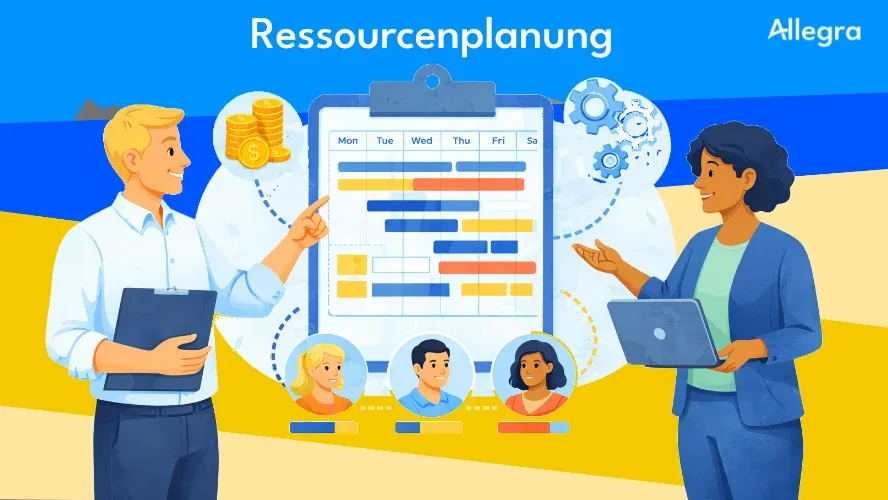
What Is Resource Planning in Project Management?
Resource planning refers to the planning, scheduling, and allocation of resources within projects. Resources encompass everything needed to carry out a project: people, materials, budget, and time.
The goal is clear: deploy available resources so they are optimally utilized, deliver the greatest possible benefit to the organization, and avoid conflicts between parallel projects. A good resource plan answers three core questions:
- Who works when on which project?
- What skills and capacities are needed?
- Where are bottlenecks or overloads likely?
Resource planning is not the same as resource management. While planning focuses on the allocation and scheduling of resources for specific projects, resource management encompasses the entire strategic handling of resources at the organizational level. Capacity planning is a related but distinct concept: it compares available capacity against planned demand and shows whether enough resources are on hand.
In project management, resource planning is part of project planning, but its effects extend across the entire project lifecycle — from initiation through execution to controlling.
Why Is Resource Planning Important?
Resource planning is considered the supreme discipline of project planning — and for good reason. Without sufficient resources, no deliverable can be produced and no project can be completed, no matter how well the project plan is otherwise structured.
Specifically, careful resource planning delivers the following benefits:
- Maximum resource utilization: Both idle time and overloading are avoided. Team members work on tasks that match their skills.
- Schedule and budget adherence: Knowing which resources are available when allows you to create realistic timelines and keep budgets on track.
- Predictable project schedules: A comprehensive understanding of available capacity enables more precise estimates — and therefore reliable commitments to clients and stakeholders.
- Early detection of bottlenecks: Capacity gaps become visible before they cause project delays. Missing competencies can be addressed in time through hiring, training, or outsourcing.
- Improved project flow: When the right people work on the right tasks at the right time, speed increases and error rates decrease.
- Informed decisions: Data-driven information on utilization and availability forms the basis for prioritization decisions — such as whether a new project should be launched or postponed.
What Types of Resources Are There?
A resource plan takes into account the various types of resources that must work together for project success.
People
People are the most important — and most expensive — resource in projects. Staffing involves far more than the question of who is available. Relevant factors include:
- Professional skills and experience — What skills does a team member bring?
- Availability — Accounting for vacation, part-time schedules, public holidays, and absences
- Personnel costs — Internal hourly rates, external day rates
- Assignment type — Is the person dedicated to the team or shared across projects?
Materials and Equipment
Depending on the type of project, machines, rooms, IT infrastructure, tools, or test environments may be required. These resources are often limited and must be shared between projects.
Budget and Capital
The project budget defines the room to maneuver. It includes personnel costs, material costs, licenses, external services, and contingency reserves for unforeseen events. Resource planning provides the data foundation for realistic budget planning.
Time
Time is a resource that cannot be multiplied. Deadlines, milestones, effort estimates per work package, and dependencies between tasks define the time frame. If one task slips, subsequent tasks often slip as well — and the resources already allocated may no longer be available.
Knowledge and Data
Experience from past projects makes resource planning more accurate. Historical effort data, comparable projects, and documented lessons learned reduce errors when estimating processing times and costs.
Important: All types of resources are interconnected. If a machine operator is absent, the machine sits idle — even though it is technically “free.” A resource plan must reflect these dependencies.
Core Elements of a Resource Plan
A resource plan is a document that identifies, organizes, and lists the resources needed to carry out a project. It serves as a blueprint for on-time, on-budget delivery — a concrete resource planning example walks through the creation process step by step. Every comprehensive resource plan should include the following elements:
| Element | Description | Example |
|---|---|---|
| Resource requirements assessment | What skills, how many hours, what materials are needed? | 2 Java developers at 80 hrs each, 1 test server |
| Competency profiles | Skills and experience of available team members | Skills database with programming languages, certifications |
| Capacity and availability | Who is available when? Utilization rates, part-time factors | Developer A: 60% available from calendar week 15 |
| Scheduling | Estimated effort per work package, time-based dependencies | Work package "API integration": 120 hrs, dependent on database design |
| Cost planning | Wage rates, material costs, total budget | Internal hourly rate €85, total budget €180,000 |
| Forecasts | Forward view of future demand and potential bottlenecks | From Q3 onwards, 2 UX designers will be missing from the resource pool |
The resource plan is a living document. It is created at the start of the project and updated throughout the project — ideally at every milestone and whenever significant changes occur.
Strategic, Tactical, and Operational Resource Planning
Resource planning does not take place at the project level alone. Depending on the time horizon and decision-making level, three planning levels are distinguished:
Strategic Resource Planning
The strategic level looks ahead over the long term — typically more than a year out. Here, resources are deployed in alignment with organizational goals: Which projects best advance the company strategy? Where do competencies need to be built? What project portfolio can be realized with the available resources?
Organizations that plan their project portfolio strategically identify the project ideas with the greatest strategic contribution and assess their feasibility before allocating resources.
Tactical Resource Planning
The tactical level encompasses medium-term decisions — usually on a quarterly or semi-annual basis. Budget questions, staffing planning, qualification measures, and prioritization between competing projects belong here. Tactical planning translates strategic goals into concrete actions.
Operational Resource Planning
The operational level concerns day-to-day business: assigning specific tasks, managing active projects, responding to short-term changes. The focus is on who is working on which task today and whether capacity is sufficient for the current week.
Practical note: Many organizations work almost exclusively at the operational level. Those who also plan strategically and tactically detect bottlenecks earlier, make better prioritization decisions, and gain a competitive advantage.
Resource Planning in 5 Steps
A resource plan does not emerge from a single act — it is a continuous process. The following five steps provide a proven structure.
1. Identify Resources
Start by determining what skills and capacities the project requires. Define the project scope and derive the necessary competencies, roles, and materials from it. At the same time, document the resources available within the organization, including their skills, experience, and current workloads.
2. Assign Resources
Once requirements are clear, assign specific people and materials to the project. Check availability, account for conflicts with other projects, and coordinate with the relevant line managers. For larger projects, it is advisable to plan on a quarterly basis first and then carry out detailed planning on a rolling basis.
3. Visualize Resources
Make utilization and assignments visible. Gantt charts, resource histograms, or heatmaps show at a glance where capacity is available and where overloads are imminent. Professional project management tools replace error-prone spreadsheets and make it possible to drill down into individual resources — roles, skills, rates, availabilities.
4. Control Resources
Requirements, priorities, and availabilities change as the project progresses. Control involves ongoing adjustments: resources are reassigned when high-priority projects take precedence, team members are absent, or the project schedule shifts. A tool that assigns tasks via drag-and-drop and simulates the impact of changes is invaluable here.
5. Monitor Resources and Learn
Carry out regular plan-versus-actual comparisons. Does actual utilization deviate from the plan? Were effort estimates too high or too low? Document deviations and their causes. These insights feed into future resource plans as lessons learned, making every subsequent plan more accurate over time.
Resource Planning in Agile vs. Classic Projects
The approach to resource planning differs depending on the project management methodology.
Classic project management relies on long-term, detailed upfront planning. Resources are allocated top-down, often for the entire project duration. The advantage: high planning reliability. The disadvantage: limited flexibility when changes arise.
Agile project management plans in short cycles — typically Sprints of two to four weeks. The team participates in deciding which tasks to take into the next Sprint. Changes — such as a machine failure or a new customer requirement — can be addressed quickly. Resource planning is shorter-term but more realistic as a result.
Hybrid approaches combine both worlds: strategic resource planning at the portfolio level (classic) with agile detailed planning at the team level. This approach has proven itself in the practice of many organizations because it provides both planning reliability and adaptability.
A growing trend is cross-functional, stable teams that work together over the long term instead of being reassembled for every project. This reduces planning overhead and increases efficiency, as established teams work faster and experience less friction.
Common Challenges and How to Solve Them
Resource Conflicts in Parallel Projects
When multiple projects run simultaneously, they compete for the same resources. The situation becomes particularly critical with key individuals who have rare competencies. The solution: a multi-project overview that makes conflicts visible, and a clear prioritization process that determines which project takes precedence when bottlenecks occur.
Inadequate Resource Estimates
Overly optimistic estimates lead to overloading and schedule slippage; overly pessimistic ones lead to idle time and unnecessary costs. Use historical data from comparable projects, combine different estimation methods, and plan buffers for unforeseen events.
| Estimation method | Approach | Best suited for |
|---|---|---|
| Analogous estimation | Comparison with similar, completed projects | Projects with comparable data |
| Parametric estimation | Mathematical relationship between scope and effort | Standardized, repeatable tasks |
| Bottom-up estimation | Estimate individual work packages and sum them up | Well-structured projects with clearly defined work packages |
| Expert estimation | Input from subject-matter experts in the project team | Novel projects without comparable data |
Shortage of Specialized Skills
When the required competencies are not available internally, critical project phases stall. Maintain a central skills inventory, recognize needs early, and decide in time whether to train, hire, or outsource.
Lack of Flexibility
Rigid plans meet a dynamic reality. Build buffers in from the start, work with what-if scenarios, and establish short adjustment cycles — even in classic projects.
Inadequate Communication
According to the Project Management Institute (PMI), insufficient communication is one of the main reasons why roughly one third of projects fail. A shared data foundation, transparent task assignments, and regular check-ins create clarity for everyone involved.
Budget Constraints
When the budget is not sufficient for the optimal staffing, resource planning helps identify alternatives: Are there team members with similar qualifications but lower hourly rates? Can certain tasks be shifted in time or split into phases? Scenario comparisons make the impact of different options transparent.
Best Practices for Resource Planning
-
Keep competency profiles up to date. A central skills database is only useful when it is maintained. Update profiles whenever there are new hires, training completions, or role changes.
-
Start early. Begin resource planning not when the project kicks off, but already in the initiation phase. The earlier bottlenecks are identified, the more options remain available.
-
Plan buffers. Illness, changing priorities, and unforeseen tasks are part of everyday project life. A plan without buffers is not a realistic plan.
-
Conduct regular plan-versus-actual comparisons. At minimum at every milestone, and ideally at every status meeting. Detect deviations early and take corrective action.
-
Simulate scenarios. Before reassigning resources, simulate the impact. What happens to project B if you move the developer to project A?
-
Leverage historical data systematically. After project completion, document actual effort and compare it with estimates. This data is invaluable for future projects.
-
Clarify responsibilities. In organizations running many parallel projects, a dedicated resource manager can relieve project managers and ensure balanced workloads.
-
Create transparency. All project participants should have access to the same, current data. A shared data foundation prevents misunderstandings and enables fast decisions.
Software for Resource Planning
Small projects with few participants can still be managed with spreadsheets or calendars. As soon as multiple projects run in parallel and resources are shared, however, these tools reach their limits: no real-time updates, no interfaces to other systems, problems with access rights and data privacy.
Professional project management software for resource planning offers decisive advantages:
- Competency profiles and skills database — Find and assign resources based on their skills
- Capacity and utilization overview — See at a glance who is available and who is overloaded
- Multi-project overview — Identify and resolve conflicts between projects
- Plan-versus-actual comparison and reporting — Measure progress and deviations
- What-if simulations — Evaluate the impact of replanning before making changes
- Interfaces — Integration with ERP, HR, and time-tracking systems
- Data privacy and access rights — Role-based permissions, GDPR-compliant data handling
Many organizations use resource planning as a module within a PPM (project portfolio management) solution. Integration with the project plan and the work breakdown structure (WBS) makes it possible to automatically account for dependencies: if a task shifts, affected downstream dates and resource assignments are updated automatically.
Frequently Asked Questions
How is resource planning defined in project management?
Resource planning is the systematic planning, scheduling, and allocation of resources — people, materials, budget, and time — for carrying out projects. The goal is optimal utilization while avoiding conflicts, overloads, and idle time.
What belongs in a resource plan?
A complete resource plan includes the resource requirements assessment, competency profiles of team members, their availability and capacity, a schedule with effort estimates, cost planning, and forecasts for future bottlenecks.
What is the difference between resource planning and capacity planning?
Resource planning encompasses the entire allocation and management of resources for projects. Capacity planning focuses on matching available capacity against planned demand — it answers the question: “Do we have enough resources for this work?”
What methods are available for estimating resource requirements?
The four most common methods are: analogous estimation (comparison with similar projects), parametric estimation (mathematical models), bottom-up estimation (summing individual work packages), and expert estimation (consulting subject-matter experts). In practice, a combination of several methods yields the most reliable results.
How often should a resource plan be updated?
A resource plan is a living document and should be updated continuously — at minimum at every milestone and whenever significant changes occur during the project. In agile projects, updates typically happen with every Sprint.

Senior Advisor
Jörg Friedrich is the original author of the project management software Allegra and continues to accompany its development to this day. He has many years of industry experience as a project and department manager. He also serves as a professor in the Faculty of Computer Science and Information Technology at Esslingen University of Applied Sciences.


