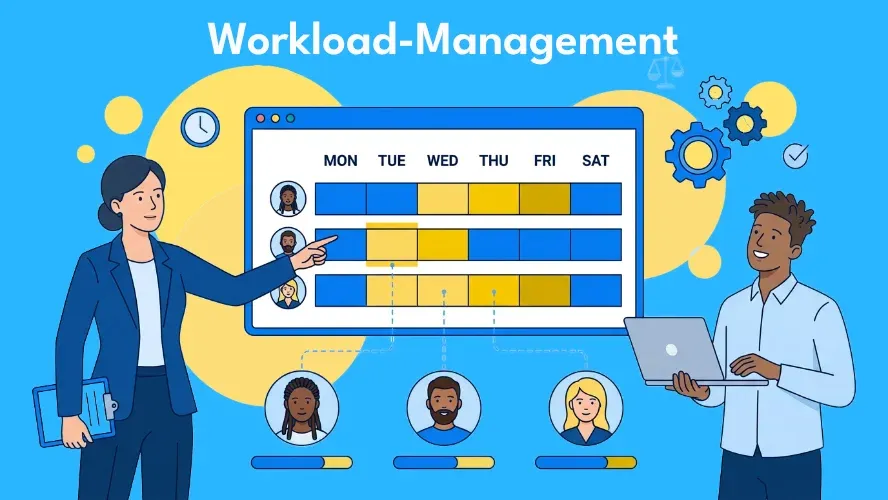
Multiple projects, competing deadlines, constantly shifting priorities — and in the middle of it all, a team expected to handle everything at once. Anyone who doesn’t actively manage the workload in a project risks silent overload for some team members and idle time for others. The consequences: burnout, declining quality, missed deadlines.
All of this is preventable. Systematic workload management gives you, as a project manager, control over who is working on what, how heavily loaded the team is, and where you need to intervene. This article walks you through managing workload in your project team step by step — with proven methods, relevant metrics, and the right tools.
What Does Workload Mean in a Project?
Workload describes the totality of tasks assigned to a person or team within a given time period. It is not simply about the number of hours, but about the interplay of effort, complexity, and urgency across individual work packages.
What matters most is the ratio between workload and available capacity. If assigned work consistently exceeds capacity, overload results. If it falls significantly short, you are wasting potential. Capacity planning therefore forms the foundation for effective workload management.
In modern project environments — with hybrid teams, multi-project management, and shifting requirements — maintaining this balance becomes increasingly difficult. That is precisely why this topic deserves its own systematic treatment.
Why Is Workload Management Important?
Teams whose workload is well managed deliver better results — and stay healthier in the process. The reasons are straightforward:
- Recognize overload before burnout sets in. If you don’t monitor your team’s utilization, you often only notice a problem once it’s too late. Systematic workload management makes load spikes visible early.
- Prevent underutilization. Unused capacity costs money and demotivates people. When some team members have too little to do while others are working at their limits, the distribution is off.
- Ensure on-time delivery. A realistic distribution of work is the prerequisite for meeting deadlines. Overloaded plans inevitably lead to delays.
- Maintain quality. Under time pressure, care suffers. Giving your team the space to work with focus yields better results.
- Strengthen employee retention. Team members who feel fairly treated and whose workload is transparently managed stay more motivated and remain with the organization longer.
Typical Signs of an Unbalanced Workload
An imbalance is not always immediately obvious. Watch out for the following warning signals:
- Individual team members regularly work overtime while others leave on time.
- Deadlines are repeatedly pushed back or missed entirely.
- The quality of individual deliverables varies widely.
- Sick days and turnover are increasing.
- Tasks sit unfinished because responsibilities are unclear.
- Meetings are characterized by frustration rather than constructive discussion.
When several of these symptoms appear simultaneously, it is a clear signal to take a closer look at the workload in the project.
Managing Workload in a Project — Step by Step
Effective workload management follows a clear process. The five steps below will help you get your team’s workload under systematic control.
1. Capture Tasks and Effort
Before you can distribute work, you need to know what needs to be done. Record all work packages in a central backlog or task list. Each task should have an effort estimate — whether in hours, story points, or days.
Don’t forget unplanned work: support requests, ad hoc tasks, meetings. Experience shows that this portion consumes 20–30% of available time and must be factored into any realistic plan.
2. Determine Team Capacity
Determine the actual available working time for each team member. Subtract vacation, public holidays, recurring meetings, and administrative activities. What remains is the net capacity — the time that is genuinely available for project work.
Also account for skills and experience levels. Not every task can be completed at the same speed by every person. Our article on planning team resources provides a deeper look at this topic.
3. Prioritize and Assign Tasks
Not everything can be done at once. Prioritize tasks by urgency and importance — the Eisenhower Matrix is a proven tool for this. Set clear goals using the SMART method so every team member knows what is expected of them.
Assign tasks based on competence, not just availability. A RACI matrix helps clarify responsibilities unambiguously and identify resource bottlenecks in time.
4. Visualize Workload
What you can’t see, you can’t manage. Make your team’s utilization visible:
- A Kanban board shows in real time which tasks are in which status and who is working on what.
- Utilization charts (heat maps) make it immediately clear who is over- or underloaded.
- Dashboards in project management software aggregate the most important metrics in one place.
Visualization creates transparency — not just for you, but for the entire team.
5. Review and Adjust Regularly
Workload management is not a one-time event, but an ongoing process. Use weekly check-ins or your regular team meeting to discuss current utilization and redistribute tasks where needed.
Build in buffer time — at least 10–15% of capacity — for the unexpected. Teams that are consistently utilized at 100% have no room to maneuver when things change and respond slowly to disruptions.
Retrospectives at the end of a sprint or project phase help improve the process itself: What worked well? Where were the bottlenecks? What adjustments are needed?
Methods and Frameworks for Workload Management
Depending on the project context, different approaches are suited to managing workload:
- WIP Limits (Work in Progress): Originating from the Kanban approach, WIP limits cap the number of parallel tasks per person or column. This prevents overload and promotes focus on completion rather than multitasking.
- Timeboxing and Sprints: Scrum works with fixed time windows (sprints) in which only as much work is planned as the team can actually handle. Sprint capacity serves as the natural limit on workload.
- Resource Leveling: Shifts tasks in time to smooth utilization peaks — even if the end date may slip.
- Resource Crashing: Deploys additional resources to meet deadlines — but increases costs.
- Lead, Lag, and Match Strategy: Three capacity strategies that determine whether you respond to demand changes proactively, reactively, or incrementally. Details can be found in our article on capacity planning.
Our article on project management methods provides a broader overview of possible approaches.
Metrics for Workload Control
What you measure, you can improve. The following metrics help you manage your team’s workload based on data:
| Metric | What it measures | Why it matters |
|---|---|---|
| Utilization rate | Ratio of productive work to available time | Shows whether the team is being used optimally (target: 70–85%) |
| Cycle time | Duration of a task from start to completion | Rising values indicate overload or bottlenecks |
| Throughput | Tasks completed per unit of time | Measures the team's actual productivity |
| WIP age | How long a task has been "In Progress" | Identifies blocked or forgotten tasks |
| Overload index | Ratio of assigned to available capacity | Values above 1.0 signal overload |
Measure these metrics regularly — ideally automatically via your project management tool — and derive concrete actions from them. A rise in cycle time, for example, is an early warning signal that should not be ignored.
Supporting Workload Management with Software
With a small number of employees and a single project, a spreadsheet or a physical board may still suffice. But as soon as multiple projects, distributed teams, and shifting priorities enter the picture, manual solutions reach their limits.
A good workload management tool should provide:
- Per-person utilization view — so you can see at a glance who is how heavily loaded
- Drag-and-drop redistribution — to quickly move tasks between team members
- Real-time dashboards — for up-to-date metrics without manual reporting
- Integration with Gantt and Kanban — so scheduling and workload management work together
Common tools such as Jira, Asana, and Wrike offer corresponding features with varying depth. A full overview can be found in our project management software comparison.
Allegra, as a European alternative, combines classic, agile, and hybrid project management in a single platform. The integrated workload view shows, for each person, the assigned tasks, their estimated effort, and remaining capacity. Thanks to the Gantt chart, Kanban board, and configurable dashboards, workload can be managed at multiple levels within a project. For organizations with high data protection and compliance requirements, Allegra also offers a self-hosting option — GDPR-compliant and operated on your own servers.
Common Mistakes in Workload Management — and How to Avoid Them
Even with the best intentions, workload management can fail. Here are the most common pitfalls:
1. Assigning Tasks Based on Availability Alone, Not Competence
Whoever has time gets the task — regardless of whether their skills are a match. This leads to longer processing times, lower quality, and frustration.
Solution: Assign tasks based on a combination of availability and competence. The RACI matrix helps with clear role assignment.
2. Targeting 100% Utilization
If you run your team at 100% utilization continuously, there is no room for the unexpected. Any disruption — a sick team member, a spontaneous customer request — throws the entire plan into disarray.
Solution: Plan with a target utilization of 70–85%. The buffer is not a luxury; it is necessary for stability.
3. Ignoring Unplanned Work
Support requests, internal coordination, spontaneous management requests — these activities appear in no backlog, yet they consume real capacity.
Solution: Reserve a fixed share (approximately 20–30%) of capacity for unplanned work. Track its scope to improve planning over time.
4. Planning Workload Only at the Start
A project plan is a snapshot in time. Requirements change, team members become unavailable, new tasks arise. Anyone who fails to adjust is quickly working out of step with reality.
Solution: Make workload reviews a fixed part of your week — for example in your regular team meeting or stand-up.
5. Lack of Communication
Team members often do not report overload on their own — whether out of misplaced ambition, uncertainty, or lack of trust. The result: problems stay hidden until they escalate.
Solution: Build a culture in which raising overload is seen as professional, not as a weakness. Regular retrospectives provide a safe space for exactly this.
Frequently Asked Questions
What is meant by workload in a project?
Workload refers to the totality of tasks assigned to a team member within a given time period, weighted by effort, complexity, and urgency. Managing workload is a central component of resource management.
How can you distribute workload fairly across a team?
By first determining each team member’s available capacity, assigning tasks based on competence (not just availability), regularly reviewing utilization, and redistributing where needed. Transparency — for example via a Kanban board or a dashboard — is the key.
What is the difference between workload management and resource management?
Resource management is the strategic level: What resources (personnel, budget, materials) do we need overall? Workload management is the operational level: How do we distribute the actual work among the people we have? The two complement each other. You can read more in our article on resource planning.
Which tools are suited to workload management?
Jira, Asana, Wrike, and Allegra are among the widely used solutions. The choice depends on team size, project methodology, and data protection requirements. Allegra is particularly well suited for teams that combine classic and agile PM and are looking for a European solution with a self-hosting option.
How can you recognize team overload early?
Watch for rising cycle times, frequent deadline slippage, declining quality, and increased sick leave. Regular check-ins and a transparent utilization view in your PM tool help make problems visible before they escalate.

Senior Advisor
Jörg Friedrich is the original author of the project management software Allegra and continues to accompany its development to this day. He has many years of industry experience as a project and department manager. He also serves as a professor in the Faculty of Computer Science and Information Technology at Esslingen University of Applied Sciences.


