Service Desk Features
Exceed your customers' expectations. Allegra Service is functionally complete yet easy to use: from the first customer contact to the resolved request.
State-of-the-Art Ticketing
Prioritize, categorize and assign tickets so nothing slips through the cracks — functionally complete, yet easy to use.
Team inbox
Track and manage incoming support tickets from every channel in one shared inbox. Your team spreads the workload evenly and always stays on top of things.
Grows with you
Scalable from a handful of users at the start to unlimited expansion. Allegra grows with your team and your requirements.
Easy to use
User-friendly even for non-experts. New team members get up to speed quickly, with no lengthy onboarding.
Structure everything
Manage product families, product groups, projects and task hierarchies at a glance. Even complex service landscapes stay manageable.
From product idea to service
Cover the entire product lifecycle cost-effectively, from the first idea through development to ongoing service.
Support desk with RMA
A first-class service interface with RMA support for your customers. Handle and track returns and complaints cleanly.
State-of-the-Art Ticketing System
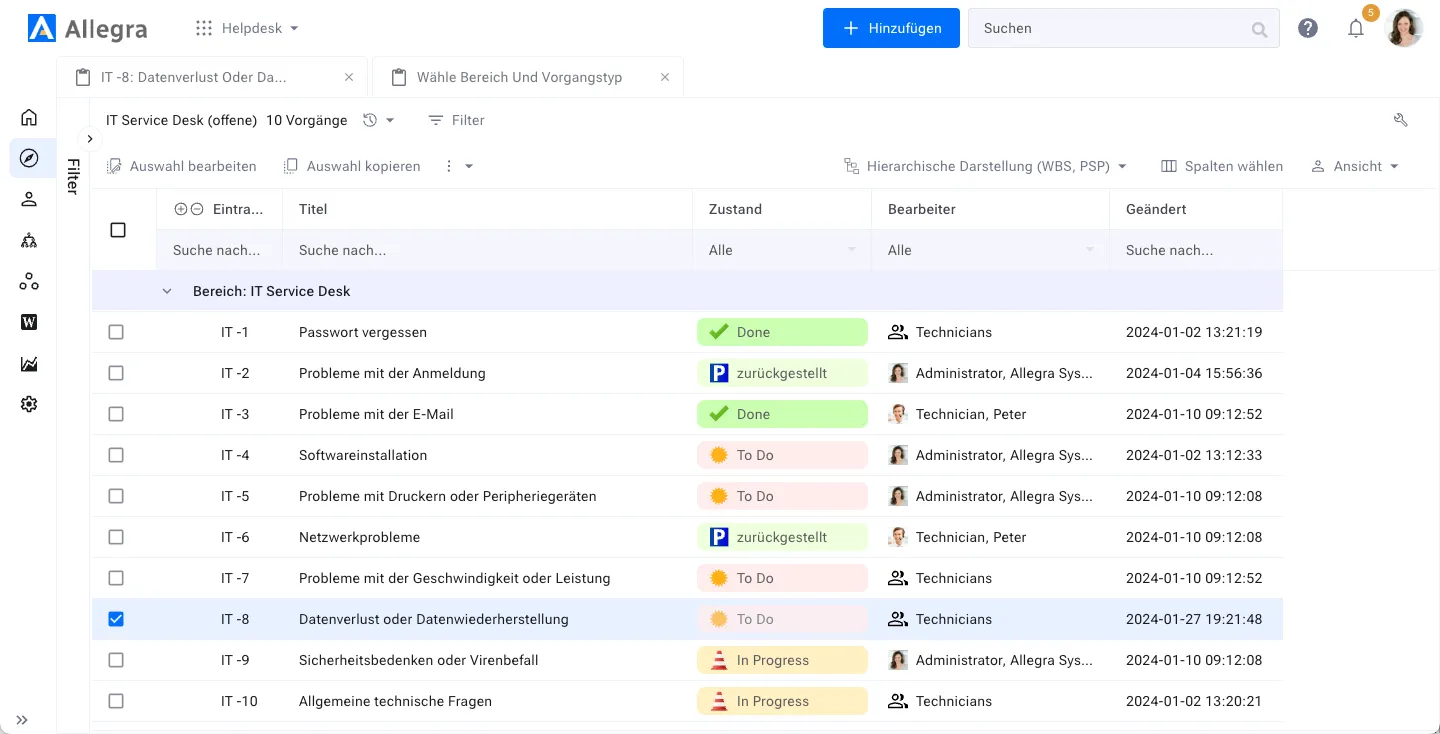
Your customer reaches out by email, through your service portal or by phone. If they are already known to you, the request is linked to their record. Otherwise you decide freely whether to register the customer or to store only their email address for this support case.
-
Email, service portal or phone -
Automatic matching of known customers -
Flexible registration of new customers
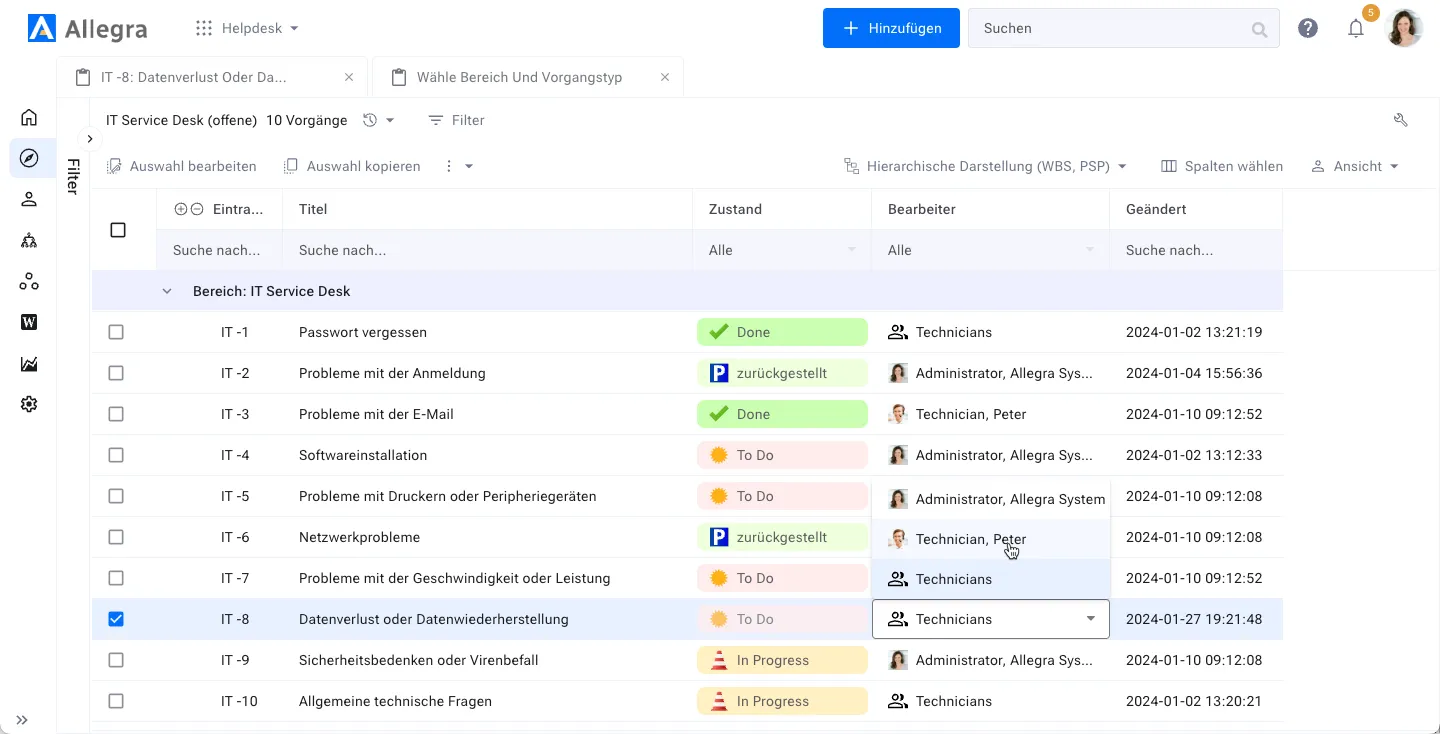
Based on the content of the customer's message, the ticket can be assigned to a suitable agent either automatically, based on keywords or tags, or by a human dispatcher.
-
Automatic assignment by keywords -
Manual assignment by a dispatcher -
Tag-based distribution
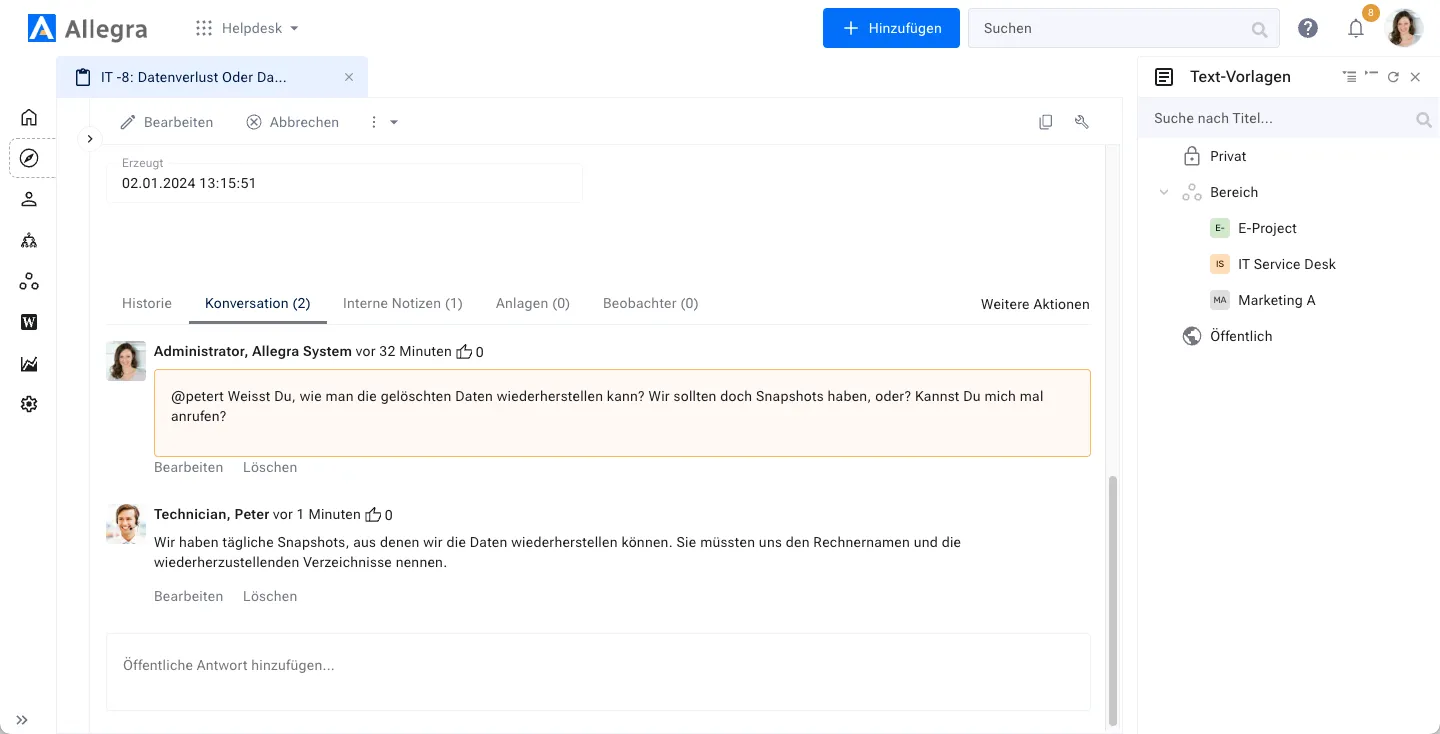
Sometimes the agent needs help to resolve the ticket, for example from 2nd level support or engineering. They use the internal comment function, so the customer sees nothing of this exchange. Other changes, such as the processing status, are always communicated to the customer immediately.
-
Internal comments hidden from the customer -
Status changes are visible to the customer -
2nd level support seamlessly integrated
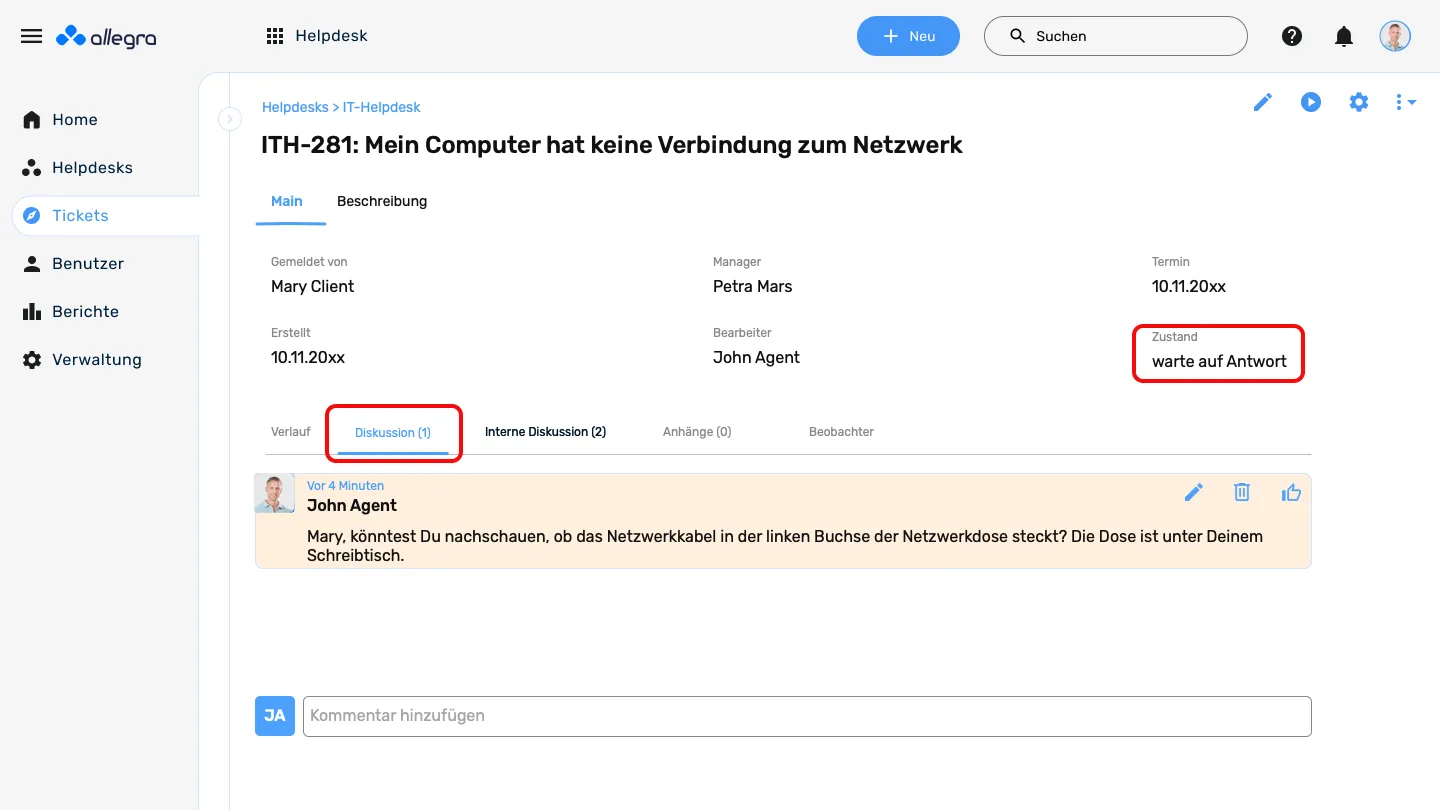
The agent still needs information from the customer to resolve the ticket. They send an email and the ticket is set to 'Waiting for reply'. This state has a time-out, after which the customer is reminded once more before the ticket is eventually closed automatically.
-
'Waiting for reply' status -
Automatic reminder on time-out -
Automatic close after the deadline
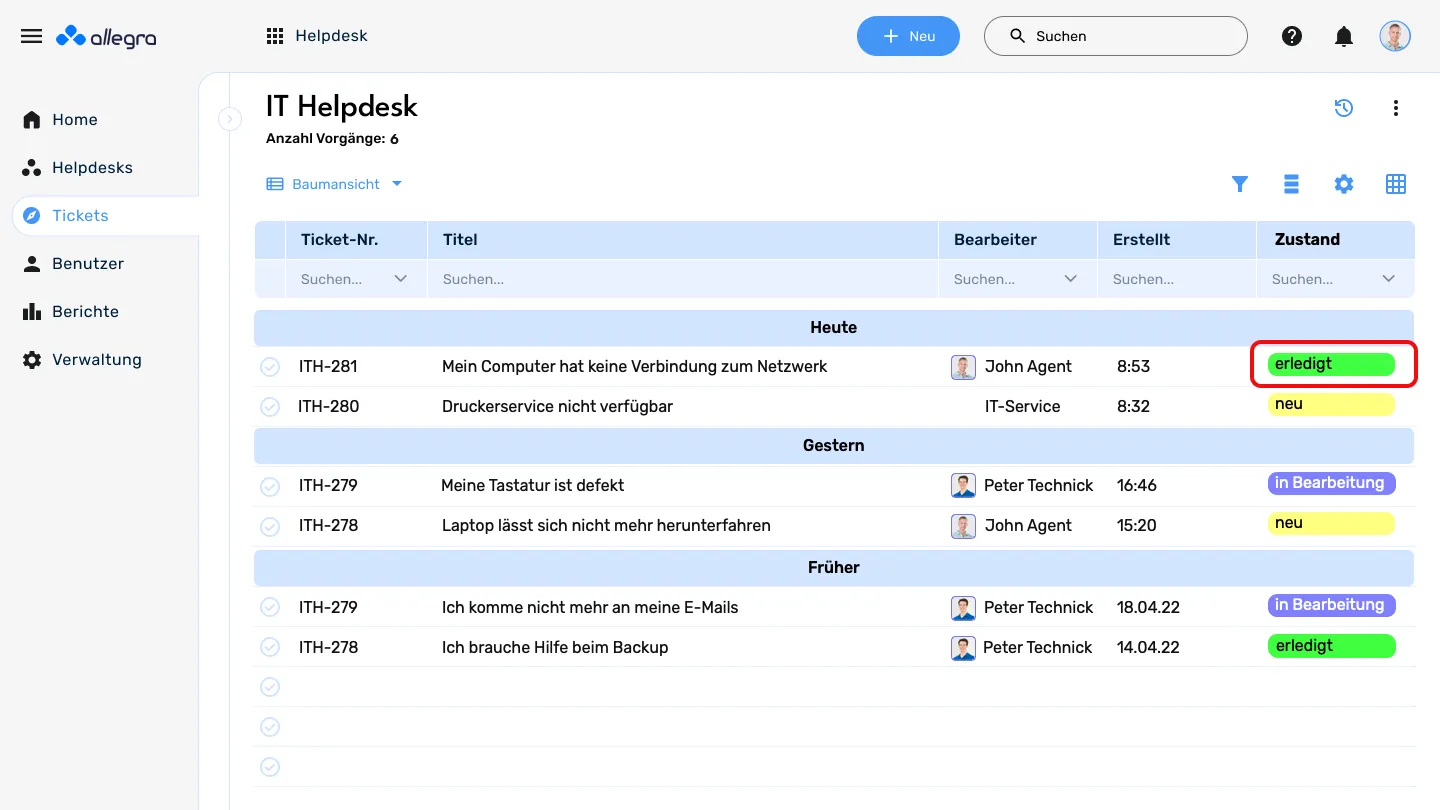
The customer receives a proposed solution by email or support via phone or video conference. The ticket is then closed.
-
Solution by email -
Phone or video support when needed -
Automatic ticket closure
Data-driven process analysis
Reach good decisions faster
Allegra's visualization and analytics features put your decisions on a solid footing. You spot bottlenecks and slack quickly and can optimize your processes measurably.
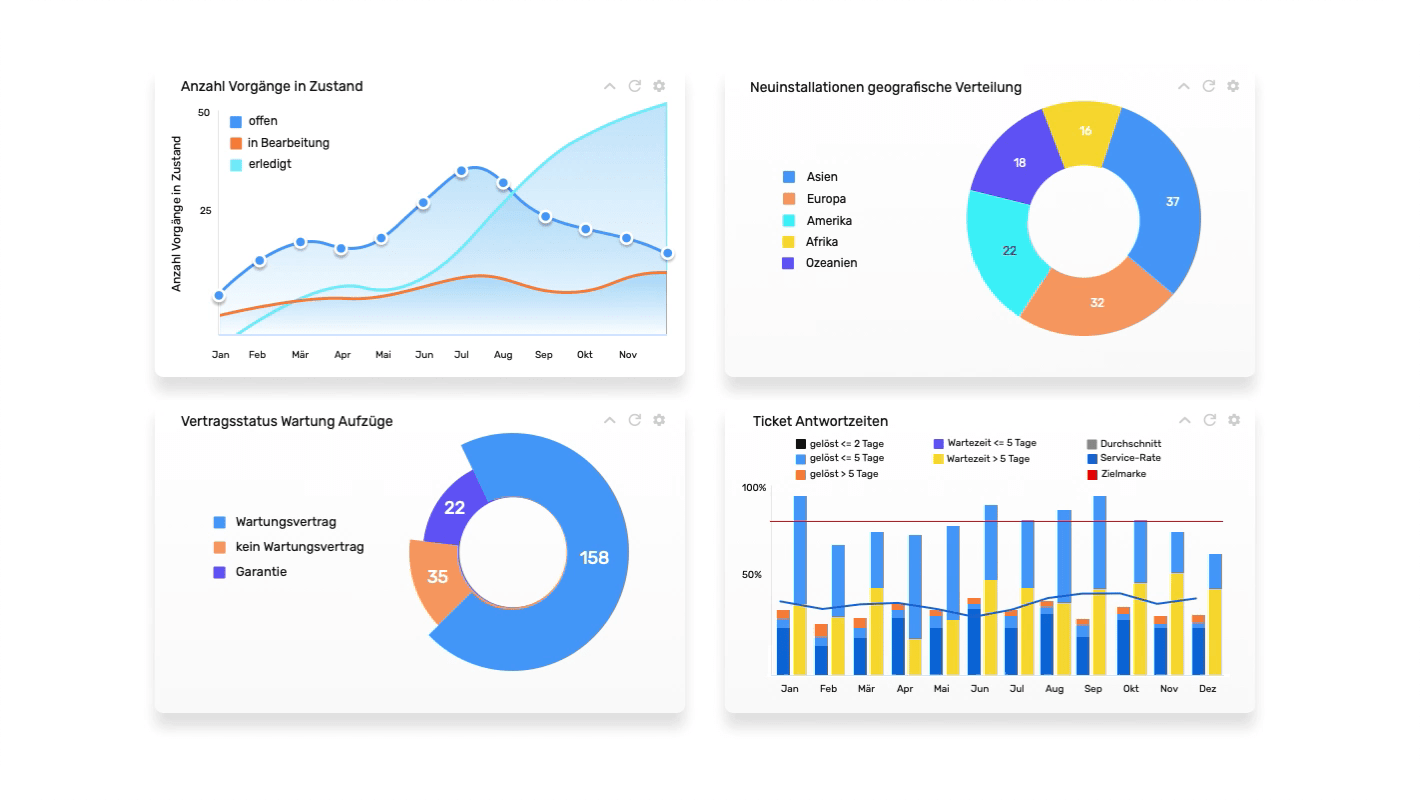
Core features
These features come built into the Allegra platform.
Task management
All kinds of work items in one place. Follow-ups, recurring dates, Getting Things Done — it's all there.
Hierarchical work items
Structure work items (tasks, open items, etc.) as deeply as you want and keep the overview.
Hierarchical areas
Break projects into sub-areas as deeply as you like. Even very large projects stay manageable.
Customisable forms
Lay out fields yourself and show each role only what they need.
Customisable attributes
Pick exactly the attribute types you need from a wide variety, per work-item type.
Complete audit trail
Every change is recorded, so it's always traceable what happened.
Attachments
Attach as many files as you like, directly or as URL. Full-text search includes them.
Dashboard
All key project data in one place, in real time. Spot deadline and budget overruns instantly.
Multilingual
All UI texts are update-safe localisable and available in multiple languages.
Branding
Integrate the service portal into your existing websites and align it with your corporate identity.
Portfolios
Keep an overview of all tasks with cross-project queries and reports.
Role-based access control
Use role assignments to control who can see and edit what. RACI methodology for item-level access.
Delegation & follow-up
Delegate work items and set them aside for follow-up. The delegated list is always at hand.
Item relationships
Create relationships between items, e.g. "is duplicate of". Define your own link types freely.
Recurring tasks
Define recurring tasks once and make sure nothing gets forgotten.
Favourites
Mark frequently used items as personal favourites and access them in a dedicated list.
Workflows
Save serious time by automating workflows — approval processes, customer support, and more.
Getting Things Done
Improve personal and team productivity with the proven Getting Things Done method.
Follow-up
Hand work items to team members and set a personal date for follow-up.
Excel import & export
Export work items to Excel and import existing spreadsheets into Allegra.
Dependencies
Link tasks that depend on each other. Successors only start once the predecessor is finished.
Time tracking
Record time spent on important items and produce customer-specific activity reports.
Communication
Everyone gets exactly the information they need.
RACI
With the RACI-based communication scheme, each person gets exactly the information they need — no more, no less.
Followers
Add team members as readers or editors of tasks. They can see or edit and get notified of changes.
Chat integration
With the Slack or MS Teams integration, stay informed and join discussions without logging into Allegra.
Reminders
Get automatic reminders via email or chat for due and overdue tasks.
In-app notifications
When you're getting too many emails, switch to Allegra's in-app notifications.
Text templates
Use text templates to answer standard questions with standard responses, fast.
Likes
Rate work items, documents, or discussion contributions with positive or negative feedback.
Discussions
Talk with team members, partners, and customers via built-in comments, email, or chat systems like Slack and Teams.
Follow-up
Hand tasks over and set a personal date for follow-up.
Administration
Manage teams, guest users, projects, and service desks. Everyone gets the information they're entitled to.
Users
Give users roles in your projects and grant permissions that way. Sync with Active Directory or LDAP for easy user management.
Guests
Collaborate with customers, external suppliers, contractors, and partners inside Allegra.
Groups
Organise users into groups to simplify user management and permission assignment.
Organisations
Assign users to departments or companies. Organise departments hierarchically for matching resource-planning permissions.
Two-factor authentication
Raise access security with two-factor authentication via email or any of the common 2FA mobile apps.
Permissions
Grant project permissions via freely definable roles. System roles set what is allowed system-wide. The hierarchical structure supports distributed administration.
Project administration
Archive inactive projects to keep the overview clean. Data stays reactivatable at any time.
Data security
Export single areas or whole servers including all configurations, and re-import them on another server.
Investment protection
Update even 10+ year-old versions — configurations and data included — to the latest release.
Integrations
Connect Allegra with the tools you already use.
REST API
Access all of your Allegra data via the REST API, integrate it into other tools, and automate work items.
Slack
Post updates to a Slack channel when Allegra tasks change. Create, comment, complete, and edit tasks from Slack itself.
Send email to Allegra
Send or forward emails into Allegra to create tasks or start discussions. Turns emails into actionable items so nothing important slips through.
GitLab
Link your GitLab commits to tasks so your team stays informed about the latest code changes.
MS Power BI
Build complex reports on your Allegra data with Microsoft Power BI.